A2E AI Alternative 2025: ZenCreator vs A2E Full Comparison
A2E vs ZenCreator (2026): Why 10,000+ creators switched to ZenCreator for unrestricted AI content. Credits never expire, no limits. Compare features →

If you're searching for the best uncensored AI video generator in 2026, you've likely discovered both A2E AI and ZenCreator. Both platforms offer powerful AI video generation capabilities without content restrictions, but they differ significantly in features, usability, and overall value for creators.
This comprehensive comparison will help you understand the key differences and choose the right platform for your uncensored AI video generation needs.
A2E AI Review: What We Found
After extensive testing of A2E AI's platform, here's our honest assessment:
Strengths:
- Multiple video models (Veo 3.1, Wan 2.6, Kling) give flexibility for different use cases
- Voice cloning in 50+ languages is impressive for international creators
- API access makes it suitable for developers building custom workflows
- Head swap technology (not just face swap) offers unique capabilities
Limitations:
- $9.9/month entry price, but credits reset monthly
- Interface designed for developers, not everyday content creators
- No built-in social media optimization — requires manual resizing for Instagram/TikTok
- Steeper learning curve compared to creator-focused alternatives
Bottom line: A2E AI is powerful but built for technical users. If you're a developer or don't mind a learning curve, it's solid. For social media creators wanting quick results, there are more accessible options.
Quick Summary: A2E AI vs ZenCreator
| Feature | ZenCreator | A2E AI |
|---|---|---|
| Credits | Credits never expire | Yes ($9.9 entry) |
| AI Video Models | Multiple (Kling, Seedance Pro) | Veo 3.1, Wan 2.6, Kling O1/2.6 |
| Face Swapping | Advanced with consistency | "Indistinguishable" quality |
| Instagram/TikTok Export | Optimized presets | Manual formatting |
| Batch Generation | Yes | Limited |
| Commercial Rights | Clear licensing | Requires verification |
| Social Media Focus | Built-in optimization | Developer/API focus |
| Starting Price | $0/month | $9.9/month |
Video Generation Quality Comparison
See the real difference between ZenCreator and A2E when generating the same content. Both videos use identical prompts to showcase quality, motion smoothness, and file size efficiency.
Video Generation Comparison #1
Prompt: Woman is moving touching her body provocatively
What to Watch For:
- 1Motion smoothness and natural movement
- 2Detail preservation in clothing and hair
- 3Background stability and consistency
- 4File size efficiency (ZenCreator optimizes for social media)
Video Generation Comparison #2
Prompt: Woman is moving touching her body provocatively
What to Watch For:
- 1Consistency across different generations
- 2Quality vs file size tradeoff
- 3Export optimization for Instagram/TikTok
What is A2E AI?
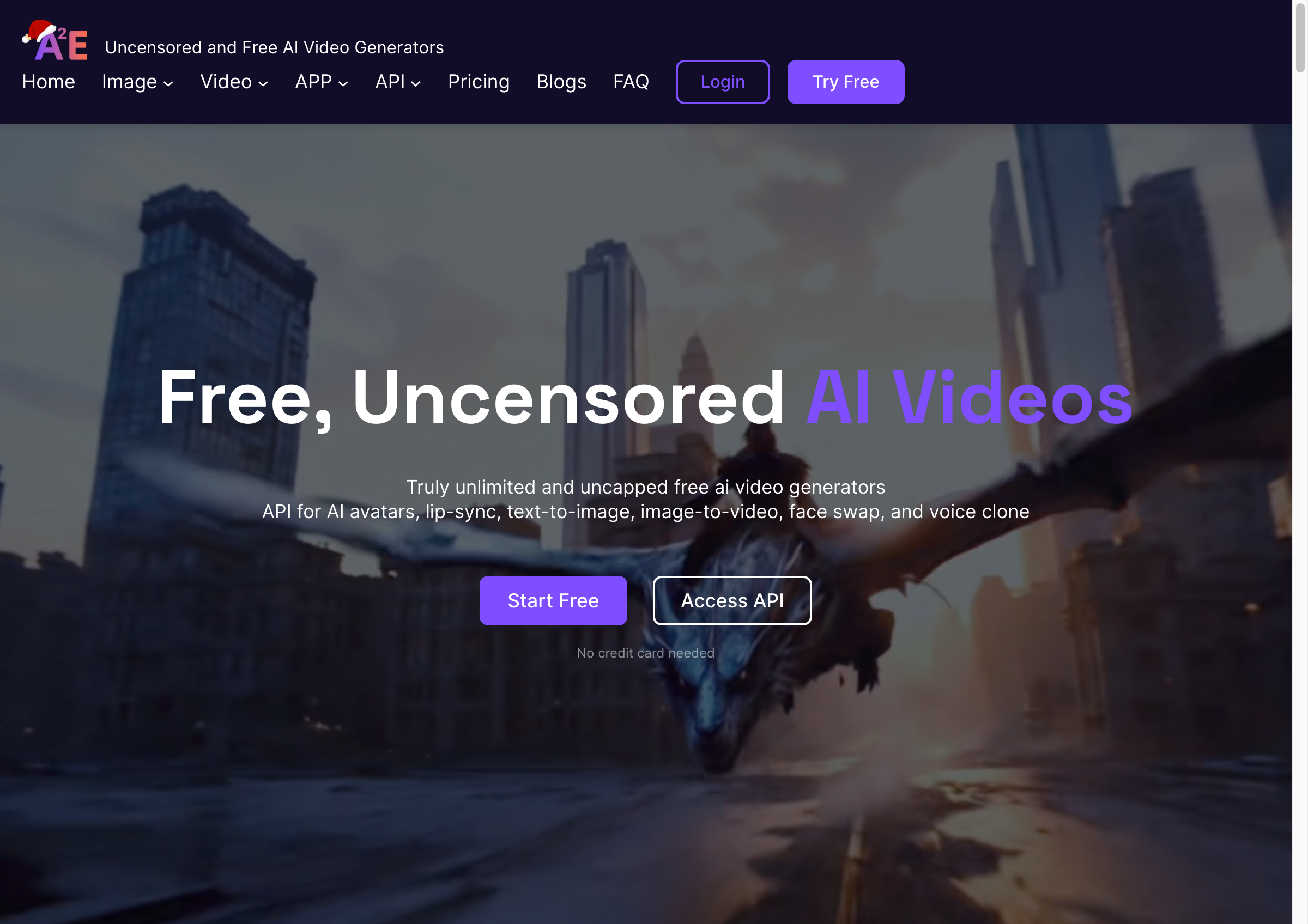
A2E AI (a2e.ai) is a comprehensive uncensored AI video generation platform that launched in 2024 with a focus on unrestricted content creation. The platform markets itself as "unlimited and uncapped" for AI video generation and offers:
- Text-to-video generation with multiple models (Veo 3.1, Wan 2.6, Kling)
- Advanced face swap and head swap technology
- AI avatars with lip-sync capabilities
- Talking Photo & Talking Video features
- Character animation (image to dancing video)
- Voice cloning in 50+ languages
- Video-to-audio generation
- Image generation (Flux 2, Nano Banana Pro)
- MCP-ready REST API
- Multi-region data centers
Target Users: Developers, content creators, e-learning professionals, product marketers
Key Strength: Technical flexibility with API access and multiple video models
Key Limitation: Interface designed for technical users, lacks social media optimization
What is ZenCreator?
ZenCreator is a creator-focused AI video platform that includes uncensored video generation as part of its comprehensive content creation suite. Built specifically for social media creators, influencers, and marketers, ZenCreator offers:
- AI video generation (image-to-video, video-to-video)
- Advanced face swapping with consistency across content
- AI lip sync and talking avatars
- Dance video generation (Seedance Pro)
- Social media optimization (Instagram, TikTok, YouTube presets)
- Commercial licensing clarity
- Batch generation and content libraries
- No restrictions on content type
- Multiple video models and effects
Target Users: Social media creators, content marketers, influencers, agencies
Key Strength: Social media-optimized workflow with clear commercial licensing
Key Advantage: Platform designed for creators, not developers
Feature-by-Feature Comparison
1. AI Video Generation
A2E AI:
- Multiple video models (Veo 3.1, Wan 2.6, Kling O1, Kling 2.6)
- Text-to-video generation
- API access for automation
- Technical parameter controls
- Developer-focused interface
ZenCreator:
- Image-to-Video conversion
- Video-to-Video motion transfer
- Multiple specialized models (Seedance Pro, Animate)
- Creator-friendly interface
- Social media aspect ratio presets
- Batch processing capabilities
Winner: Tie — Both offer powerful video generation. A2E provides more models, ZenCreator offers better creator workflow.
2. Face Swapping & Head Swap
A2E AI:
- "Indistinguishable and smooth" face swap
- Head swap (changes entire head, not just face)
- Advanced blending technology
- Works with images and videos
- Technical precision
ZenCreator:
- Advanced face swap technology
- Face consistency across multiple videos
- Natural lighting and blending
- Reference face library
- Maintains persona across content series
- Works seamlessly with video generation
Winner: Tie — Both offer top-tier face swap technology. A2E has head swap, ZenCreator has better consistency tools.
Face Swap Visual Comparison
See real quality differences between ZenCreator and A2E face swapping. All examples use identical source faces and original images to showcase blending, lighting consistency, and detail preservation.
Face Swap Example #1: Beach Portrait
Complex lighting scenario with outdoor natural light


Key Comparison Points:
- •Facial feature blending and edge smoothness
- •Lighting consistency with original scene
- •Skin tone matching and color harmony
- •Detail preservation in eyes, nose, and mouth
- •Natural shadow integration
Face Swap Example #2: Direct Result Comparison
Side-by-side comparison with interactive slider


Key Comparison Points:
- •Face swap accuracy and proportions
- •Background preservation quality
- •Hair blending and edge detection
- •Overall realism and detectability
Face Swap Example #3


Key Comparison Points:
- •Complex angle handling
- •Facial expression preservation
- •Texture and detail quality
Face Swap Example #4


Key Comparison Points:
- •Challenging lighting conditions
- •Skin texture matching
- •Edge blending quality
Face Swap Example #5


Key Comparison Points:
- •Multiple faces or complex scenes
- •Precision targeting
- •Quality consistency
Head Swap Visual Comparison
Head swap goes beyond face replacement by swapping the entire head including hair, ears, and neck. See how both platforms handle this more complex transformation.
Head Swap Example #1
Full head replacement with complex hair styling


Key Comparison Points:
- •Complete head integration with body
- •Neck and shoulder blending quality
- •Hair texture and style preservation
- •Lighting and shadow consistency
- •Perspective and angle matching
Head Swap Example #2


Key Comparison Points:
- •Challenging body pose integration
- •Hair detail preservation
- •Natural transitions at neck and shoulders
Head Swap Example #3: Direct Comparison
Interactive comparison of head swap results


Key Comparison Points:
- •Overall head swap realism
- •Edge detection accuracy
- •Lighting match quality
3. AI Avatars & Lip Sync
A2E AI:
- AI avatars with lip-sync
- Talking Photo feature
- Talking Video feature
- Voice cloning (50+ languages)
- Video-to-audio generation
- Technical control over sync
ZenCreator:
- AI lip sync technology
- Talking avatar generation
- Integrated with video workflow
- Social media optimized output
- Multiple voice options
- Seamless creator workflow
Winner: A2E AI — More languages and voice cloning features give A2E a slight edge.
4. Animation & Dance Videos
A2E AI:
- Character animation (image to dancing video)
- Basic motion transfer
- API-driven animation
- Technical customization
ZenCreator:
- Seedance Pro specialized model
- Advanced dance video generation
- Multiple dance styles
- Social media trending moves
- Batch dance generation
- Creator-optimized output
Winner: ZenCreator — Specialized dance video features designed for viral social content.
5. Pricing & Plans
A2E AI:
- Starting at $9.9/month
- Monthly subscription, credits reset each month
- Usage-based pricing options
- API access in paid tiers
- Multi-region infrastructure
ZenCreator:
- Starting at $19.99/month for 200 credits
- Credits never expire on every plan
- All features on every tier
- Transparent pricing structure
- No hidden fees
- Scalable plans for businesses
- Clear commercial licensing included
Winner: ZenCreator — Credits never expire with no commitment and clearer pricing structure.
Want the full breakdown? See our complete A2E AI pricing guide with hidden costs and cost-per-feature analysis.
6. Export & Social Media Optimization
A2E AI:
- Standard video downloads
- Manual formatting for platforms
- API export options
- Technical export controls
- Requires resizing for social media
ZenCreator:
- Social media optimized exports
- Instagram (1:1, 4:5, 9:16) presets
- TikTok (9:16) presets
- YouTube (16:9) presets
- Direct publishing integration
- Batch export capabilities
- One-click social sizing
Winner: ZenCreator — Built-in social media optimization saves hours of manual work.
7. Image Generation
A2E AI:
- Flux 2 model
- Nano Banana Pro
- Text-to-image generation
- Product Avatar feature
- Technical image controls
ZenCreator:
- Multiple generation modes
- Extensive style library
- Batch generation
- Face consistency tools
- Reference-based generation
- Social media optimized
Winner: Tie — Both offer quality image generation with different strengths.
8. Commercial Use & Licensing
A2E AI:
- Commercial use available
- Requires verification of terms
- API licensing separate
- Rights documentation unclear
- Business use supported
ZenCreator:
- Clear commercial licensing
- Terms documented transparently
- Business-ready content creation
- Rights guidance provided
- No ambiguity in usage
Winner: ZenCreator — Crystal-clear licensing removes legal uncertainty for businesses.
Concerned about safety? Read our Is A2E AI Safe? analysis covering data privacy, trust scores, and content rights.
9. User Interface & Workflow
A2E AI:
- Developer-focused interface
- Technical parameter controls
- API-first design
- Steeper learning curve
- Powerful but complex
ZenCreator:
- Creator-focused interface
- Intuitive design
- No technical knowledge required
- Fast workflow
- Social media optimized
- Easy to learn and use
Winner: ZenCreator — Significantly easier for creators without technical backgrounds.
When to Choose A2E AI
A2E AI might be the better choice if you:
- Need API access for automation
- Want the widest variety of video models
- Require voice cloning in 50+ languages
- Have technical development skills
- Need head swap (not just face swap)
- Plan to build custom integrations
- Prefer technical control over ease of use
- Work on e-learning or educational content
When to Choose ZenCreator
ZenCreator is the better choice if you:
- Create content for Instagram, TikTok, or YouTube
- Want to try before paying (starter plan with credits that never expire)
- Need consistent face across video series
- Want social media-optimized output
- Require clear commercial licensing
- Prefer creator-friendly over developer-focused
- Need batch generation for scaling content
- Want specialized dance video features
- Don't have technical/coding background
- Need to create content quickly
Looking for more options? Check our complete A2E alternatives guide comparing 5+ platforms.
Real User Feedback
What Users Say About A2E AI:
"The video models are powerful but the interface takes time to learn. Great for developers who want API access."
"Head swap feature is unique but I had to manually resize everything for Instagram. Workflow could be smoother for social media."
What Users Say About ZenCreator:
"Social media presets are a game-changer. I can create TikToks and Reels without worrying about sizing."
"Being able to maintain the same AI character across 20+ videos finally works. Face consistency is excellent."
Migration Guide: Switching from A2E AI to ZenCreator
If you're currently using A2E AI and want a more creator-friendly workflow with social media optimization, here's how to switch:
Step 1: Sign Up for ZenCreator
Visit app.zencreator.pro and create an account and pick a plan starting at $19.99/month.
Step 2: Recreate Your AI Characters
Use ZenCreator's face generation or face swap features to recreate your AI personas. Upload reference images from A2E if you have them.
Step 3: Generate Social-Optimized Content
Use the built-in export presets for Instagram (1:1, 4:5, 9:16), TikTok (9:16), and YouTube (16:9) to create platform-optimized content without manual resizing.
Step 4: Leverage Face Consistency
Use the same reference face across all generations to maintain consistency. ZenCreator's face swap technology ensures your AI character looks the same in every video.
Step 5: Batch Generate for Scale
Use batch generation features to create multiple videos at once, saving time on repetitive content creation.
Step 6: Upgrade When Ready
Once you've outgrown the starter plan, upgrade to a higher tier to match your production volume. All your content and settings are preserved across plan changes.
Frequently Asked Questions
Is ZenCreator truly uncensored like A2E AI?
Yes, ZenCreator does not impose content restrictions on AI video generation. However, we provide clear commercial licensing and terms of service to guide business use responsibly.
Can I use A2E AI content on social media?
Yes, but you'll need to manually resize and format videos for each platform. A2E doesn't provide social media presets like ZenCreator does.
Which platform has better video quality?
Both platforms produce high-quality videos. A2E offers more video models to choose from, while ZenCreator optimizes specifically for social media platforms' compression algorithms.
Do I need coding skills for ZenCreator?
No, ZenCreator is designed for creators without technical backgrounds. The interface is intuitive and no coding is required. A2E AI is more developer-focused with API access.
Can I maintain the same AI character across videos?
Both platforms support this, but ZenCreator's face consistency tools are specifically designed for creating content series with the same AI character across multiple videos.
Which is better for TikTok and Instagram?
ZenCreator is significantly better for TikTok and Instagram due to built-in export presets, aspect ratio optimization, and understanding of social media platform requirements.
Does ZenCreator have an API?
ZenCreator is focused on the creator workflow through the web interface. A2E AI is better if you specifically need API access for automation and custom integrations.
Which platform is more affordable?
ZenCreator starts at $19.99/month for 200 credits that never expire, making pacing flexible. A2E starts at $9.9/month but credits reset monthly. ZenCreator's pricing is more transparent overall.
Conclusion: Which Should You Choose?
For most social media creators and content marketers in 2026, ZenCreator is the better choice. The combination of:
- Affordable entry pricing with credits that never expire
- Social media-optimized workflow and export presets
- Superior face consistency for character-based content
- Creator-friendly interface (no coding required)
- Clear commercial licensing for business use
- Specialized features like dance video generation
- Time-saving batch generation
...makes it the more accessible and practical platform for creators focused on Instagram, TikTok, YouTube, and other social platforms.
A2E AI is the better choice if you're a developer who needs API access, want the maximum variety of video models, or require voice cloning in 50+ languages. It's powerful but optimized for technical users rather than creators.
Ready to try ZenCreator? Start today. Create your first uncensored AI video in minutes.
Related Resources
Looking to get started with AI influencer creation or explore more options? Check out these helpful guides:
- AI Influencer Generator: Free Tool — Create AI influencers from scratch with prompts, face swap, and batch generation
- Best AI Influencer Generators 2025 — Compare all top platforms including ZenCreator, A2E, Synthesia, and more
- Eromify vs ZenCreator — Another popular comparison for AI influencer generators
- Unrestricted AI Generator — Create AI content without limitations or filters
More Comparisons
- Eromify vs ZenCreator — Compare ZenCreator with another popular AI influencer generator
- Perchance AI vs ZenCreator — Free AI image generator comparison
Related Reading
- Free AI Influencer Generator — Create AI influencers for Instagram and TikTok
- 10 Best AI Video Generators in 2025 — Compare all the top platforms including ZenCreator, A2E AI, and more
- AI Video Generator Free — Learn how to create AI videos for free
- Face Swap Video Guide — Master face swapping for consistent AI characters
- Dance Video Generation Guide — Create viral dance videos with AI