Venice AI vs ZenCreator: Unrestricted AI Platforms Compared (2026)
Venice AI vs ZenCreator comparison for 2026. Privacy-first AI chat and image generation vs full creator pipeline with face consistency, video engines, and social publishing.

If you're searching for an unrestricted AI platform in 2025, you've likely discovered both Venice AI and ZenCreator. Both platforms offer creative freedom without heavy moderation, but they serve fundamentally different purposes and excel in different areas.
This comprehensive comparison will help you understand which platform aligns with your specific needs—whether you prioritize privacy-first AI chat or professional video content creation. For creators seeking a Venice AI alternative with full video capabilities, ZenCreator is the leading choice.
The 2-Minute Answer
Choose Venice AI if: You need 100% private, unrestricted AI chat with code generation and zero data logging.
Choose ZenCreator if: You create video content for social media and need face consistency, lip sync, and platform export presets.
Venice AI vs ZenCreator: Quick Comparison Table
| Feature | ZenCreator | Venice AI |
|---|---|---|
| Credits | Credits never expire | 10 prompts/day, 15 images/day |
| AI Video Generation | Full suite | None |
| Privacy Focus | Standard | 100% private (on-device) |
| Text/Chat AI | Not available | Unlimited (Pro) |
| Image Generation | AI influencers, video frames | FLUX Custom, SD 3.5 |
| Face Swapping | Advanced | Not available |
| AI Chat / LLM | Visual content focus | Multiple LLMs (DeepSeek, Llama, Qwen) |
| Starting Price | $0/month | $18/month Pro |
| Best For | Video creators | Privacy-conscious users, developers |
What is Venice AI? (Private Unrestricted AI Chat)
Venice AI is a privacy-first unrestricted AI platform launched in 2024 with a focus on keeping your data completely private. It's built on the principle of "Unrestricted Intelligence" and positions itself as the alternative for users who want creative freedom without data logging.
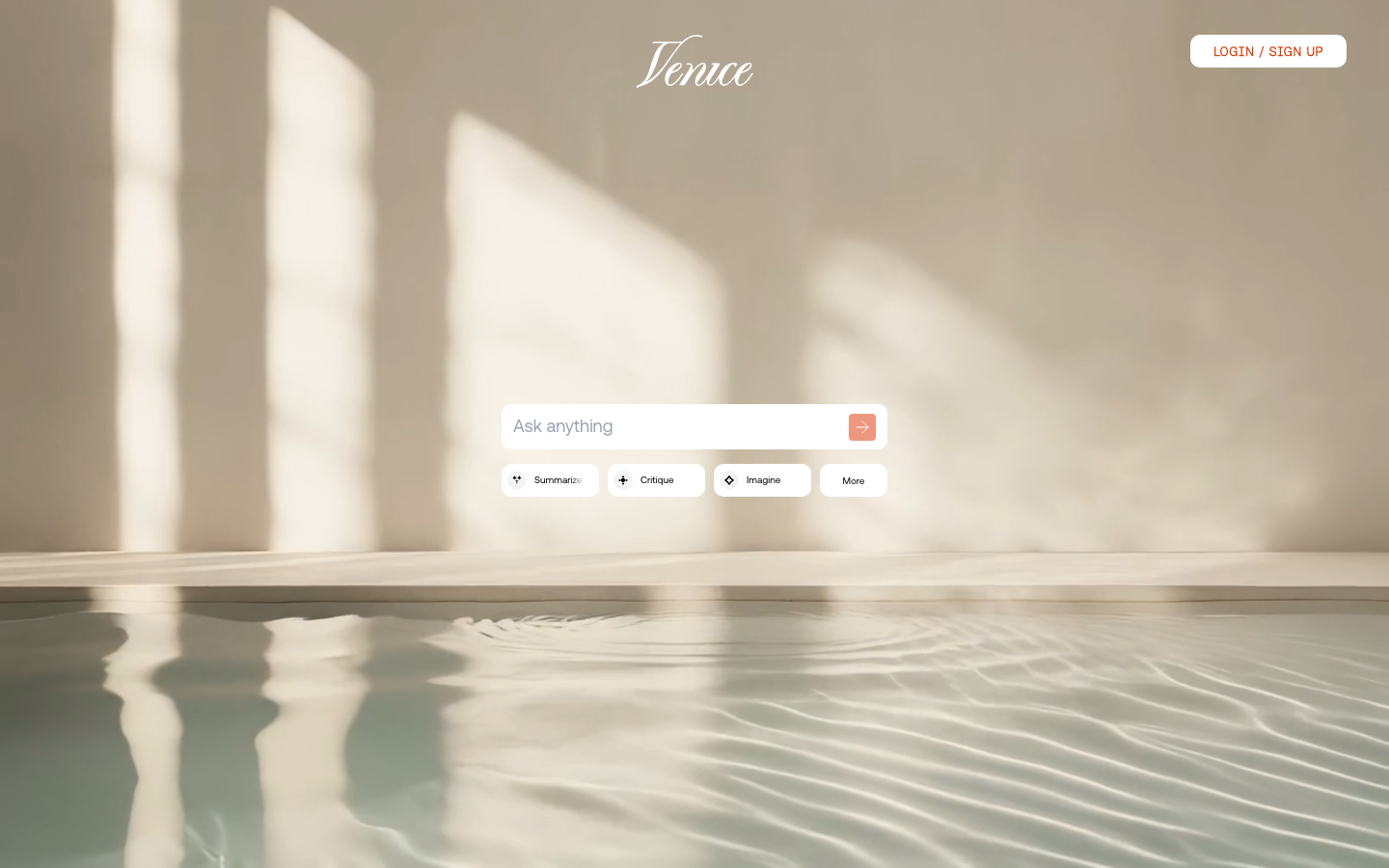
Key features of Venice AI:
- 100% Private AI Chat — All conversations stay on your device, zero data logging
- Open-Source Models — DeepSeek R1 671B, Llama 3.1 405B, Qwen 2.5 VL 72B
- Text & Code Generation — Unlimited chat, code in Python, JavaScript, C++, SQL
- Image Generation — FLUX Custom and Stable Diffusion 3.5 models
- Character Creation — Build custom AI personas with unique personalities
- API Access — For developers building privacy-focused applications
However, Venice AI has some notable limitations:
- No video generation — Platform is text and image only
- Limited creative tools — No face swapping, lip sync, or animation features
- Developer-focused — Interface and features geared toward technical users
- No social media optimization — Manual export and resizing required
What is ZenCreator? (AI Video & Content Platform)
ZenCreator is a comprehensive AI video and content creation platform built specifically for social media creators, marketers, and AI influencer producers. While it doesn't emphasize privacy like Venice AI, it offers unrestricted creative capabilities for visual content.
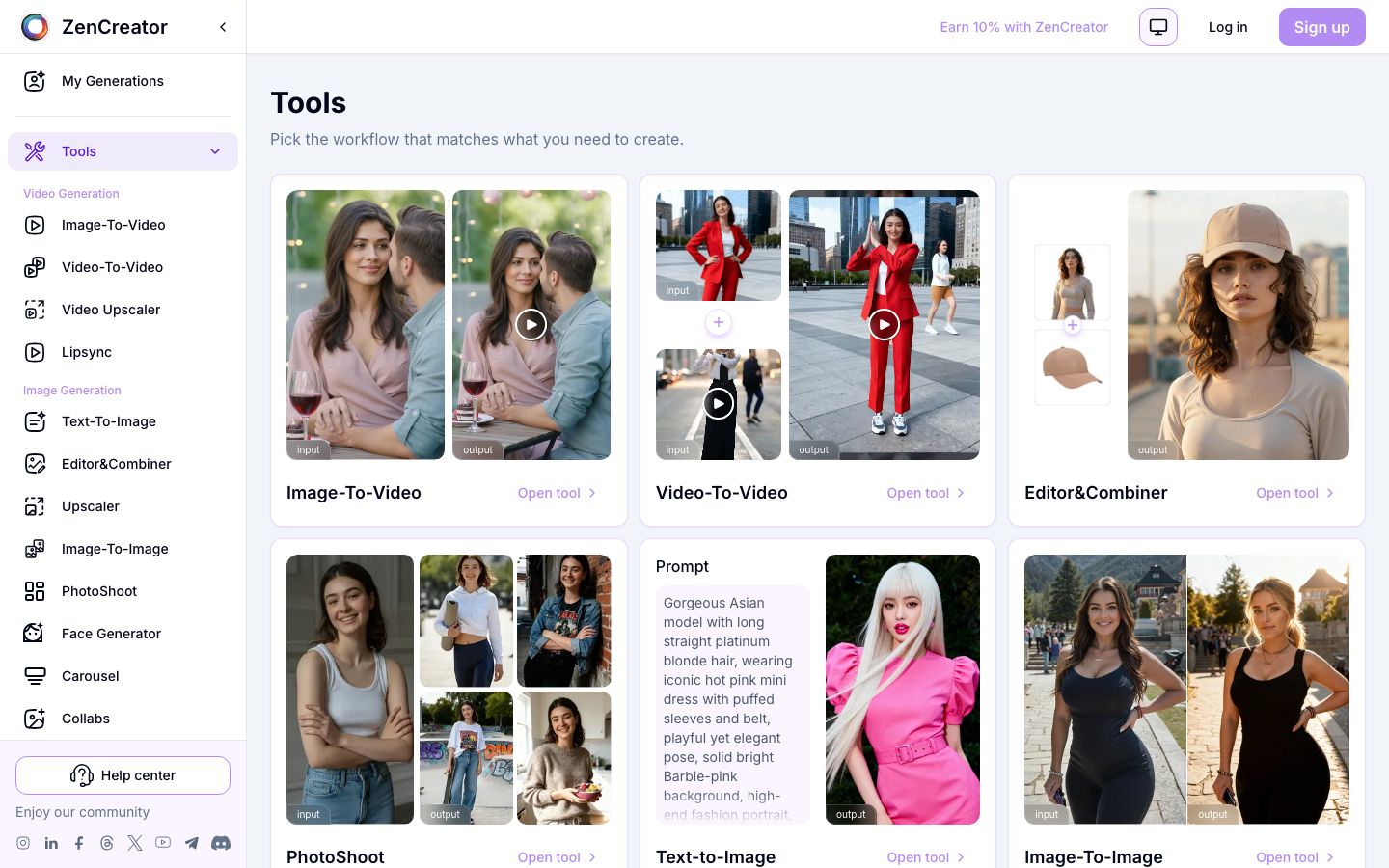
Key features of ZenCreator:
- AI Video Generation — Image-to-video, video-to-video, motion transfer
- Advanced Face Swapping — Consistent face generation across all content
- AI Lip Sync — Sync mouth movements to audio perfectly
- Dance Video Creation — Seedance Pro for viral content
- Social Media Optimization — Instagram, TikTok, YouTube export presets
- Batch Generation — Create multiple variations efficiently
- Commercial Licensing — Clear rights for business use
Venice AI vs ZenCreator: Feature-by-Feature Comparison
1. Privacy & Data Security
Venice AI:
- 100% private architecture with data staying on user devices
- No conversation logging or data collection
- Open-source models for transparency
- No third-party data sharing
- Privacy-first design philosophy
ZenCreator:
- Standard cloud-based processing
- Data used for service delivery
- Secure infrastructure
- Standard privacy policy
- Focus on content creation vs. privacy
Winner: Venice AI — Unmatched privacy with on-device processing and zero logging.
2. AI Video Generation
Venice AI:
- No video generation capabilities
- Image-only output
- No animation or motion tools
- Static content focus
ZenCreator:
- Full video generation suite
- Image-to-Video conversion
- Video-to-Video motion transfer
- AI lip sync technology
- Dance video generation (Seedance Pro)
- Multiple video models and styles
- Social media optimized outputs
Winner: ZenCreator — Complete video capabilities vs. none.
3. Text & Chat AI
Venice AI:
- Unlimited text generation (Pro)
- Advanced language models (DeepSeek R1 671B, Llama 3.1 405B)
- Unrestricted conversations
- Character AI personas
- Code generation support
- Context-aware responses
ZenCreator:
- No text chat features
- No conversational AI
- Visual content creation focus
- Visual content focus only
Winner: Venice AI — Sophisticated chat and text capabilities vs. none.
4. Image Generation
Venice AI:
- FLUX Custom and Stable Diffusion 3.5
- Up to 1000 images/day (Pro)
- Unrestricted content policies
- Basic customization
- Watermark removal (Pro)
ZenCreator:
- Multiple generation modes (prompt, reference)
- AI influencer specialization
- Face consistency technology
- Batch generation support
- Social media optimized sizes
- Advanced style library
Winner: Tie — Venice for volume and privacy, ZenCreator for consistency and social optimization.
5. Face Technology
Venice AI:
- No face swapping
- No face consistency tools
- Basic portrait generation
- No specialized face features
ZenCreator:
- Advanced face swap technology
- Face consistency across images and videos
- Natural blending and lighting
- Reference face library
- Works with both images and videos
- Maintains persona across 100+ generations
Winner: ZenCreator — Professional-grade face technology vs. none.
6. Pricing & Free Access
Venice AI:
- Free tier: 10 text prompts/day, 15 images/day
- Pro: $18/month or $149/year
- Unlimited text generation
- Up to 1000 images/day
- Advanced models
- Character creation
- API access
- Watermark removal
ZenCreator:
- All features accessible — credits never expire
- Starter plan credits for all features
- Transparent pricing
- Scalable plans
- Credits never expire
- Pay-as-you-go or subscription options
Winner: ZenCreator — Credits never expire vs. limited daily allowance.
7. Social Media Optimization
Venice AI:
- Manual export only
- No platform-specific presets
- Standard file downloads
- No publishing integrations
- User handles resizing
ZenCreator:
- Instagram presets (1:1, 4:5, 9:16)
- TikTok optimization (9:16)
- YouTube formats (16:9)
- Batch export capabilities
- Direct publishing integration
- Platform-specific quality settings
Winner: ZenCreator — Built-in social optimization vs. manual workflow.
When to Choose Venice AI
Venice AI is the better choice if you:
- Prioritize 100% privacy and data security
- Need unrestricted AI chat and text generation
- Want to generate code (Python, JavaScript, C++, SQL)
- Are a developer building privacy-focused applications
- Need API access for custom integrations
- Create static images or text content only
- Value open-source models and transparency
- Don't require video generation capabilities
- Want to create custom AI characters with unique personalities
When to Choose ZenCreator
ZenCreator is the better choice if you:
- Create content for Instagram, TikTok, or YouTube
- Need AI video generation capabilities
- Require face consistency across multiple pieces of content
- Want to build an AI influencer brand
- Create commercial content (clear licensing)
- Need face swapping and animation features
- Want AI lip sync for videos
- Prefer a no-commitment free tier to test everything
- Create dance videos or viral content
- Need batch generation for efficiency
- Want social media export presets built-in
Real User Feedback
What Users Say About Venice AI:
"Finally, an AI that respects privacy. Knowing my conversations never leave my device is huge. The unrestricted nature is refreshing."
"Great for text and coding, but I wish it had video capabilities. Had to use another platform for video content."
What Users Say About ZenCreator:
"The video generation is incredible. I went from static images to full AI influencer Reels in minutes."
"Face consistency across 50+ posts finally works. My AI character looks the same in every piece of content."
Use Case Scenarios
Scenario 1: Privacy-Conscious Developer
Need: Build a chatbot with sensitive data, generate code, maintain privacy.
Winner: Venice AI — 100% private on-device processing, code generation, API access. Perfect for developers who can't risk data leaks.
Scenario 2: Instagram AI Influencer Creator
Need: Create consistent AI character, generate videos, post to social media.
Winner: ZenCreator — Face consistency, video generation, Instagram export presets. Purpose-built for social media content.
Scenario 3: Unrestricted Image Generation
Need: Generate creative images without heavy moderation.
Winner: Tie — Both offer unrestricted policies. Venice AI for volume (1000/day), ZenCreator for social optimization and consistency.
Scenario 4: Video Content Creator
Need: Create Reels, TikToks, and YouTube Shorts with AI.
Winner: ZenCreator — Venice AI has no video capabilities. ZenCreator offers full video suite with social media optimization.
Scenario 5: AI Character Chat
Need: Create custom AI personas for conversations.
Winner: Venice AI — Character creation with personality customization, unlimited chat. ZenCreator has no chat features.
Integration & Workflow
Venice AI Workflow:
- Text Generation: Chat with AI models, generate code, create content
- Image Creation: Generate images with FLUX or Stable Diffusion
- Character AI: Build custom personas for specialized conversations
- API Integration: Embed privacy-first AI into your applications
- Manual Export: Download and manually post to social media
ZenCreator Workflow:
- Image Generation: Create AI influencer images or use existing photos
- Face Consistency: Apply same face across all generations
- Video Creation: Convert images to video, add motion and effects
- Lip Sync: Add voice and sync mouth movements
- Export: Use Instagram/TikTok presets and publish directly
Migration Guide: Using Both Platforms
Since Venice AI and ZenCreator serve different purposes, many users benefit from using both platforms together. Here's how:
Step 1: Use Venice AI for Planning
- Generate content ideas using Venice AI's chat
- Create written scripts and captions
- Generate code for automation
- Plan your content calendar privately
Step 2: Create Visuals in ZenCreator
- Generate AI influencer images
- Create consistent face across content
- Convert images to videos
- Add lip sync and effects
Step 3: Export and Publish
- Use ZenCreator's social media presets
- Download optimized files
- Post to Instagram, TikTok, YouTube
Step 4: Analyze and Iterate
- Use Venice AI to analyze performance data
- Generate insights from analytics
- Plan next content batch
Venice AI vs ZenCreator: Frequently Asked Questions
Is Venice AI really 100% private?
Yes, Venice AI uses on-device processing where your data stays on your device. Conversations are not logged or sent to external servers. This is verified by their open-source model architecture.
Can I create videos with Venice AI?
No, Venice AI is focused on text, chat, and image generation. It does not offer video creation, animation, or motion features. For video, you would need a platform like ZenCreator.
Does ZenCreator offer private AI chat?
No, ZenCreator is focused on visual content creation (images and videos). It does not have text chat or conversational AI features. For private chat, Venice AI is the better choice.
Which platform has better image quality?
Both platforms produce high-quality images using advanced AI models. Venice AI offers higher volume (1000/day on Pro), while ZenCreator offers better face consistency and social media optimization.
Can I use both platforms together?
Yes, many creators use Venice AI for planning, scripts, and ideation, then use ZenCreator for creating the actual visual content (images and videos). They complement each other well.
Which is better for AI influencer creation?
ZenCreator is significantly better for AI influencer creation because it offers face consistency, video generation, and social media optimization—all critical for building a recognizable AI influencer brand.
What's the best Venice AI alternative for video creators?
ZenCreator is the best Venice AI alternative for video creators. While Venice AI excels at private text/code generation, it has zero video capabilities. ZenCreator offers full video generation, lip sync, and social media export that Venice lacks.
Does Venice AI have a free tier?
Yes, Venice AI offers 10 text prompts per day and 15 images per day on the free tier. However, for unlimited access and advanced features, you need the Pro plan at $18/month.
How much does ZenCreator cost?
ZenCreator's starter plan is $19.99/month for 200 credits — credits never expire. Every plan includes all features: image generation, video, face swap, editing, and publishing.
Is ZenCreator a Good Venice AI Alternative?
Yes—for video creators who don't need private AI chat. ZenCreator is the better Venice AI alternative if you need:
- Video generation (Venice AI has none)
- Face swapping and consistency technology
- AI lip sync for talking head videos
- Social media optimization with platform presets
- Dance video creation for viral content
For developers needing private code generation or users wanting 100% data privacy, Venice AI remains superior. But for social media content creators, ZenCreator fills the video gap Venice can't address.
Conclusion: Different Tools for Different Needs
The choice between Venice AI and ZenCreator isn't about which is "better"—it's about which matches your specific needs:
Choose Venice AI if:
- Privacy is your top priority
- You need unrestricted AI chat and text generation
- Code generation is essential
- You're building privacy-focused applications
- Static images meet your needs
Choose ZenCreator if:
- You create video content for social media
- You need face consistency across content
- You're building an AI influencer brand
- Video generation is required
- You want social media export optimization
For many creators, the ideal solution is using both: Venice AI for private planning and scripting, ZenCreator for creating the actual visual content.
Ready to create AI video content? Start with ZenCreator.
Want 100% private AI chat? Explore Venice AI for unrestricted text generation with complete privacy.
Try ZenCreator Templates
Related Reading
- 10 Best AI Video Generators in 2025 — Compare all the top video creation platforms
- AI Influencer Video Generator — Turn your AI influencer images into videos
- Free AI Video Generator — Create videos without paying upfront