Uncensored AI Generator: The Complete Guide (2026)
What an uncensored AI generator actually is, which engines run without prompt filters, real prompt examples, ethics, and how to start on ZenCreator (2026).
Most "uncensored" AI generators you find online aren't actually uncensored — they just have a softer filter than ChatGPT or Midjourney. A real uncensored generator runs the model itself without a moderation layer on top, which is a different architectural decision, not a marketing claim.
This guide explains what uncensored means at the model layer, which engines on ZenCreator are actually unfiltered (WAN, Seedance Pro Fast unrestricted endpoint), what an honest prompt looks like, where these tools struggle, and the ethics + legal context you should know before using them commercially.
What is an uncensored AI generator?
An uncensored AI generator is a model that produces images or video without a prompt-classification filter rejecting your input before it reaches the model. The model still has whatever biases its training data gave it, but no separate "safety classifier" blocks generations the way Midjourney, DALL-E, Sora, or Veo do.
Two technical pieces matter:
- Model layer: Some open-source models (WAN, Stable Diffusion variants, Flux uncensored forks) are trained without strong RLHF safety alignment. They generate what you ask for.
- Platform layer: A hosted tool can either pass your prompt straight to the model, or run a classifier first and reject anything matching a banlist. ZenCreator does not run a classifier layer on its unrestricted endpoints. Some "uncensored" competitors do — they just have a shorter banlist.
This distinction matters because "uncensored AI" is sometimes a marketing word. The honest definition is: no separate moderation layer; the model gets your prompt verbatim.
When do you actually need an uncensored generator?
Most users come to uncensored tools for one of four reasons:
- Artistic anatomy. Life drawing, figure studies, classical nude composition — the kind of imagery you'd find in any art museum. Mainstream AI blocks it as a category, not by context.
- Mature creative work. Adult fiction illustration, dark-themed visual novels, horror that needs gore, mature romance scenes — legitimate creative projects mainstream tools reject.
- AI influencer content. Creators building consistent characters across thousands of scenes need full control. Filters break character consistency by silently rewriting prompts.
- Commercial campaigns with mature themes. Lingerie, swimwear, fitness, adult products — categories where mainstream generators add bizarre clothing layers or refuse outright.
If your use case is "everyday product photography" or "stock-style portraits," you don't need an uncensored tool. The filtered ones are fine and often faster.
How does an AI generator stay uncensored?
Three architectural patterns produce a genuinely unrestricted generator:
- Open-source model with no RLHF. WAN (the model behind ZenCreator's WAN video engine) ships without the safety fine-tuning that turns a base model into "Sora" or "Veo". The base model generates what you prompt.
- Dedicated unrestricted endpoint. Some hosted models expose two API endpoints — a default filtered one and an unrestricted one for adult-content platforms. ZenCreator's video stack uses the Seedance Pro Fast unrestricted endpoint (
ep-20251107175436-rl5ss) instead of the SFW default. - No prompt classifier at the platform layer. Even with an unfiltered model, a platform can still block by classifying your prompt before sending it. ZenCreator does not do this on unrestricted endpoints — the prompt goes through unchanged.
What "uncensored AI generator" usually doesn't mean: no laws. Generation of illegal content (CSAM, non-consensual sexual imagery of identifiable real people) is blocked at the platform level regardless of model. That's not a content filter — it's a legal compliance gate.
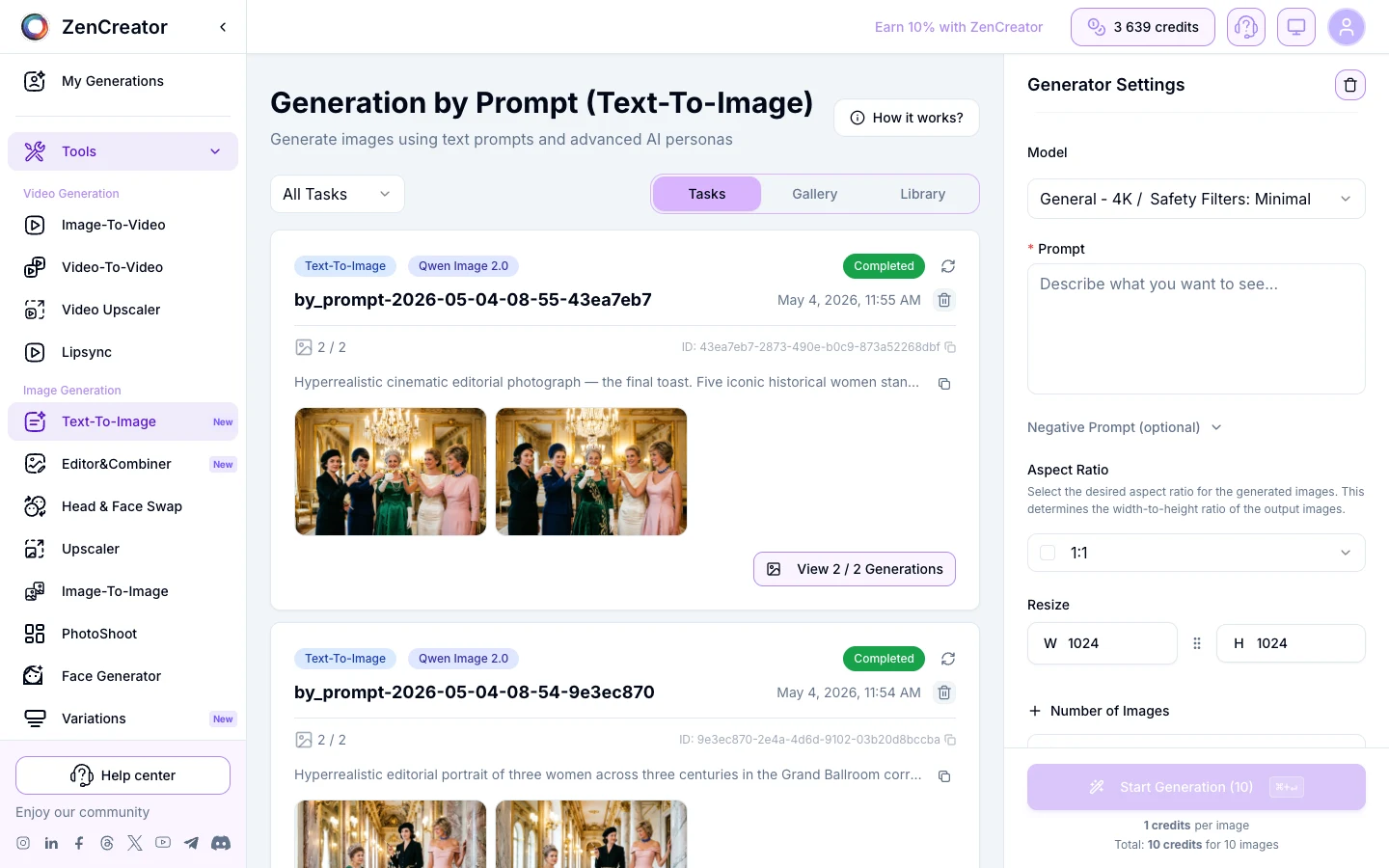
Here is the actual model selector on ZenCreator's Text-to-Image tool. The engine dropdown is where unrestricted output comes from:
Which engines on ZenCreator generate without restrictions?
ZenCreator runs three video engines and two image-generation paths. Not all are unrestricted — the choice matters:
| Engine / Tool | Output | Unrestricted? | Best for |
|---|---|---|---|
| Kling 1.6 | Video, stylized | Partial (depends on prompt) | Stylized motion clips, animated looks |
| Kling 2.0 | Video, photoreal | Partial (filters tighter than 1.6) | Photoreal motion, mainstream campaigns |
| WAN | Video, photoreal | Yes — open model, no platform filter | Lingerie, boudoir, unrestricted scenes |
| Seedance Pro Fast (default) | Video, fast | No (SFW endpoint) | Quick iteration, family-safe content |
| Seedance Pro Fast (unrestricted) | Video, fast | Yes — ep-20251107175436-rl5ss endpoint | Adult creator content, unrestricted iteration |
| Text-to-Image | Static images | Yes — model + platform both unfiltered | Prompt-based generation, characters, scenes |
| Image-to-Image | Transform existing | Yes | Style transfer, variations, NSFW edits |
If you need motion and want guaranteed unrestricted output, pick WAN or Seedance unrestricted. If you only need stills, the Text-to-Image and Image-to-Image tools cover it. For uncensored chat (different category), see our unrestricted AI chatbots guide.
Here's an actual input→output from the unrestricted videogen endpoint — same source photo, no prompt filtering, 5-second motion result:
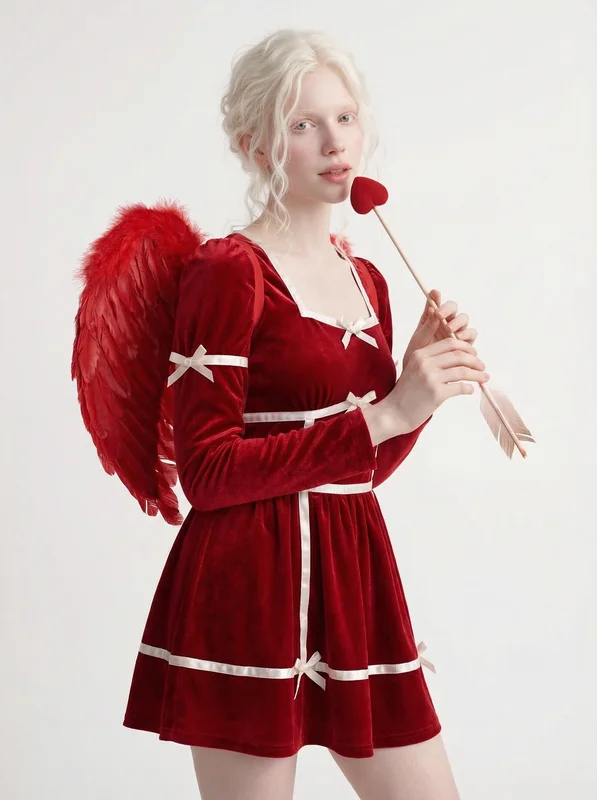
Source photo (first frame)
Result · Seedance unrestricted · 5s
Try ZenCreator Text-to-Image →
What does a real prompt look like on an uncensored generator?
The honest answer: prompts on uncensored generators are usually shorter and more direct than on filtered ones, because you don't need to find euphemisms for what you actually want. Three real outputs from the unrestricted Text-to-Image endpoint:
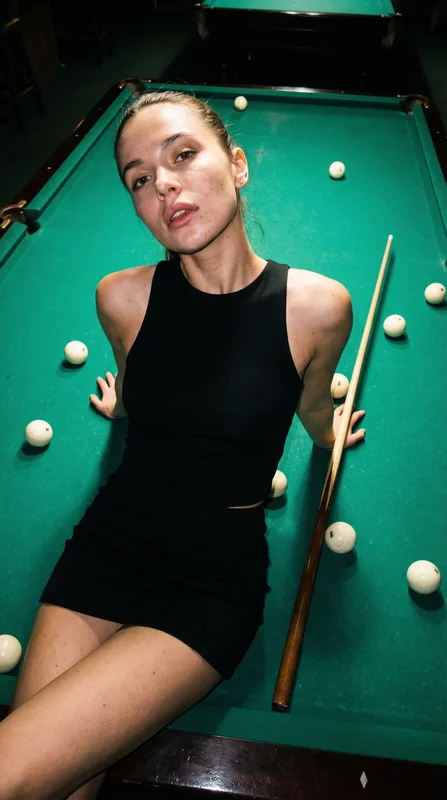
Pool hall queen
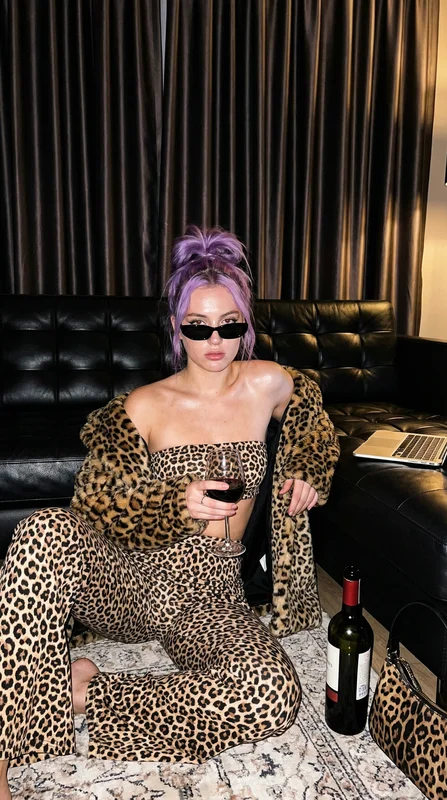
Red wine nights, leopard luxe
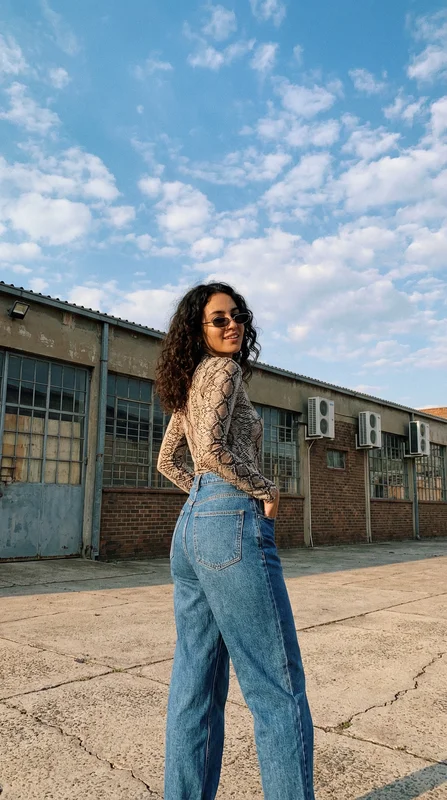
Snake skin & industrial
These outputs come from short prompts — typically 15-25 words each. Here's the pattern, and below it a fresh generation using exactly that prompt structure to prove the pattern holds:
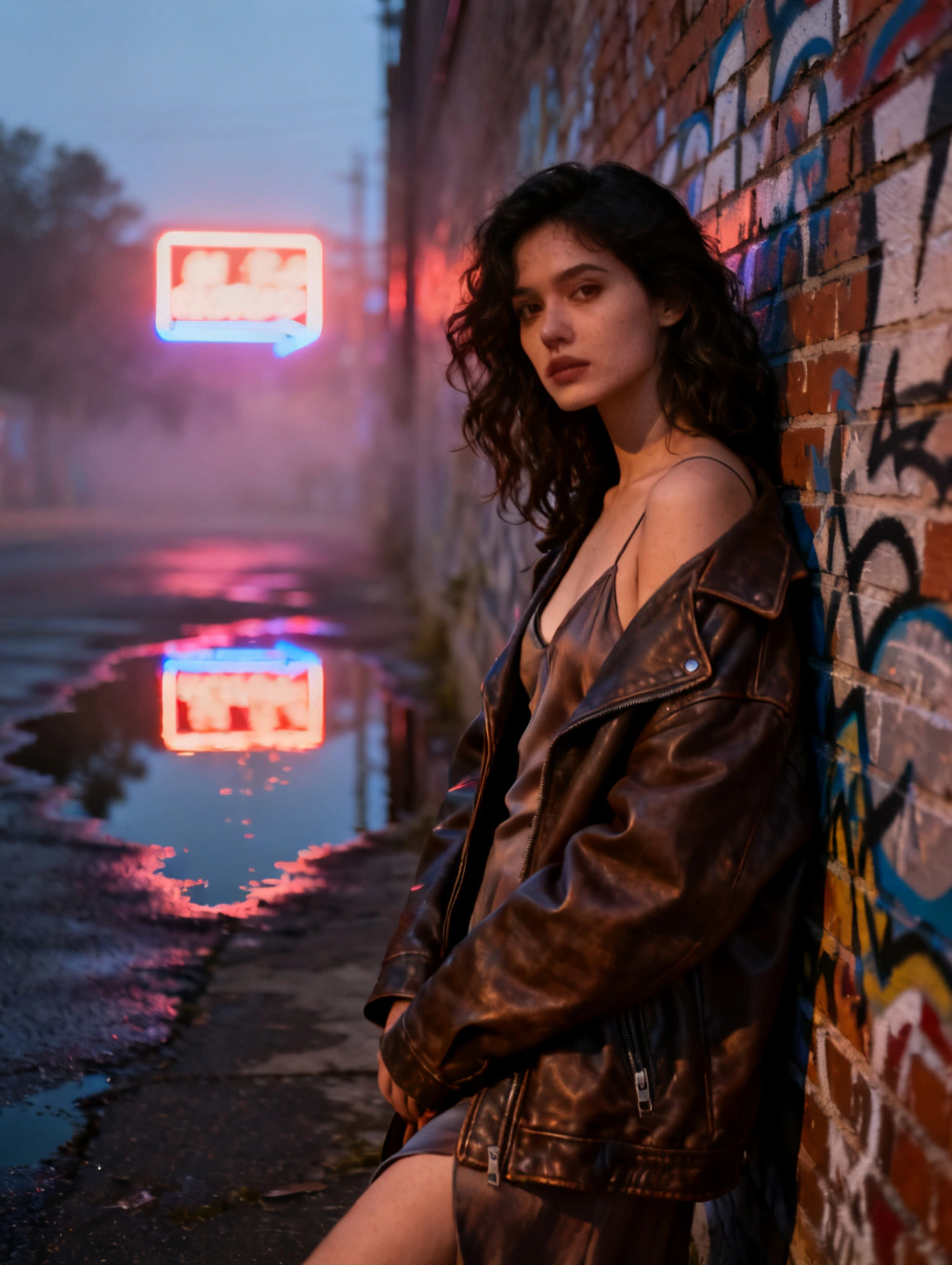
What makes these prompts work, in pattern form:
- Lead with the subject in 2-3 words (woman in red dress, urban night street, close-up portrait)
- Add 2-3 visual anchors — lighting direction, camera angle, color palette
- Skip the "ultra-realistic, 8K, photo of a..." prefix — uncensored models don't need that bloat
- One style descriptor max (photoreal OR anime OR painterly — not three at once)
The hard part of prompting on unrestricted generators isn't getting them to generate — it's getting them to generate something that looks intentional. Filtered tools accidentally enforce composition through their banlist. Unrestricted tools let you make ugly outputs if your prompt is ugly.
Where uncensored generators struggle in 2026
Honest limits, from running these models on production templates daily:
- Hands and feet still drift on long generations. Unrestricted models inherit the same anatomy weaknesses as their filtered cousins. The Upscaler in Face-Safe mode partially fixes this on stills; video is harder.
- Text rendering is unreliable. Tattoos, signs, captions inside the image — you'll get gibberish 60-70% of the time. Use Editor & Combiner to overlay real text instead.
- Multi-character composition. Two specific characters in the same scene with consistent identity for both is still the hardest task. The Collabs tool is the workaround — it composes two pre-generated characters rather than asking the model to generate both at once.
- Very long prompts (>200 words). Models degrade past a certain prompt length. Keep prompts focused; iterate rather than stuff.
These aren't reasons to avoid uncensored generators — they're reasons to design your workflow around them. Generate, upscale, composite, lipsync — multi-stage pipelines beat single-shot prompting.
Ethics and commercial use
Three rules creators using uncensored AI should know, briefly:
- Consent and identifiable people. Generating sexual or compromising imagery of real, identifiable people without consent is illegal in most jurisdictions and is blocked at the platform layer. This includes celebrities. The model may technically be able to render a face; the platform won't let you upload a real person's photo and use it for this.
- Commercial rights. ZenCreator grants commercial usage of your generations under its terms. Some "free" uncensored tools don't — read the license before publishing campaigns.
- Disclosure. EU AI Act (in force since 2024) requires labeling AI-generated content in many commercial contexts. Several US states have similar deepfake laws. If you publish at scale, set up watermarking or metadata flags on your output.
These rules don't restrict creative work — they keep it on the right side of the line.
How to start generating uncensored content on ZenCreator
Four-step workflow that gets you from zero to a finished asset:
- Step 1 — Generate a character. Use Face Generator (SFW, 4 outputs per run, ~15 seconds) to lock in the face you want to keep. Save the canonical reference.
- Step 2 — Build the scene. Use Text-to-Image (unrestricted) or PhotoShoot (40+ themed categories) to generate the body and setting.
- Step 3 — Apply identity. Run Face Swap to put your saved reference onto the scene. This is what gives consistent characters across hundreds of generations.
- Step 4 — Animate or upscale. For motion, send to Image-to-Video with WAN or Seedance unrestricted. For print/4K stills, send to Upscaler in Textured mode.
The whole pipeline is roughly 90 seconds for a still, 3-5 minutes for a 5-second motion clip. Batches of 50+ are routine.
Try these unrestricted generation templates
Each of these is a real production template — input prompt + reference assets pre-configured. Click any card to open it in the tool with the settings ready to run.
Frequently asked questions
Is "uncensored AI" the same as "NSFW AI"?
Not exactly. NSFW (not safe for work) describes a content category — adult, sexual, graphic. Uncensored AI describes the technical architecture — no filter layer, regardless of what you generate. An uncensored generator can produce family-safe images all day; the model just doesn't refuse if you ask for something mature. Most users searching "NSFW AI generator" actually want an uncensored generator they can use for adult content, but the two terms aren't synonyms.
Does ZenCreator have a free uncensored generator?
ZenCreator is a paid platform — there's no free tier. You can try the Text-to-Image and Image-to-Image tools after signing up. For comparison shopping among free options, see our cheapest uncensored AI guide.
Which is more uncensored — WAN or Seedance Pro Fast?
Both run truly unfiltered on ZenCreator. WAN tends to handle dramatic lighting and longer motion arcs better. Seedance Pro Fast unrestricted is faster (3-5 seconds vs 10-15 seconds per clip) and works well for iteration. Use Seedance to find your shot, then re-render in WAN for the hero clip.
Can I get the same character across many uncensored generations?
Yes, but not from prompting alone. Generate the canonical face once in Face Generator, save it, then apply it via Face Swap to every scene you generate afterward. Identity comes from the face reference, not the prompt. This is the workflow that powers AI influencer accounts on ZenCreator.
What does an uncensored AI generator NOT do?
It doesn't help you generate illegal content. Sexual imagery of minors, non-consensual deepfakes of identifiable people, and other content prohibited by law are blocked at the platform layer on every reputable service, including ZenCreator. The unrestricted endpoint is for legal adult creative work, not a workaround for compliance.
How long does a single unrestricted image generation take?
8-15 seconds on Text-to-Image at standard resolution. Batch processing 50 images runs about 6-8 minutes. For video, Seedance unrestricted is 3-5 seconds per clip, WAN is 60-90 seconds per 5-second clip at 720p. Upscaling adds 1-2 minutes per image in Textured mode.
Is the output commercially usable?
Yes. ZenCreator grants commercial usage rights on generations made via paid plans. If you're publishing campaigns under EU jurisdiction or in regulated US states, set up AI disclosure on your distribution channels — that's a publishing-side requirement, not a generator-side one.