How to Generate High-Converting Dating Profiles
Step-by-step guide to creating compelling dating profile content with AI using ZenCreator's generation tools.
This guide shows three reliable ways to build a complete dating profile set in ZenCreator: by Reference, by Prompt, and with Photo Shoot. We'll cover setup, best practices, LoRA tips, and how to finish everything fast with flows.
Before you start: lock your Persona's face
- Create the face in Face Generation (or use an existing one).
- Save a sharp, front-lit source photo of that face (no sunglasses, minimal occlusion). You'll use this in Face Swap or in the combined flows to keep identity consistent across every image and video.
Option A — Dating set by Reference (image-to-image)
Use this when you've found poses/angles you like (IG/Pinterest/selfies).
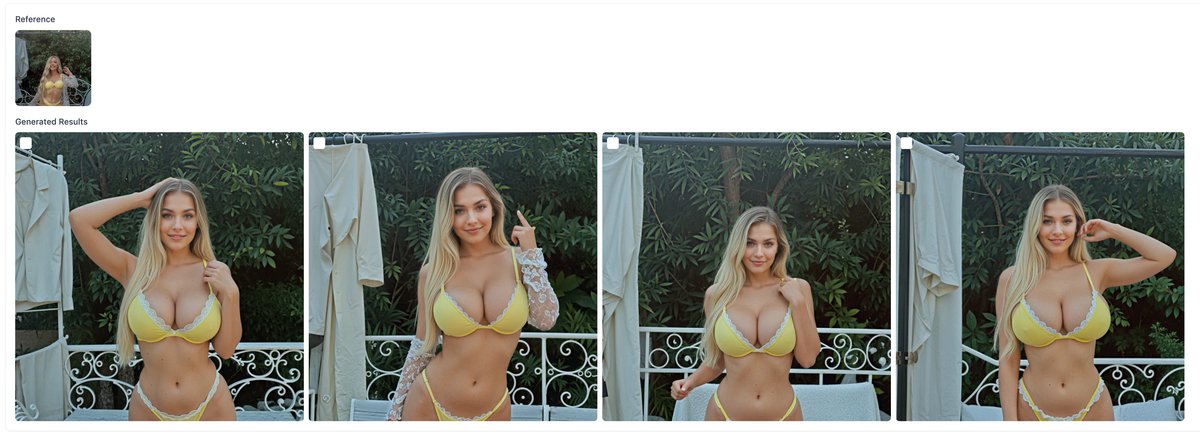
Workflow
- Create/choose the Persona face.
- Collect references that match the hair style/color, lighting, and general body vibe. They don't need to be exact — pose and framing are the most important.
- Run the Gen by Ref + Upscale + Face Swap flow.
- Upload your references.
- Set Strength mid-range (keeps pose, allows small variety).
- (Optional) add LoRAs for physique/style tweaks (start 0.6–1.0; go higher only if needed — strong weights increase artefacts).
- Upload your source face; pick Upscaler (Basic for speed, Premium for finals).
- Review and curate. Pick the most natural, expressive shots.
- (Optional) Make videos from the best stills in Video Generator (Kling 2.1 for the cleanest realism, 5–10s).
Why this works for dating: real-world angles, believable environments, fast to scale.
LoRA examples to shape physique (use sparingly): Slim Figure, Classic Hourglass Shape, Athletic Tone, Soft Tummy & Curves, Thick Thighs & Wide Hips, Plus Size Body, Elegant Mature. Keep strengths moderate to avoid plastic skin or warped anatomy.
Option B — Dating set by Prompt (text-to-image)
Use this when you want to invent a look from scratch.
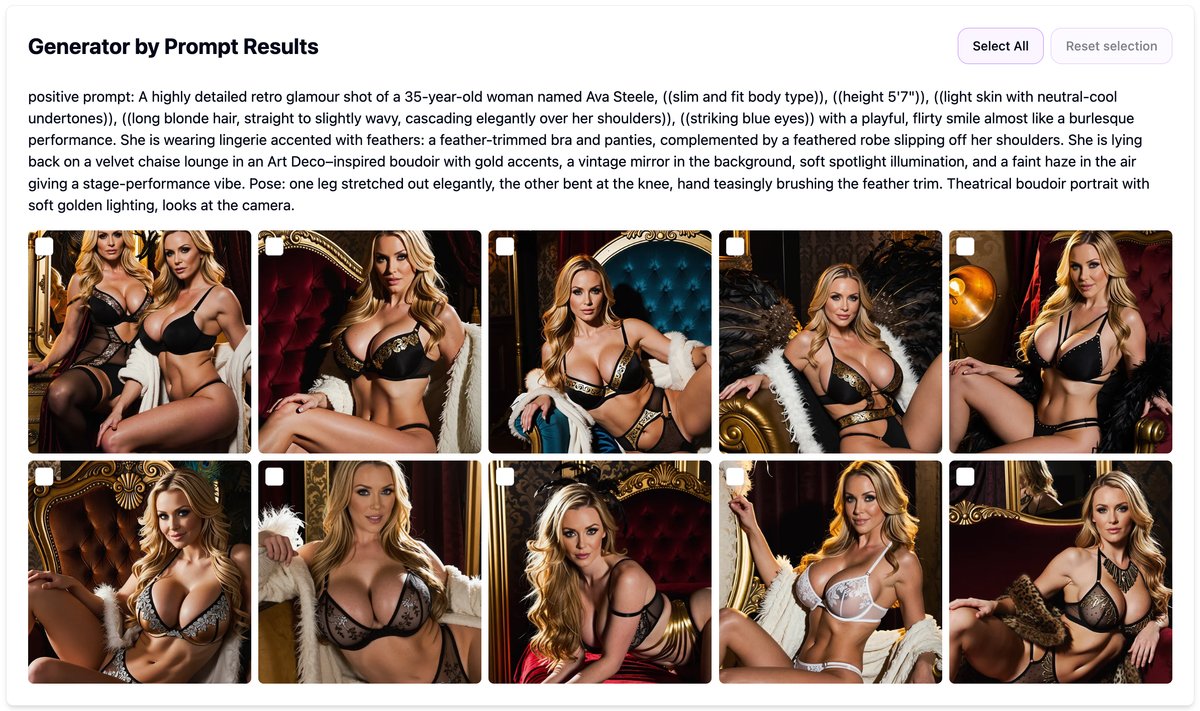
Workflow
- Create/choose the Persona face.
- Open Generation by Prompt.
- Model: WAN (more freedom/realism) or SDXL (supports up to 3 LoRAs).
- Prompt for people should include: shot type + setting + light + mood + wardrobe.
- Negative Prompt: "plastic skin, over-sharpening, extra fingers, warped hands, watermark, text."
- (Optional) add LoRAs to fine-tune physique/style (0.6–1.0 to start).
- Curate the best frames.
- Run Upscale and Face Swap (or the Upscale + Face Swap flow).
- (Optional) Make videos from hero stills.
Prompt starters
- "Natural daylight headshot, soft window light, 85mm feel, gentle smile, clean background, casual top."
- "Full-body, urban sidewalk, golden hour, candid walking, jeans + white tee, shallow depth of field."
- "Cozy café table, warm tones, mid-shot, eye contact, latte in hand, soft bokeh."
- "Beach at sunset, over-shoulder glance, subtle breeze, minimal retouch, realistic skin texture."
Option C — Dating set with Photo Shoot (multi-scene pack)
Use this when you want a full profile set quickly.
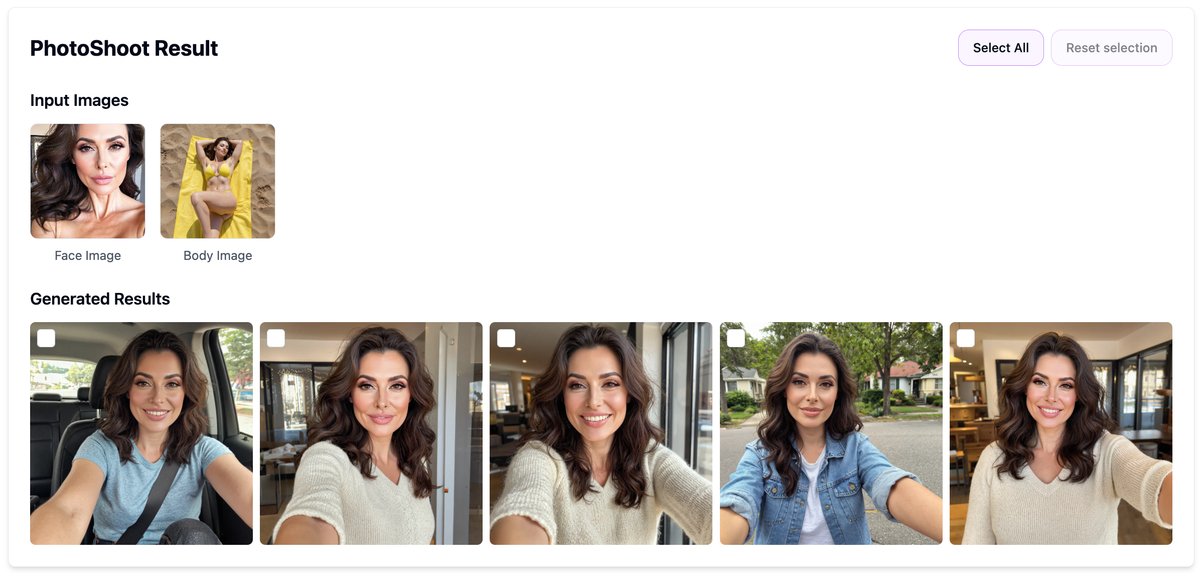
Workflow
- Create/choose the Persona face.
- Open PhotoShoot Generator.
- Upload face and body reference.
- Pick multiple categories (office, café, sport, vacation…).
- Choose aspect ratio (4:5 for feed, 1:1 for avatars, 9:16 for stories/reels).
- Start and get a set that's already upscaled and identity-consistent.
- Curate, then send keepers to Video Generator if you want motion.
Why this works for dating: fast variety across scenes; outputs are publish-ready.
What a great dating profile set looks like
Aim for 8–12 images that feel real and varied:
- 2–3 headshots (daylight, minimal makeup/retouch).
- 2 full-body (neutral posture + candid walking/turning).
- 2 activity shots (gym, café, hobby, cooking, books, pet).
- 1 playful mirror selfie (tidy background).
- 1 travel/outdoor (golden hour wins).
Keep wardrobe simple and repeat color palettes; consistency reads as authenticity.
Finishing moves (and why order matters)
- Upscale first, Face Swap last if you're running tools separately.
- Or use flows for one-pass finishing:
- Upscale + Face Swap (fast finishing for any stills).
- Gen by Ref + Upscale + Face Swap (reference → variations → locked identity).
Video clips for dating apps & reels
- Use Kling 2.1 for the most realistic micro-motion (5s to preview, 10s for posts).
- Prompt for subtle motion only: "slow 3% dolly-in, natural eye blink, gentle hair movement."
- Keep backgrounds simple to reduce flicker; start from your best stills.
Quick QA checklist before publishing
- Skin texture looks natural (not plastic), and hands look normal.
- No extra fingers, warped body proportions, or weird backgrounds.
- Wardrobe is consistent with stated lifestyle (don't mix gym photos with formal office looks unless you're showing range).
- Face identity is stable across set.
Common pitfalls
- Too much LoRA strength → plastic skin, anatomy errors.
- Mixed hair styles → breaks believability.
- All selfies or all headshots → boring; show variety.
- Forgetting to swap faces → identity drift across images.
Next steps
Need help? Contact us at support@zencreator.pro or join our Discord community.