How to Create AI Couple Photos With ZenCreator Collabs (2026)
Create realistic AI couple photos using ZenCreator's Collabs tool. Two separate characters in one scene — romantic, intimate, or casual. Templates included.

Creating a photo of one AI character is easy. Creating a photo of two AI characters together — where both look like real people, interact naturally, and don't merge into one blurry face — is the hard part. That is exactly what the Collabs tool solves.
ZenCreator Collabs takes two separately created characters and places them in one scene with natural interaction: couples holding hands, kissing, hugging, or just standing together. No Photoshop compositing, no merged faces, no extra limbs.
For prompt-based couple generation (single prompt, no pre-built characters), see our AI Couple Photo Generator guide.
What Is Collabs and How Is It Different From Text-to-Image?
With Text-to-Image, you describe two people in one prompt and hope the AI keeps them distinct. Sometimes it works. Often it doesn't — faces blend, one character dominates, or both look generic.
Collabs works differently: you bring two pre-made characters (from Face Generator or uploaded photos) and the tool places them into a scene template together. Each character keeps their own face, their own features, their own identity. The scene handles the interaction.
That is why Collabs exists — character consistency in multi-person content.
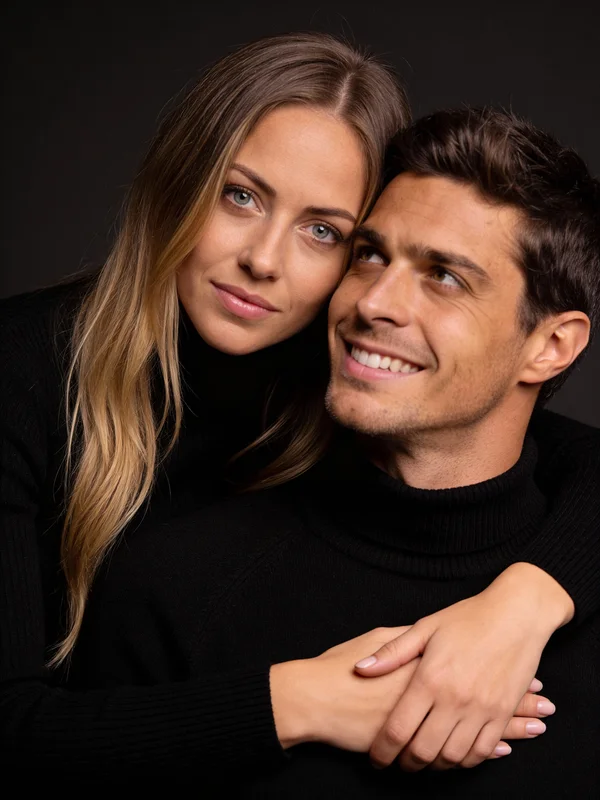
Here is a real output from the Couple Photoshoot template — the most popular Collabs template with 517 uses:
What Is the Step-by-Step Workflow?
Three steps. Under 2 minutes.
| Step | Tool | What happens |
|---|---|---|
| 1 | Face Generator | Create two character faces (or upload existing photos) |
| 2 | Collabs | Pick a couple template, assign both faces, generate |
| 3 | Download or animate | Save the photo, or send to Image-to-Video for animation |
Step 1 — Create your characters. Go to Face Generator. Generate a female character and a male character separately. Save both faces. If you already have character faces from previous projects — skip this step and upload them directly.
Step 2 — Open Collabs and pick a template. Go to Collabs. Choose a couple scene template (romantic, casual, athletic, seasonal). Assign Character 1 and Character 2 to the scene. Hit generate.
The tool produces a photorealistic image with both characters in natural interaction — correct proportions, consistent lighting, believable poses.
Step 3 — Use the result. Download the image as-is, or send it to Image-to-Video to animate the couple into a short video clip.
What Kind of Couple Scenes Can You Create?
Collabs has templates for every mood. Here are real outputs from the platform:
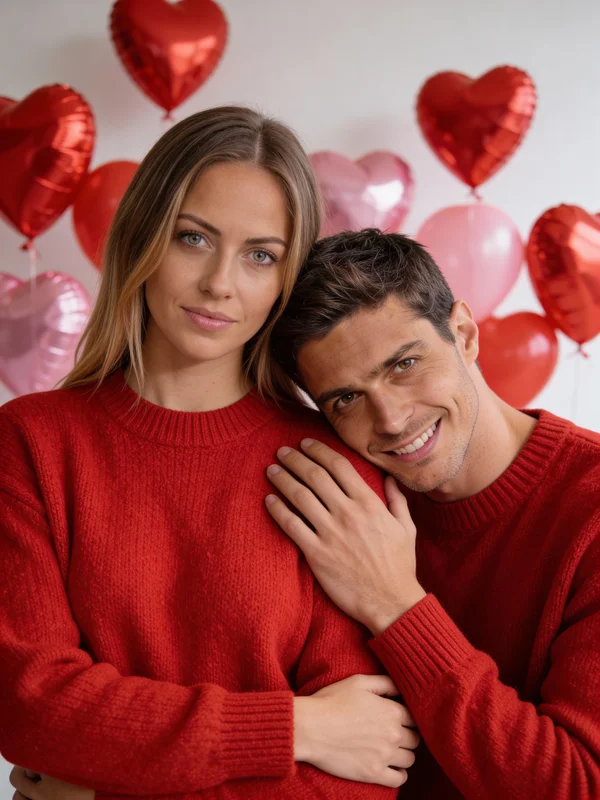
Romantic Valentine — matching outfits, heart balloons, intimate framing:
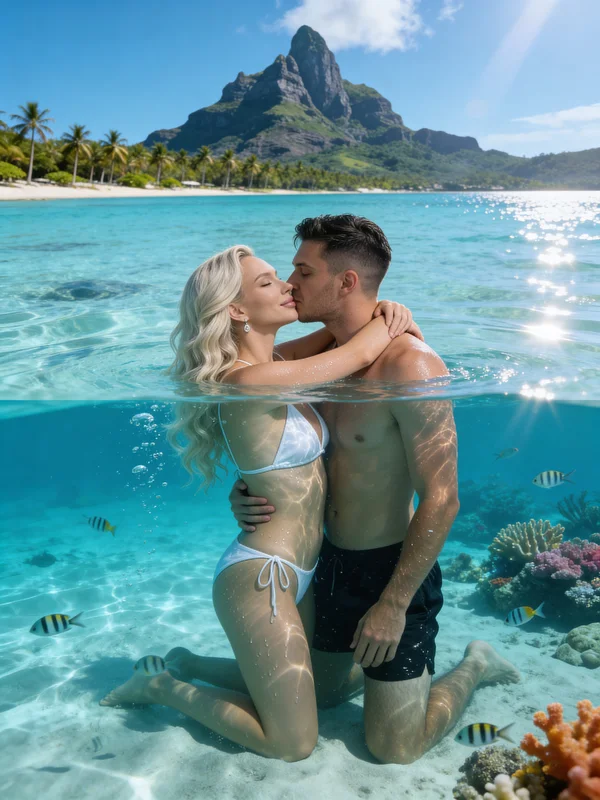
Resort Kissing — underwater kiss in crystal-clear water with tropical scenery:
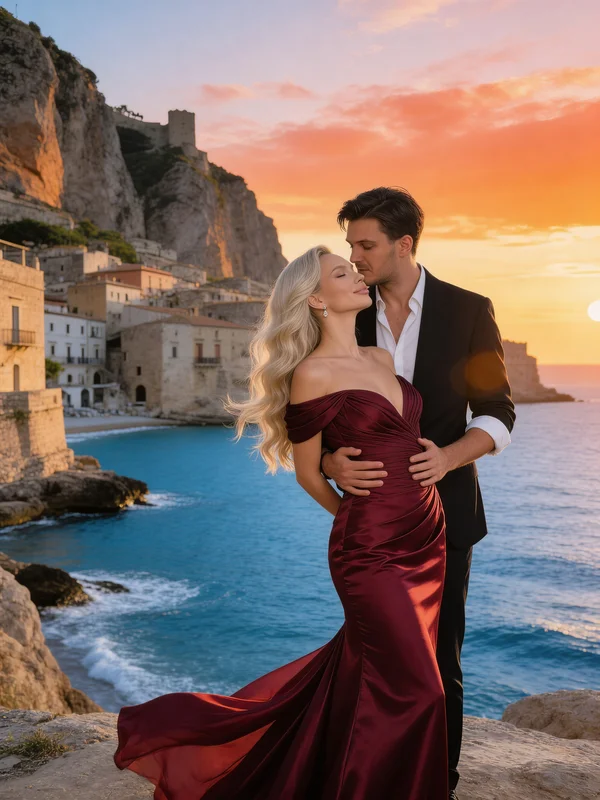
Sea Sunset Embrace — cinematic couple portrait on Mediterranean coast at golden hour:
What Are the Most Popular Couple Templates?
All templates below are ready to use — assign your two character faces and generate:
| Template | Scene | Uses | Try it |
|---|---|---|---|
| Couple Photoshoot | Classic studio portrait | 517 | → |
| Gym Kiss Selfie | Athletic couple selfie | 120 | → |
| Resort Kissing | Underwater tropical kiss | 73 | → |
| Sea Sunset Embrace | Coastal romance | 53 | → |
| Magical Kiss at Sunset | Disney-style romance | 30 | → |
| Mirror Selfie in Gym | Gym mirror couple shot | 29 | → |
Browse all templates: AI Generators →
Tips for Better Couple Photos
Use similar lighting in source faces. If one face was shot in warm indoor light and the other in harsh daylight, the final composition may look unnatural. Generate both faces under similar conditions.
Pick templates that match your characters. A casual gym couple template works better with athletic-looking characters. An elegant sunset template works better with fashion-style characters. Match the vibe.
Animate for social content. The best-performing AI couple content on Instagram and TikTok is video, not photos. After generating a Collabs image, send it to Image-to-Video with Seedance Pro Fast or Kling 1.6 for a 5-second animated version.
FAQ
Can I use Collabs with real photos instead of AI-generated faces?
Yes. Upload any two face photos — AI-generated or real — and the tool combines them into a couple scene.
Does Collabs work for same-sex couples?
Yes. Assign any two characters regardless of gender. The templates adapt to whatever combination you provide.
Can I create unrestricted or intimate couple content?
Yes. Collabs works on both SFW and NSFW workflows with zero content filters.
How do I turn a couple photo into a video?
Send the Collabs output to Image-to-Video and select Seedance Pro Fast or Kling 1.6. The video animates both characters in the scene.
What is the difference between Collabs and Text-to-Image for couple photos?
Text-to-Image generates from a prompt — you describe two people and hope they look distinct. Collabs uses two pre-made character faces and guarantees each keeps their identity in the final scene.