How to Build an AI Influencer With ZenCreator (2026)
Step-by-step guide to building an AI influencer from scratch: character design, content creation, consistency, and publishing — all in ZenCreator.

Building an AI influencer in 2026 is not about picking one tool and hoping it works. It is about running a consistent character across dozens of photos, hundreds of videos, and months of content — without the face changing every time you hit generate. That is the real problem, and that is exactly what ZenCreator is built for.
This guide walks through the full build process with one character — from face to full-body reference to themed photo sets to animated video. Every image below shows the same AI influencer. That is what character consistency looks like in practice.
For a real-world results breakdown, see our case study: 0 to 140K followers.
Step 1 — Generate Your Character's Face
The face is your AI influencer's identity. Get it right once, reuse it forever.
Go to Face Generator. Set the parameters: gender, age range, ethnicity, body type, eye color, hair color. Hit generate — you get 4 photorealistic faces in ~15 seconds.
Here is the Face Generator interface inside ZenCreator:
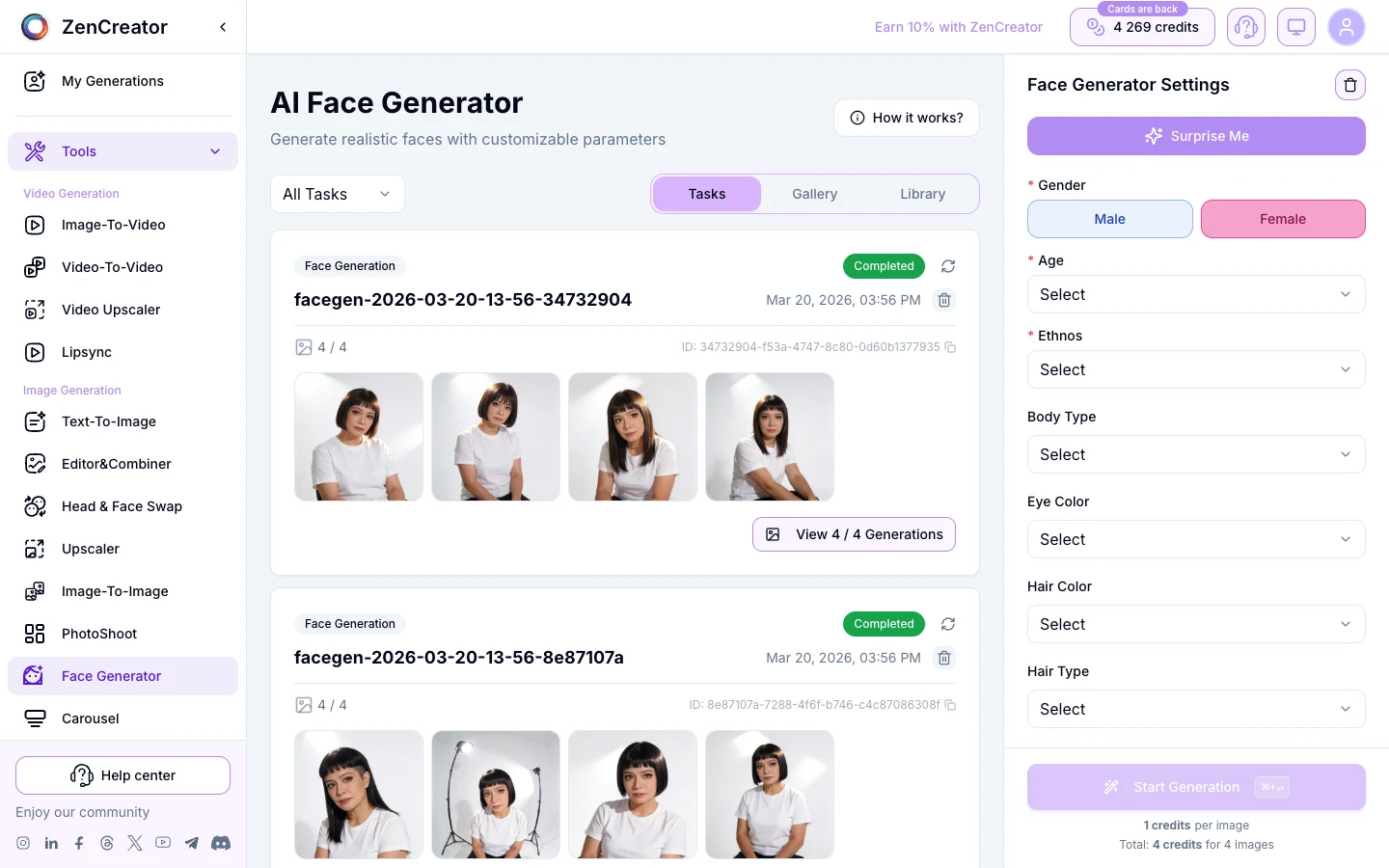
For this guide, we are building Amara — a 26-year-old fashion-forward character with bold distinctive features. Here is what Face Generator produces:
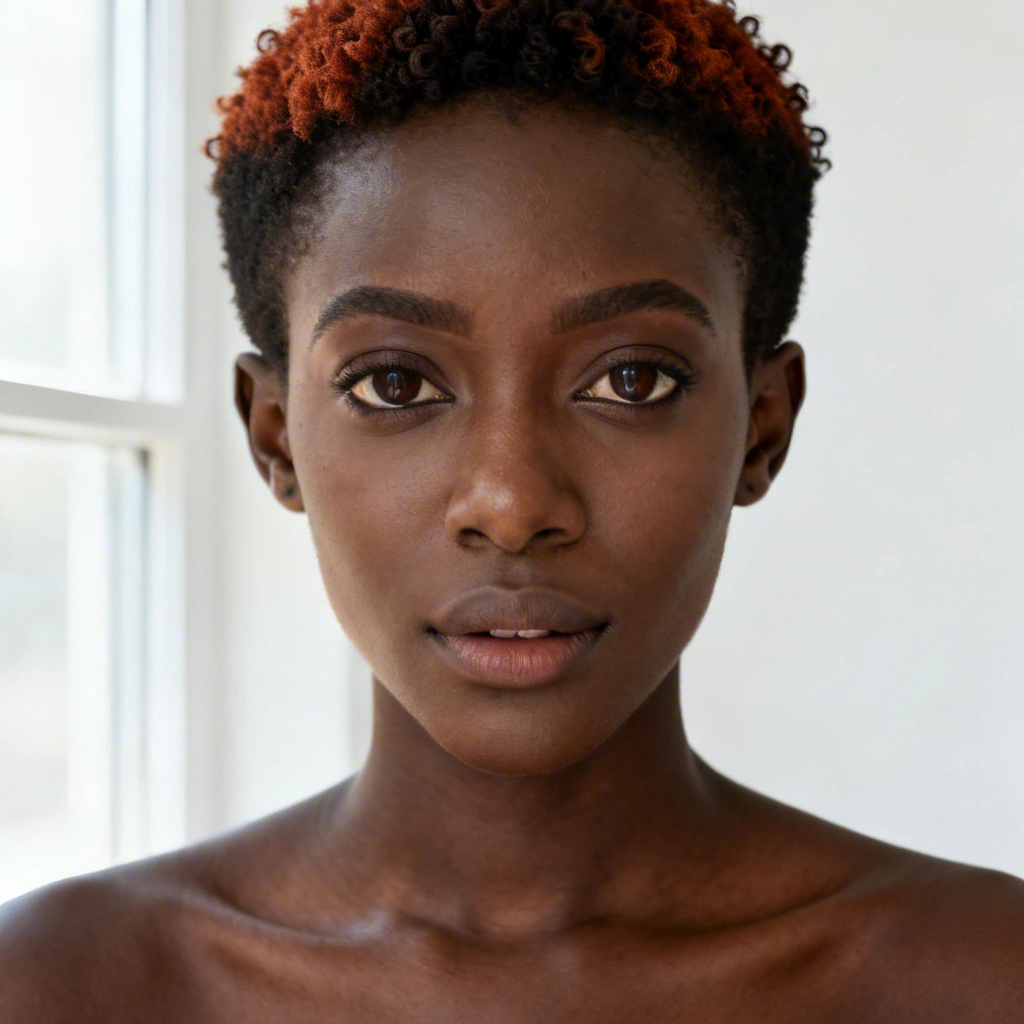
Save this face. Every image you create from here will use it.
Step 2 — Create a Full-Body Character in the Editor
The face is the ID, but you need the whole character. Go to Editor, upload your saved face, and write a prompt describing the body, outfit, and pose.
The Editor combines your face with the prompt and produces a full-body reference image — same face, now with a defined body, outfit, and style. This image becomes your character bible: the canonical reference you will reuse in every subsequent tool.
Example prompt for Amara:
A 26-year-old Ghanaian woman with deep dark skin, short tapered natural coily
cut with copper tips, slim athletic build, wearing fitted dark wash jeans and
an oversized cream knit sweater, standing with natural confident posture,
minimal studio with soft neutral lighting, medium three-quarter shot from
knees up, photorealistic
Here is the result — Amara with defined body, outfit, and the same face from Step 1:
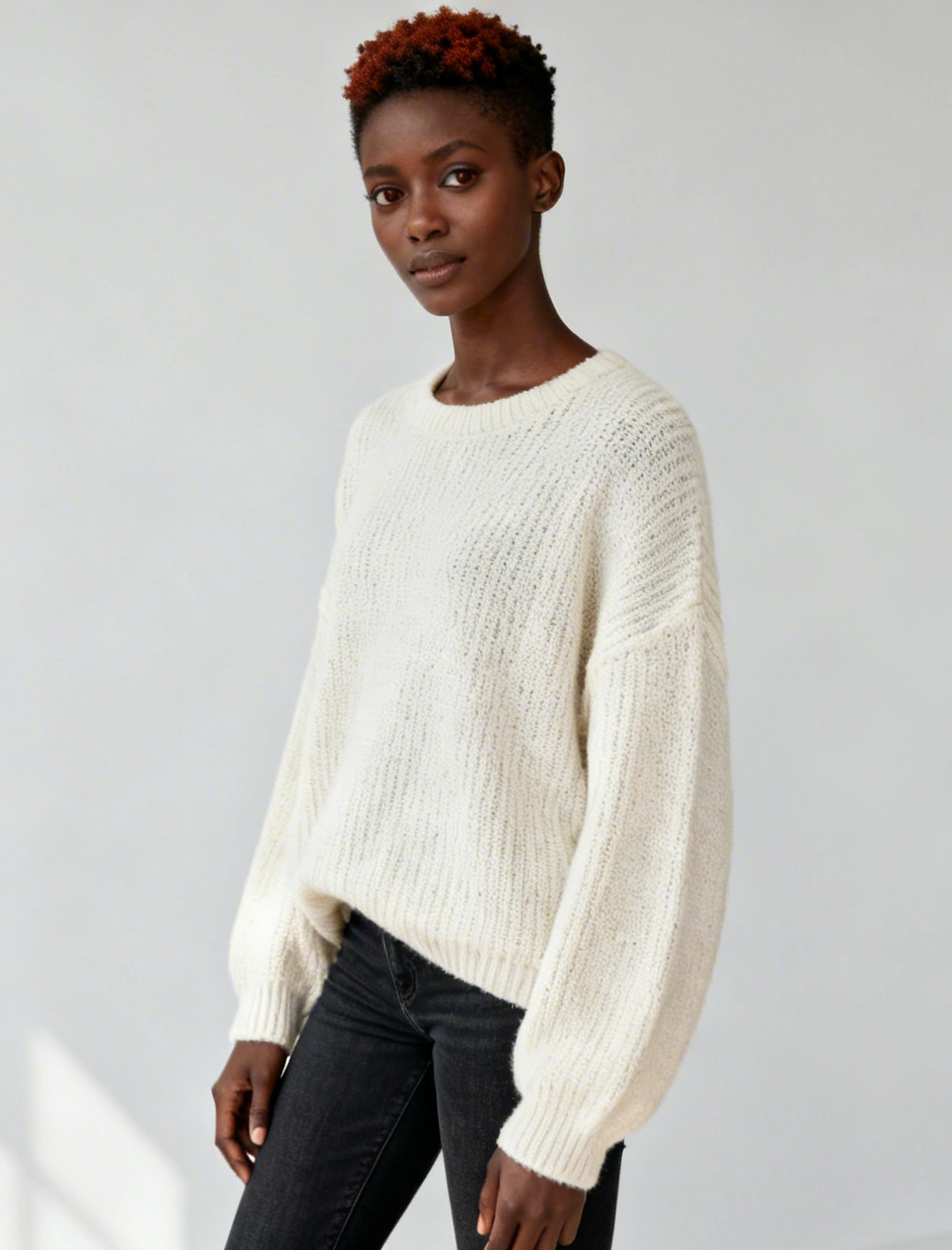
Save this full-body reference. It locks in body proportions, how clothes hang on her, the overall look — everything that the face alone does not define.
Step 3 — Create Content With PhotoShoot
Now make real content. PhotoShoot generates batches of themed photos with 40+ categories. Upload your character's face, select categories that match your niche, set how many photos per category — the tool does the rest.
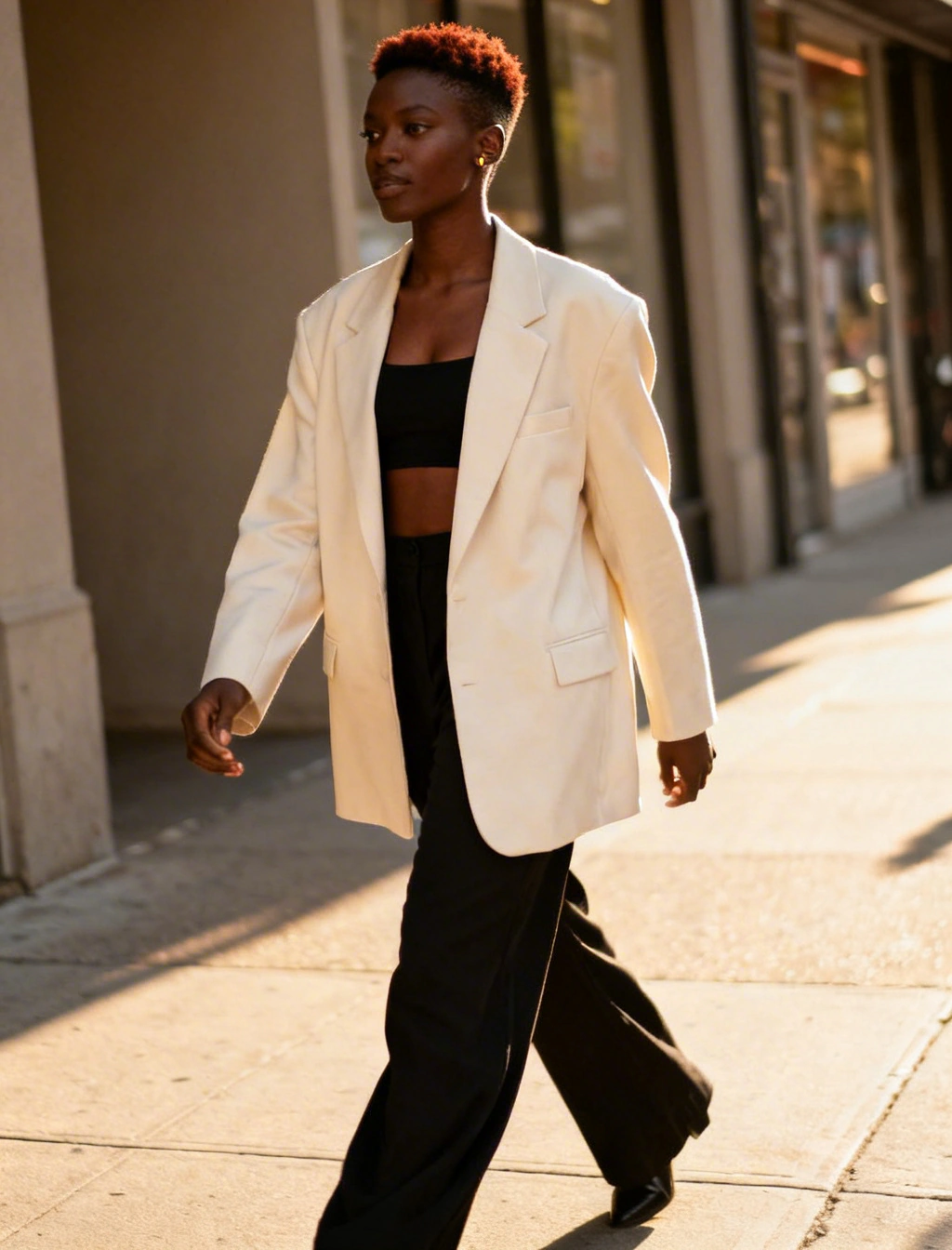
For Amara, we pick Street Style and Cozy Home. Same face throughout. Here is one from the Street Style set:
And one from Cozy Home:
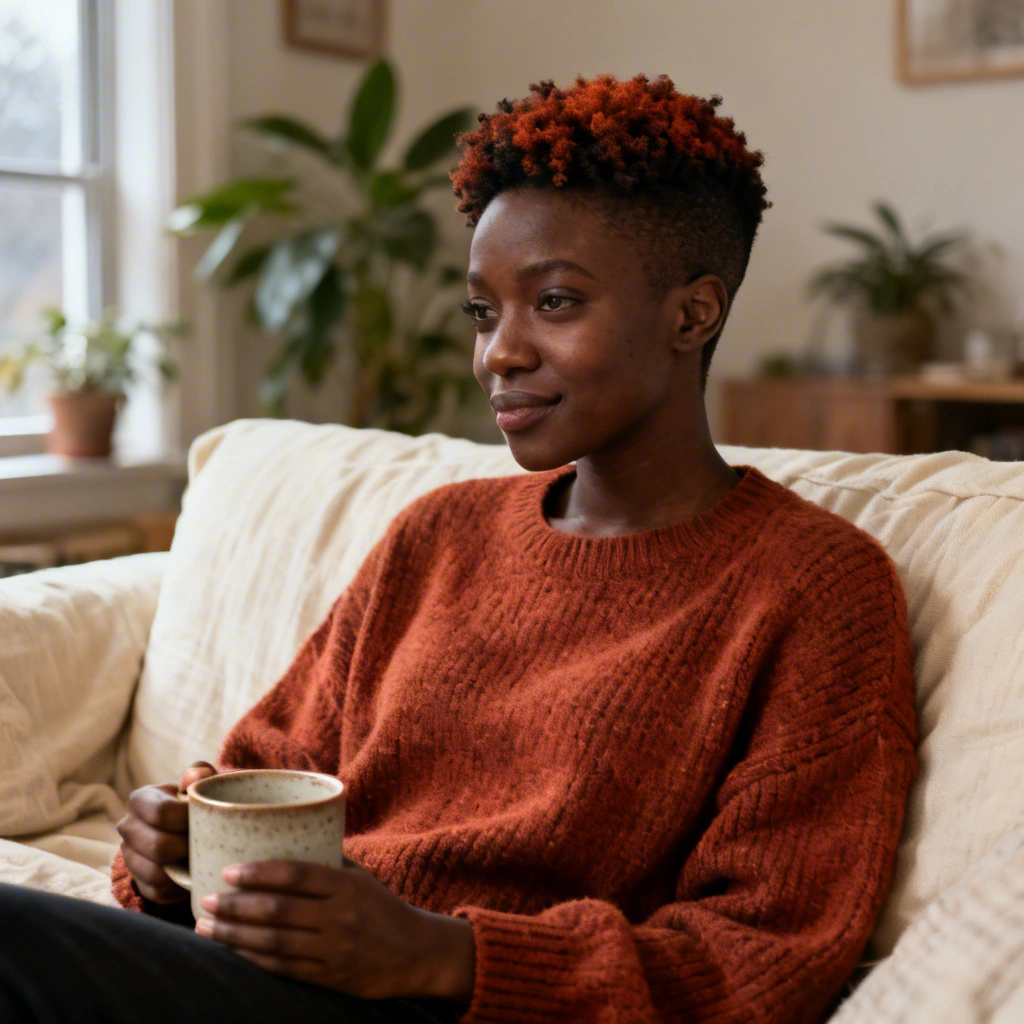
Same character. Two completely different scenes. Identity Lock keeps the face consistent while the setting, outfit, and lighting change.
Pick 3-5 categories for your niche, set 10 photos each, run the batch. One generation run gives you 30-50 photos — that is weeks of Instagram content from a single click.
Step 4 — Turn Photos Into Video, Talking Clips, and 4K
Photos alone plateau. Video drives reach — Reels, TikTok, Shorts all prioritize it. Once you have your photo library, turn it into richer content:
Animate with Image-to-Video. Send any photo to Image-to-Video and pick an engine — Kling 1.6 for fast social, Kling 2.0 for photoreal, Seedance Pro Fast for cheapest iteration, WAN for fully unrestricted. ~30 seconds per clip.
Here is what Kling 1.6 produces from one of Amara's photos — same character, now walking with natural motion:
Make her talk with Lipsync. Lipsync takes any character photo plus an audio file (voice, song, narration) and produces a video with synced lip movement. Use it for talking head videos, story narration, song covers, reply videos to comments.
Upscale hero shots with Upscaler. Before publishing a grid header or a video's source frame, run it through Upscaler & Enhancer for 4x resolution. Better source = better video output and crisper display.
Add couple or collab content. Create a second character with Face Generator, then use Collabs to pair them in a scene. Works for fake collabs, partner content, or building out a consistent "friend group" for your feed. For a deeper walkthrough, see our Collabs couple photos guide.
Publish directly. ZenCreator connects to Instagram, TikTok, YouTube, Facebook, and Threads. Generate and publish from the same platform — no manual downloading, no app switching, no format conversion.
The Complete Pipeline
| Step | Tool | What it produces |
|---|---|---|
| 1 | Face Generator | Character face |
| 2 | Editor | Full-body reference with your face |
| 3 | PhotoShoot | Themed photo batches (30-50 per run) |
| 4a | Image-to-Video | 5-10 sec video clips |
| 4b | Lipsync | Talking videos |
| 4c | Upscaler | 4K hero shots |
| 4d | Collabs | Couple/group content |
| 4e | Direct publish | Posts live on Instagram/TikTok/YouTube |
First character to first post: under 10 minutes. Monthly content cycle: a few hours for 30+ posts.
FAQ
How long does it take to build a complete AI influencer account?
Initial character setup takes under 10 minutes. First month of content (30+ posts) takes a few hours total. The bottleneck is content strategy, not generation speed.
Can I monetize an AI influencer built with ZenCreator?
Yes. Common monetization paths: brand collaborations, affiliate content, Patreon, direct sponsorships, merchandise. The case study covers real monetization data from a 140K follower account.
Do I need design or prompt engineering skills?
No. PhotoShoot and Collabs use templates — pick category, upload face, generate. Prompt writing is only needed for the Editor step when you describe the full-body character.
How do I keep the face consistent across hundreds of posts?
Save your character's face once in Step 1, build the full-body reference in Step 2, then reuse both across all tools. PhotoShoot Identity Lock applies the face automatically to every themed photo. Same character every time.
What niche works best for AI influencers?
Fashion, fitness, travel, lifestyle, and beauty convert best because the content is visually driven. Niches that require personal expertise (finance, health consulting) are harder because followers expect a real person.
Can I build an unrestricted AI influencer account?
Yes. ZenCreator runs without content filters on all tools. Publishing depends on the platform — Instagram and TikTok restrict adult content, while platforms like OnlyFans and Fanvue allow it.