Uncensored AI Image to Image Generator — Free, No Filters, No Limits (2026)
Image-to-Image on ZenCreator: turn any reference photo into a similar-but-different image. Lock composition and outfit, optionally swap the face, two models, zero content filters.

Image-to-Image on ZenCreator takes a reference photo and produces a similar-but-different image — same composition, same pose, same outfit, same lighting vibe, but not the same photograph. Optionally you can feed a second reference photo of a face, and the result comes out with your character's face in the same scene. No filters between your reference and the output.
Two models are available from the Image-to-Image tool: General (Seedream 4.5[1], supports face swap, prompt has partial influence) and SDXL (variation-only, no face swap, prompt has minimal influence). Every example below is a real run on the tool — reference in, result out.
TL;DR — Which model for which job?
| Your goal | Model | Why |
|---|---|---|
| Lock your AI character's face into a reference composition | General | Only model that accepts a face reference and applies it to the result |
| Mild stylistic adjustment via prompt | General | Prompt has partial influence on General, some control possible |
| Fast variation of a reference, any face is fine | SDXL | Cheapest, fastest, no face-ref upload step |
| Photoreal realism of the new person | General | Seedream 4.5 wins on skin / lighting fidelity |
| Batch 20+ variations of the same reference | SDXL | No prompt or face step; pure reference-in, variation-out |
The key decision: if you need the result to have a specific face — it has to be General. If any new person is fine — SDXL is faster.
1. How does Image-to-Image work without a face reference (General)?
Direct answer: You upload ONE photo. The model generates a new image that preserves pose, composition, outfit, framing, lighting direction — but with a different person. The prompt nudges stylistic details; it does NOT lock identity or pose. Two sliders (reference strength + creativity) control how closely the result sticks to the source.
Test setup: reference photo only (no face upload), General model, mild prompt hint.
Same composition, same pose, same outfit, same lighting. Warm skin tones,
photorealistic, shallow depth of field, no text no watermarks.
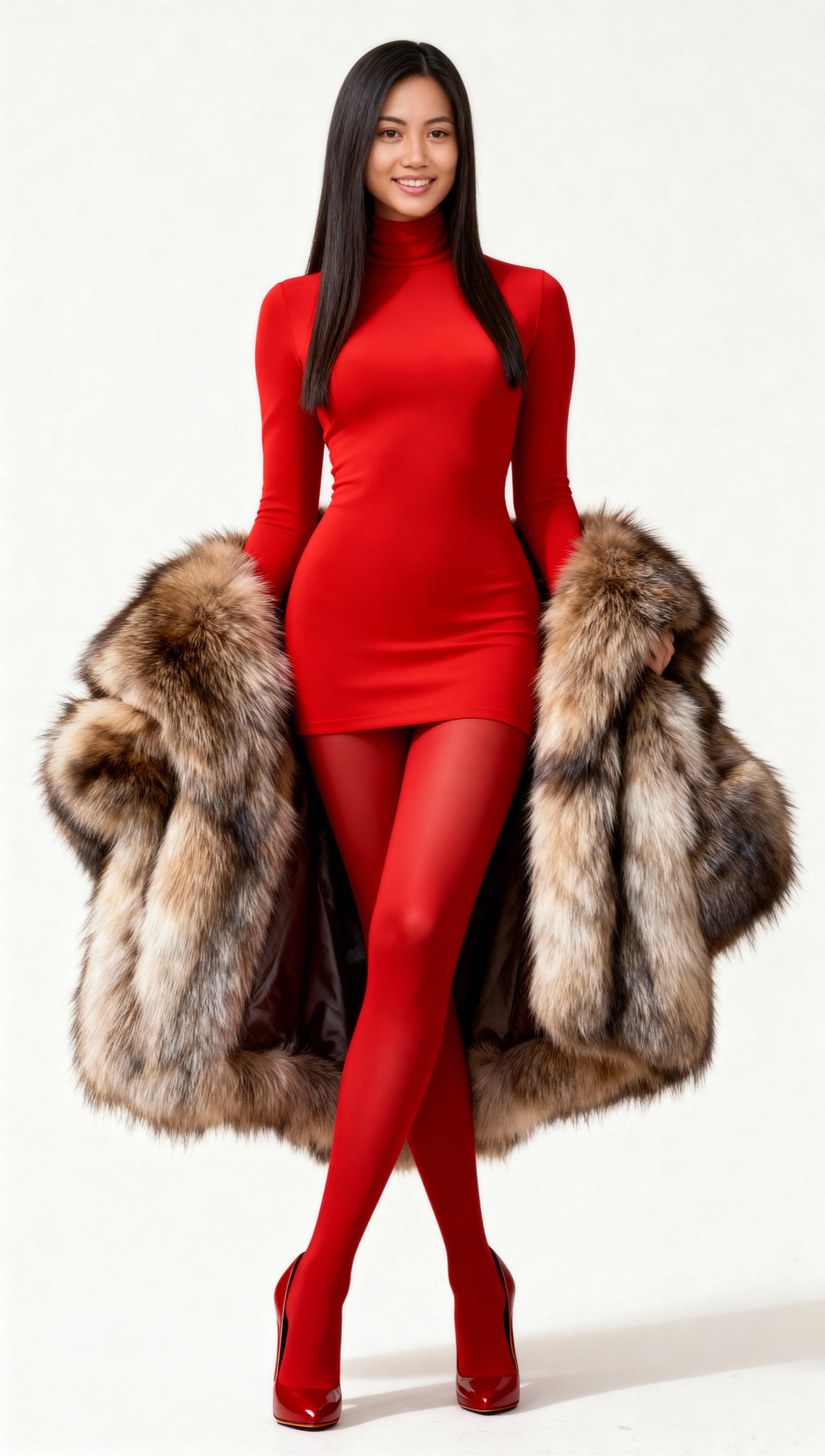
Reference photo
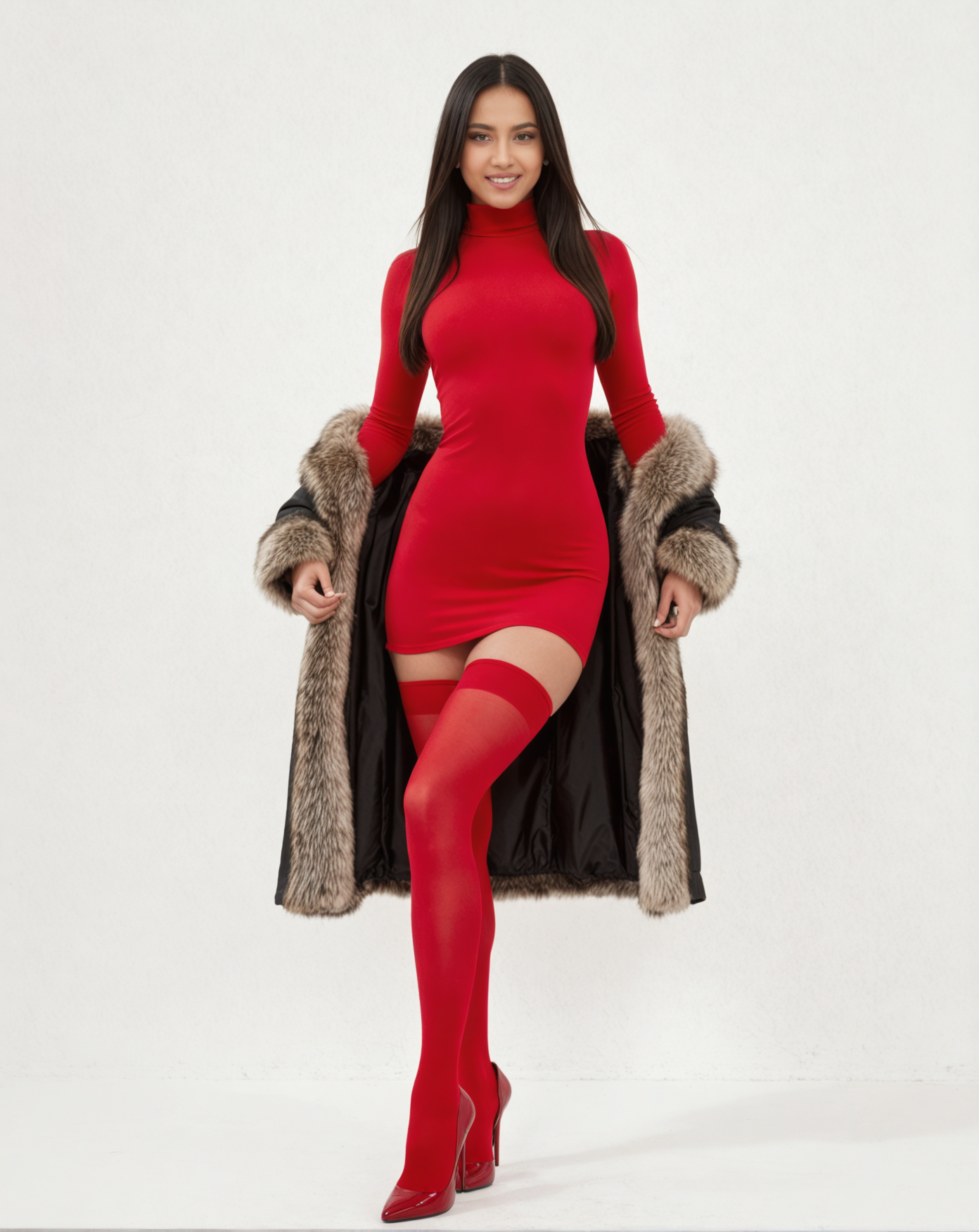
Result — General, no face ref
Why this works. Without a face reference, General treats the source as a composition blueprint and invents a new person who fits inside it. The prompt ("warm skin tones", "shallow DoF") nudges the look but doesn't override the composition — that's load-bearing work the reference does. Use this mode when you need a variation of a scene and the specific face doesn't matter.
2. How do you lock your character's face into a reference composition (General + face ref)?
Direct answer: Upload TWO photos — the composition reference (pose, outfit, background you want) and a face reference (the character whose face should appear in the result). General swaps the face into the new composition while preserving everything else about the reference photo. This is the killer feature for AI-influencer creators.
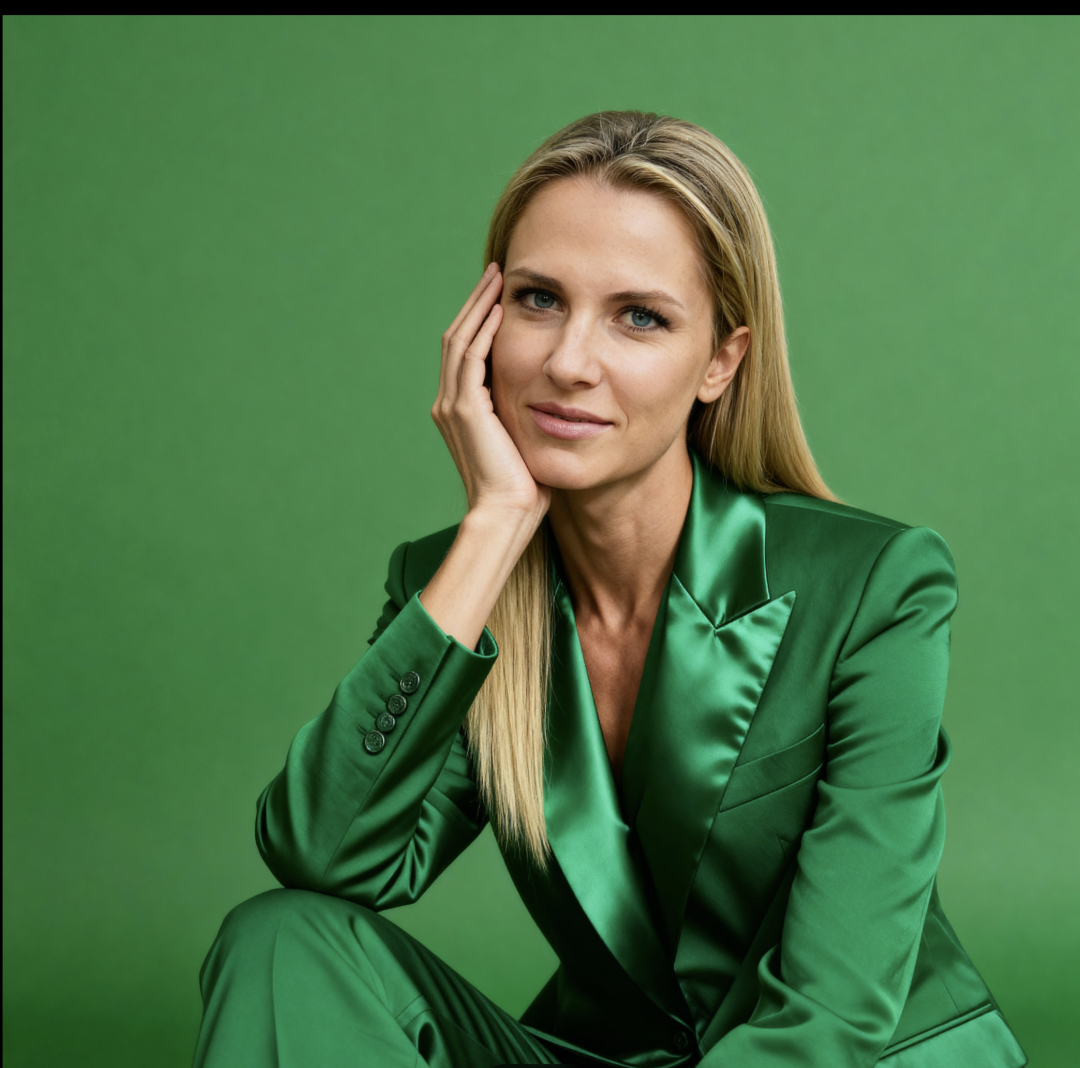
Test setup: composition reference (green-suit shot) + face reference (blonde character) → General model produces the same scene with the blonde character's face.
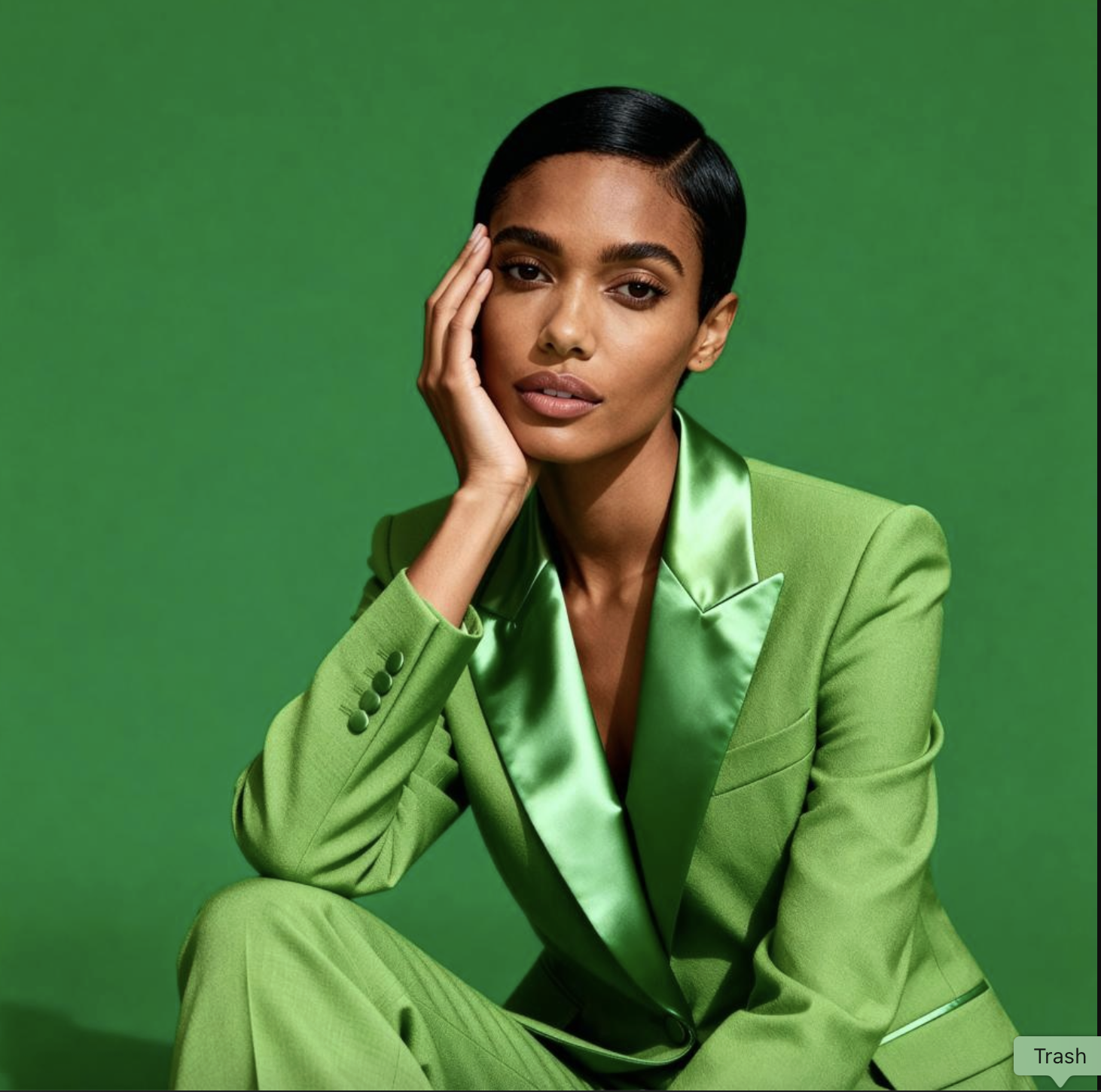
1. Composition reference
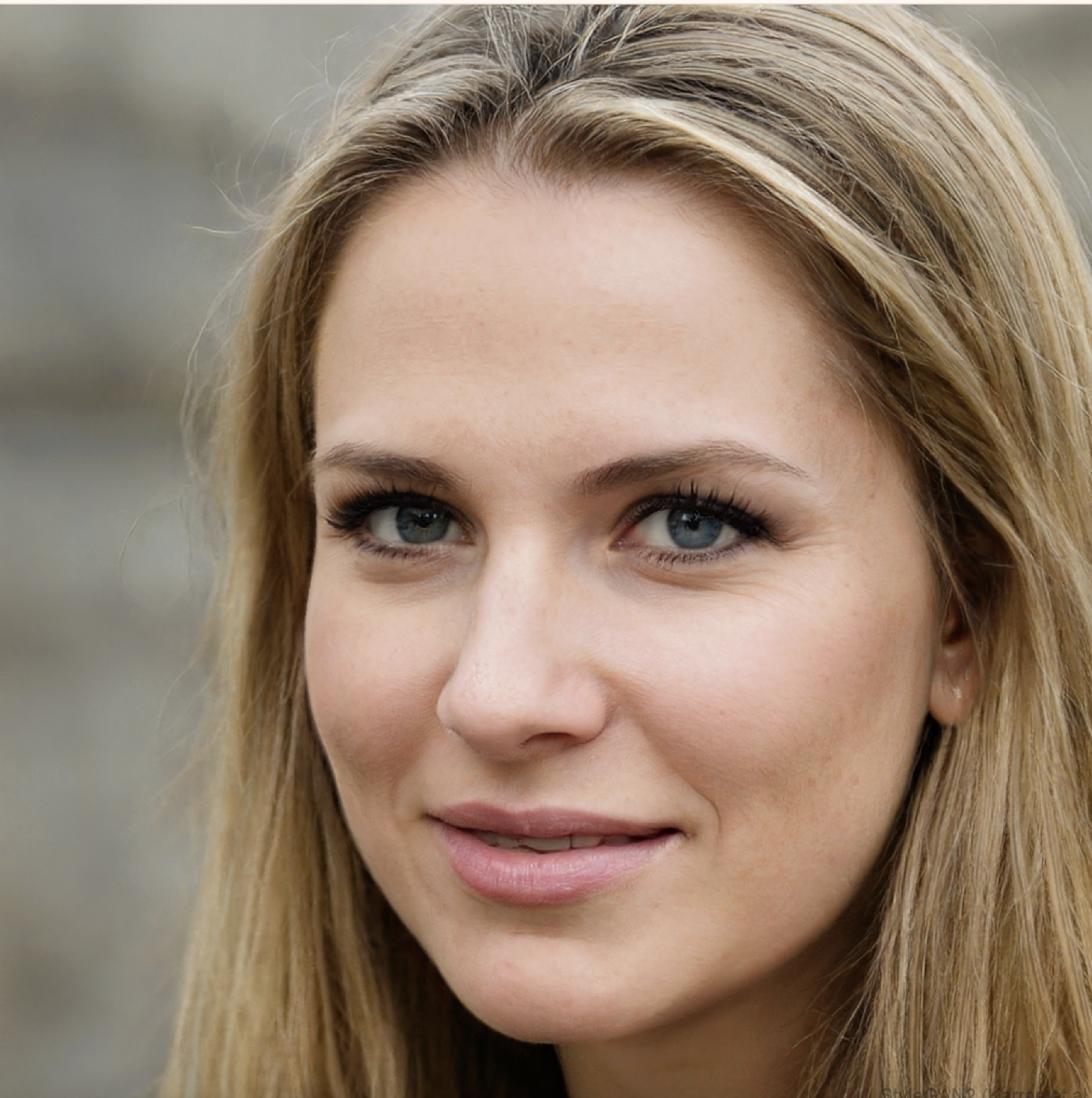
2. Face reference
3. Result (General)
Why this works. The composition reference carries all structural information — pose, outfit, background, lighting — and the face reference provides the identity overlay. General fuses them in a single pass, so the face lands in the scene as if the photograph was taken with the right model wearing the right outfit. Prompt here is optional; General already has everything it needs from the two images. If you have a saved AI-influencer face you use across a series, this workflow produces campaign-grade consistency from any reference composition you find online.
This is the workflow most creators should default to. It collapses a traditional shoot (find outfit → find model → find location → shoot) into 20 seconds on a free tool.
3. How does SDXL Image-to-Image differ (no face ref, prompt almost ignored)?
Direct answer: SDXL takes just the reference photo and outputs variations. You can type a prompt but it barely moves the result — SDXL treats the reference as the near-exclusive instruction. There is no face-reference slot. Use it when you want fast, close variations of a reference and do not need to control who is in the image.
Test setup: reference photo only, SDXL model. Prompt attempt included but expect it not to matter.
Same composition, same pose. Emphasize warm skin tones and shallow DoF.
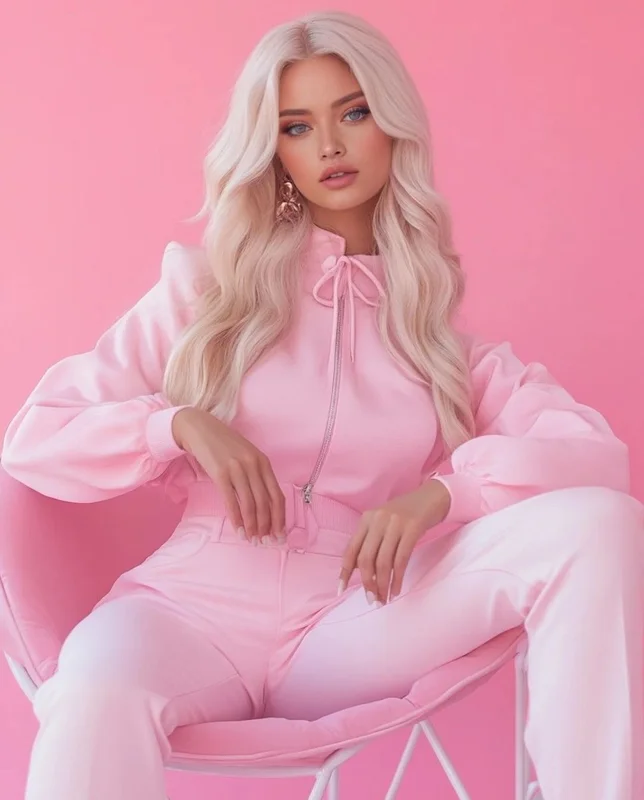
Reference photo
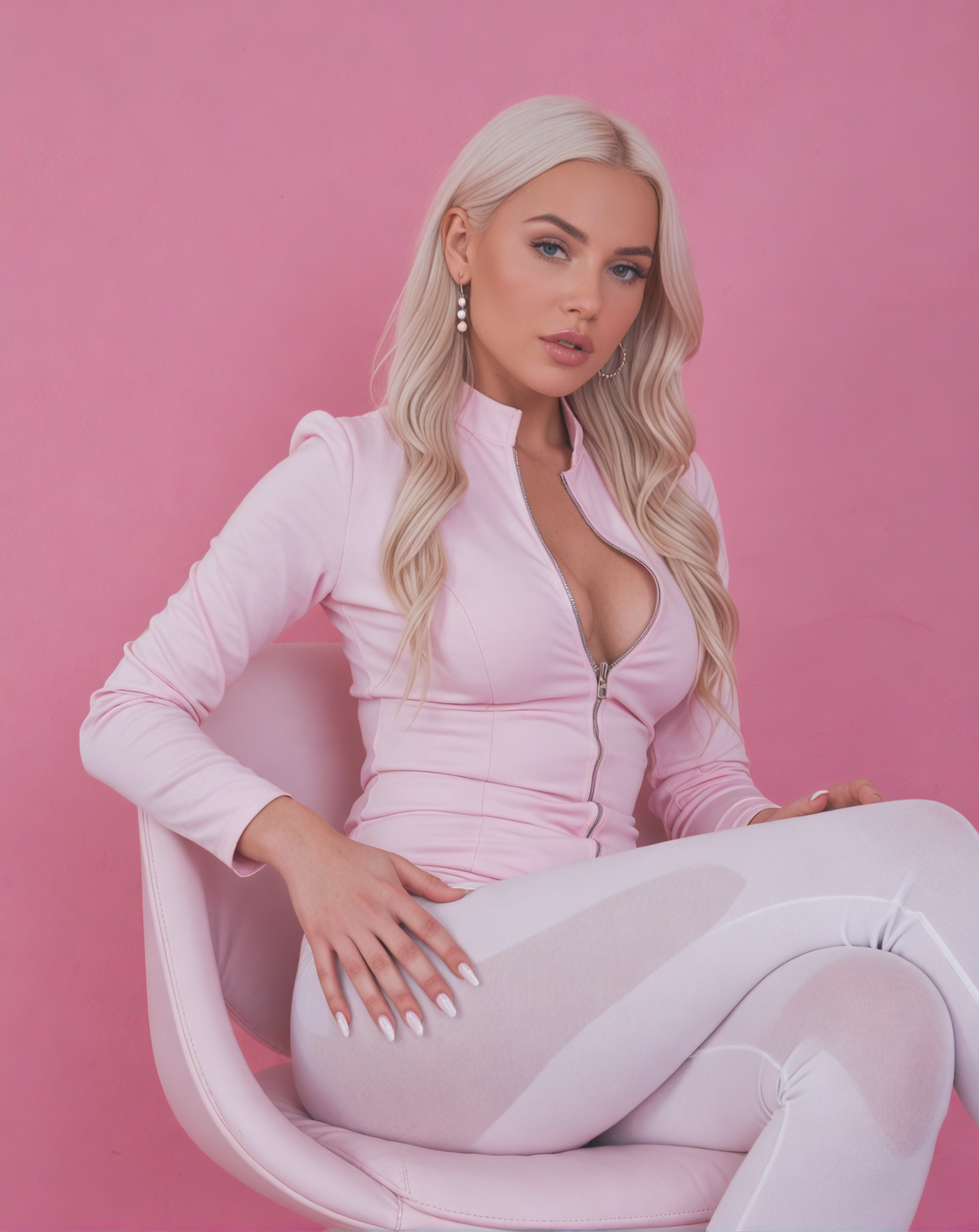
Result — SDXL
Why this works (and what it doesn't). SDXL excels at generating close variations — same pose, same outfit, very similar face, slight lighting shifts, new hair details. It does NOT let you swap the face, it does NOT strongly respond to prompt text, and the stylistic creativity of General is largely absent. For creators who want 20 quick near-duplicates of a scene for A/B testing, SDXL is the faster pick. For creators who want a specific face or specific stylistic variation, go back to General.
Why "uncensored" matters for Image-to-Image specifically
Face-reference workflows get flagged on most platforms even when the source content is benign[2] — any tool that takes a face photo + composition photo and composites them raises deepfake-policy alarms at risk-averse vendors. ZenCreator runs the same workflow without that filter layer, so legal AI-influencer content and adult creative work that other platforms refuse execute cleanly here. The tool still blocks references to named public figures (platform-level guardrail, not a content filter) — that policy is permanent.
What our platform data shows
Numbers from ZenCreator's live template library — real adoption, not vendor marketing.
| Metric | Number | What it tells you |
|---|---|---|
| Total templates on ZenCreator | 200 | Pre-configured workflows users can fork |
| Image-to-Image / reference-based templates | 3 | Tool is dominated by custom runs, not templates (reference photos are user-specific) |
| Image Editor templates (related pipeline) | 23 | Combined editing surface for the image stack |
| Templates using Seedream 4.5 / GENERAL family | 22+ | General-model pipeline dominates serious image workflows |
| Templates using SDXL | 5 | SDXL is the speed/batch specialty, not the default |
| Top outfit/pose transformation templates (combined uses) | 1,700+ | Real adoption of reference-based workflows at the platform level |
Observation most guides miss: Image-to-Image templates are intentionally sparse because the tool is fundamentally bring-your-own-reference. You cannot ship a pre-made template that uses someone else's composition photo — the reference IS the configuration. Platforms that brag about huge image-to-image template libraries are usually shipping text-to-image presets mislabeled. ZenCreator ships the raw tool with both models, and expects you to provide the reference photo yourself.
Practical rule, based on what works on our platform:
- AI-influencer creator with a Face Swap library → General + face ref, every time
- Fashion / e-commerce team running 20 outfit variants → SDXL on a single outfit reference
- Art / editorial creator building a consistent visual series → General without face ref, iterate prompt for stylistic direction
- UGC / creator scaling one scene to many variations → SDXL, run 20+ on the same reference, cherry-pick 3
Writing Image-to-Image prompts that actually help
The prompt is secondary to the reference — but it isn't useless on General. Three rules:
- On General, use prompts for stylistic nudges, not for composition. "Warmer skin tones, softer backlight, shallower DoF" steers the mood without fighting the reference. "Change the outfit to red" does NOT work reliably — that's what the face-ref or a text-to-image workflow is for.
- On SDXL, skip the prompt or keep it to 5 words. Long SDXL prompts waste tokens on a model that barely reads them. A single style adjective ("cinematic", "natural", "film") is enough.
- The reference strength slider matters more than the prompt. Low strength = more creativity, more drift from the source. High strength = closer to a near-clone. Most Image-to-Image problems are fixed by moving this slider, not by rewriting the prompt.
Related workflows on ZenCreator
Image-to-Image rarely runs in isolation. Most creators chain it with:
- Face Swap — build your AI character face library first, then use those faces as references in Image-to-Image
- PhotoShoot — generate composition references in 40+ themed categories to then feed into Image-to-Image
- Image-to-Video — animate your Image-to-Image output into 5–10s Reels
- Upscaler — push the result to 4K while preserving face detail with Face-Safe mode
FAQ
Is it really free?
Yes — the Image-to-Image tool runs on the free tier with included credits. No credit card required, no watermark on output.
Can I use a photo of a real person as the reference?
Legally, yes — if you own the photo or have the subject's consent. Technically, the tool processes any uploaded image. For deepfake prevention, we block face references that match named public figures — that's a platform-level policy, not a content filter.
Why does my result look almost identical to the reference on SDXL?
That's SDXL working as designed — high-fidelity variation. To get a more creative interpretation, switch to General, or drop the reference-strength slider lower.
Does the prompt do anything on SDXL?
Barely. SDXL is a variation model — it reads the reference image as its primary input and treats the prompt as a weak hint. If you need prompt control, use General.
Can I do NSFW / adult Image-to-Image?
Yes — both models run without the content filter layer present in ByteDance's and Stability's public APIs. Prompts that get rejected on other platforms execute normally here.
How do I get the face reference to land cleanly on the composition?
Use a face reference that's roughly similar in angle to the face in the composition. If the composition reference shows the person facing 45° right, use a face photo at a similar angle, not a dead-on selfie. General can handle angle mismatches but the result is less clean.
What's the max resolution for Image-to-Image?
1024×1024 at base. For higher, run the result through the Upscaler tool — Face-Safe mode preserves skin texture at 4× without distortion.
How many regenerations should I expect?
1–2 on General with face ref when both references are clean. 2–4 on General without face ref (more stochasticity). 1–2 on SDXL (very close to reference, less variation between runs).
No reference photo yet? Generate one with Text-to-Image
Image-to-Image needs a starting photo. These popular Text-to-Image templates on ZenCreator are the fastest way to get one — generate a reference you like, then feed it into Image-to-Image for variations or face swaps.