How to Build an Uncensored AI Girl Streamer for Gaming Content (2026)
Create 2 photoreal AI girl streamers for Twitch, YouTube, TikTok — no content filters. Full ZenCreator pipeline: Face Generator → Lipsync → gameplay overlay.

Neuro-sama is the #1 subscribed channel on Twitch — 162,000 active subs, ahead of every human streamer[1]. The audience for AI-generated streaming content is proven. But Neuro-sama is an anime avatar powered by an LLM — not a photoreal person you'd mistake for a real streamer.
This guide is different. We build 2 photoreal AI girl streamers that look like real women, talk with lip-synced audio, and sit in front of a gaming screen — using ZenCreator's uncensored pipeline from face creation to final stream-ready clips, with no content filters blocking your output at any stage. The male gamer behind the scenes plays the game; the AI girl is the face the audience sees.
TL;DR — The 4-Step Pipeline
- Face Generator → create 2 unique AI girl faces
- Text-to-Image → generate webcam-style photos for each character
- Lipsync → animate each face with audio ("Hey chat, let's play some Valorant")
- OBS / editor overlay → facecam corner + gameplay = stream-ready
| Tool | ZenCreator URL | What it does in this workflow |
|---|---|---|
| Face Generator | /tools/face-generator | Create 2 unique, consistent character faces |
| PhotoShoot | /tools/photo-shoot | Generate the "girl at gaming desk" scenes |
| Lipsync | /tools/lipsync | Animate a still photo with audio → talking video |
| Image-to-Video | /tools/video-generator | Add subtle motion to still scenes if needed |
Step 1 — Create 2 unique AI girl characters
Open Face Generator. One run produces 4 photorealistic faces in ~15 seconds — pick 2.
Settings to vary:
| Character | Ethnicity | Age range | Distinctive feature |
|---|---|---|---|
| #1 | European | 18–25 | Light freckles, auburn hair |
| #2 | East Asian | 20–28 | Soft features, dark straight hair |
Why 2: one girl does FPS/action content, the other does cozy/story games. Different vibes, different audiences — same creator behind both.
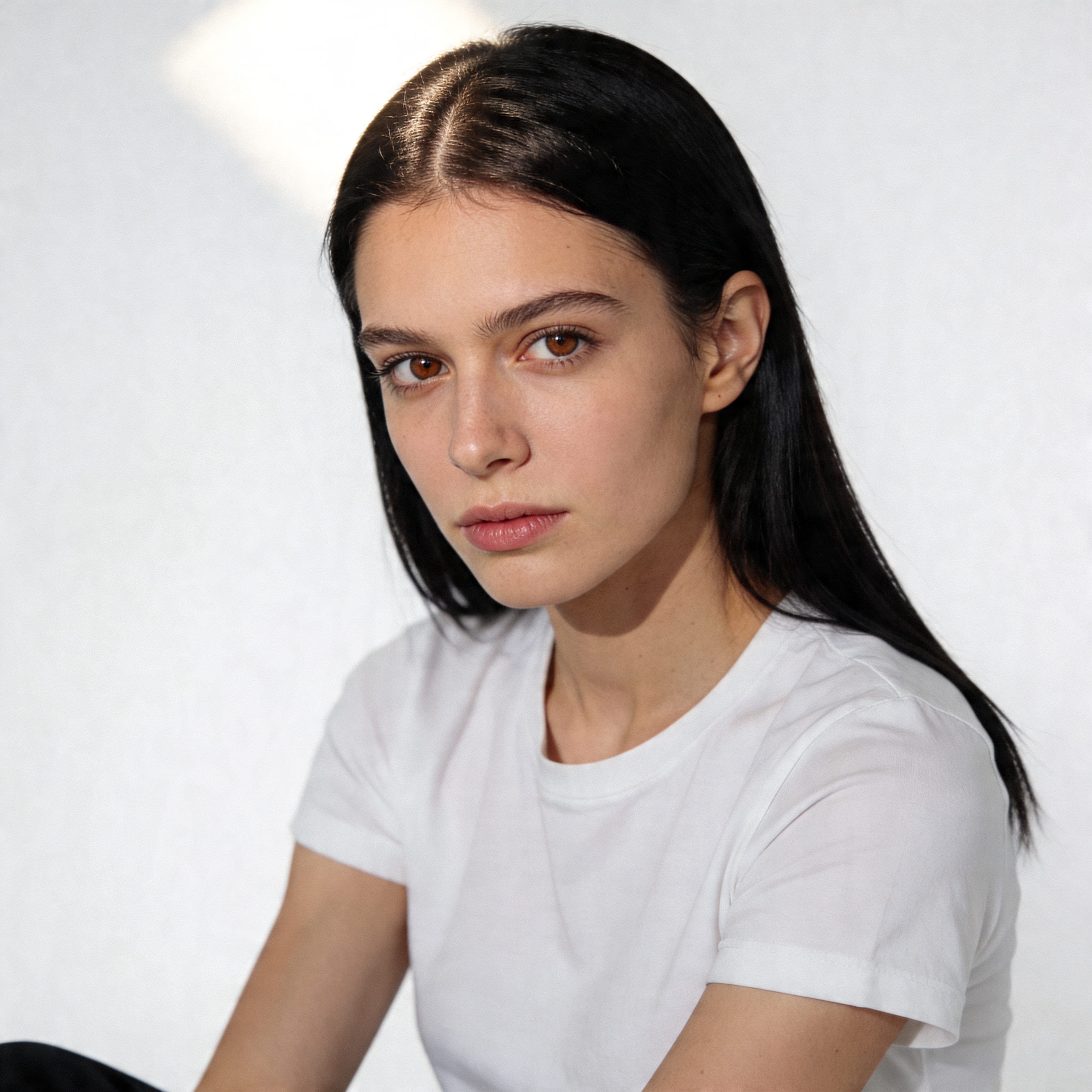
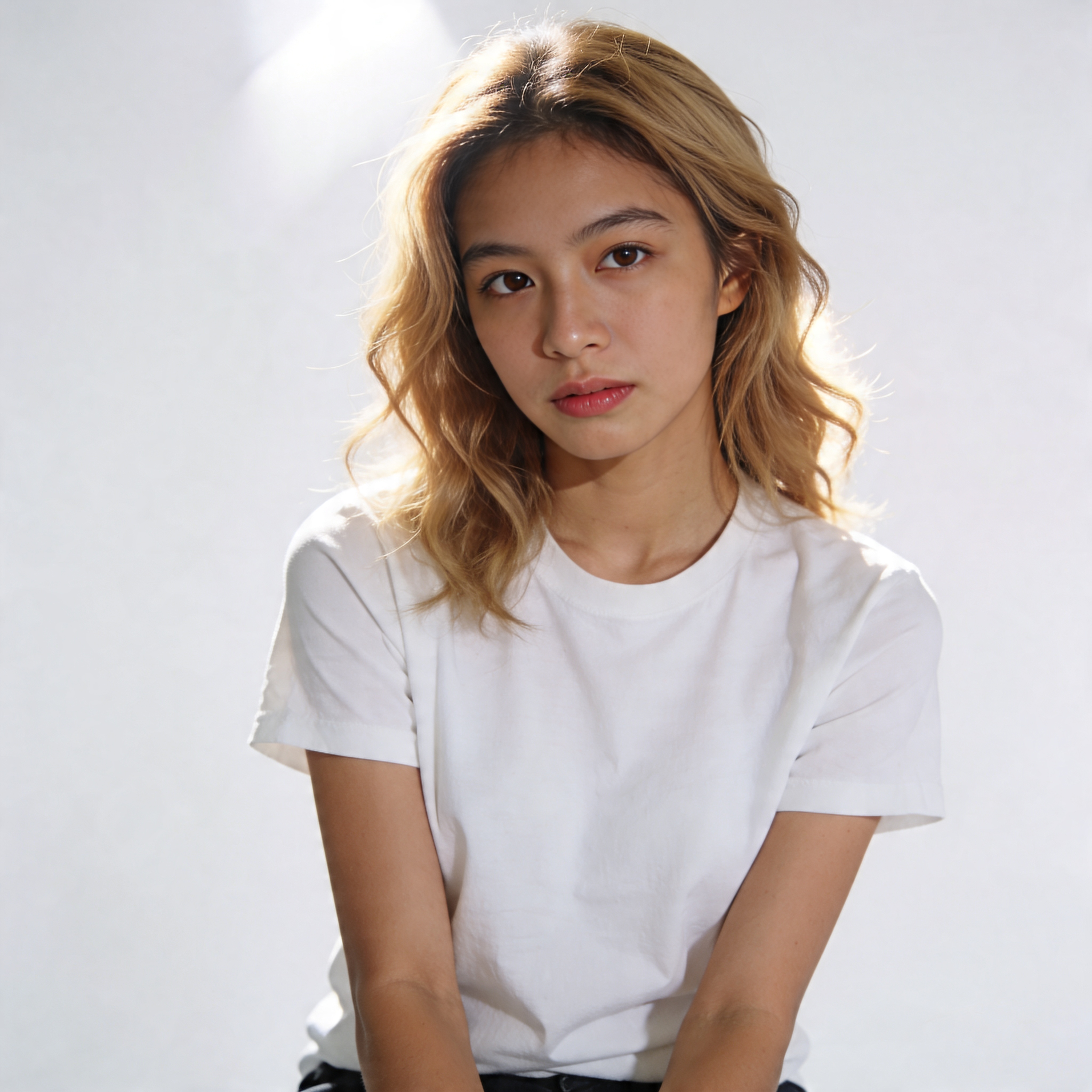
2 unique faces from Face Generator — each becomes a separate "streamer" persona.
Step 2 — Create webcam-style photos for each girl
Each character needs a webcam-style headshot — this is the photo that Lipsync will animate. It should look like a real webcam feed: upper body, casual outfit, over-ear headphones on or around neck, slightly warm room lighting from a monitor glow behind. NOT a professional photo shoot — a real girl sitting in front of her PC.
Use Text-to-Image or Image-to-Image to generate these:
Webcam-style upper body shot of a young woman wearing an oversized hoodie
and over-ear gaming headphones, facing the camera with a relaxed natural
expression, slightly messy hair, warm ambient glow from a monitor behind
her, casual home room background slightly blurred, natural skin texture,
no heavy makeup, cozy authentic vibe, photorealistic, no text no watermarks
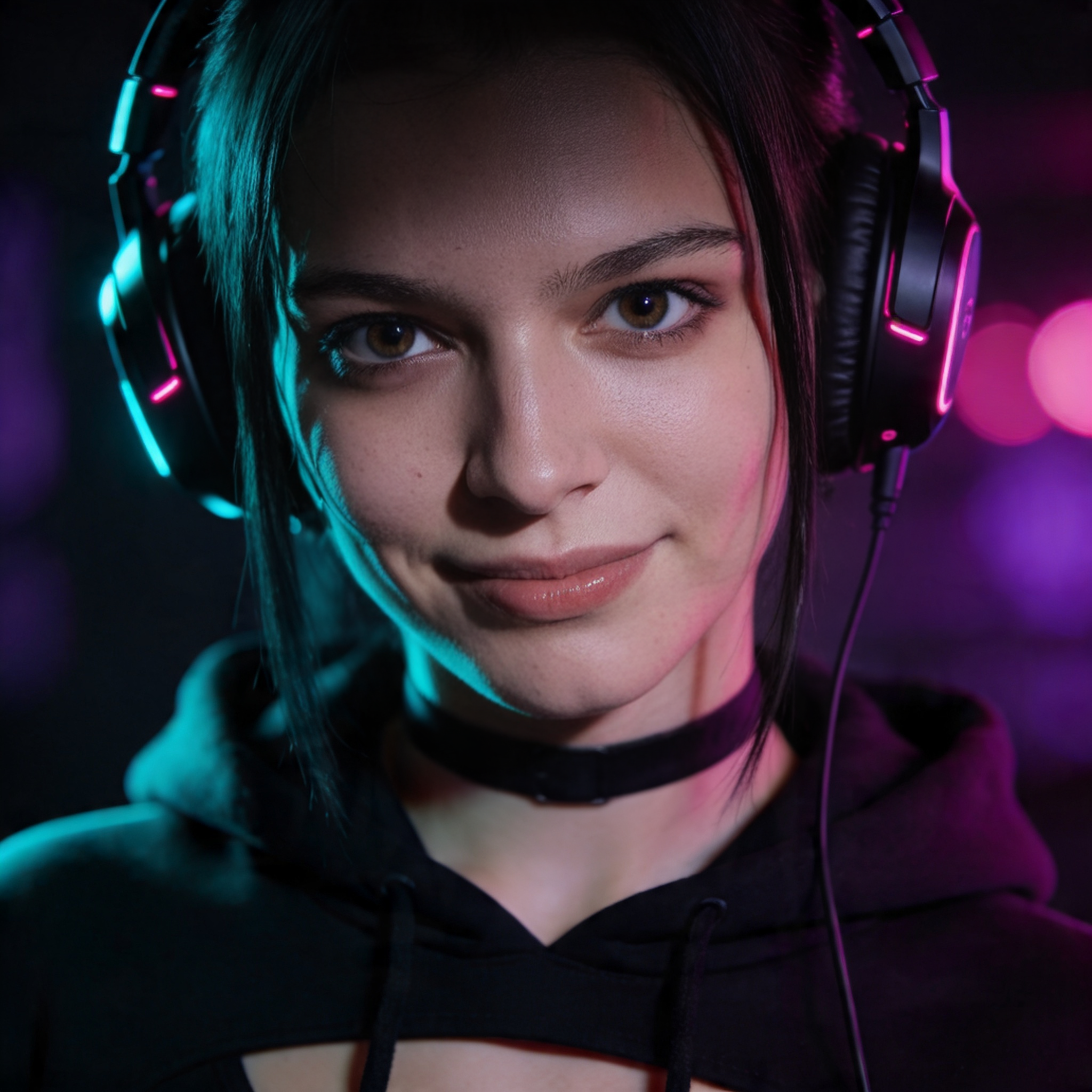
#1 — FPS streamer
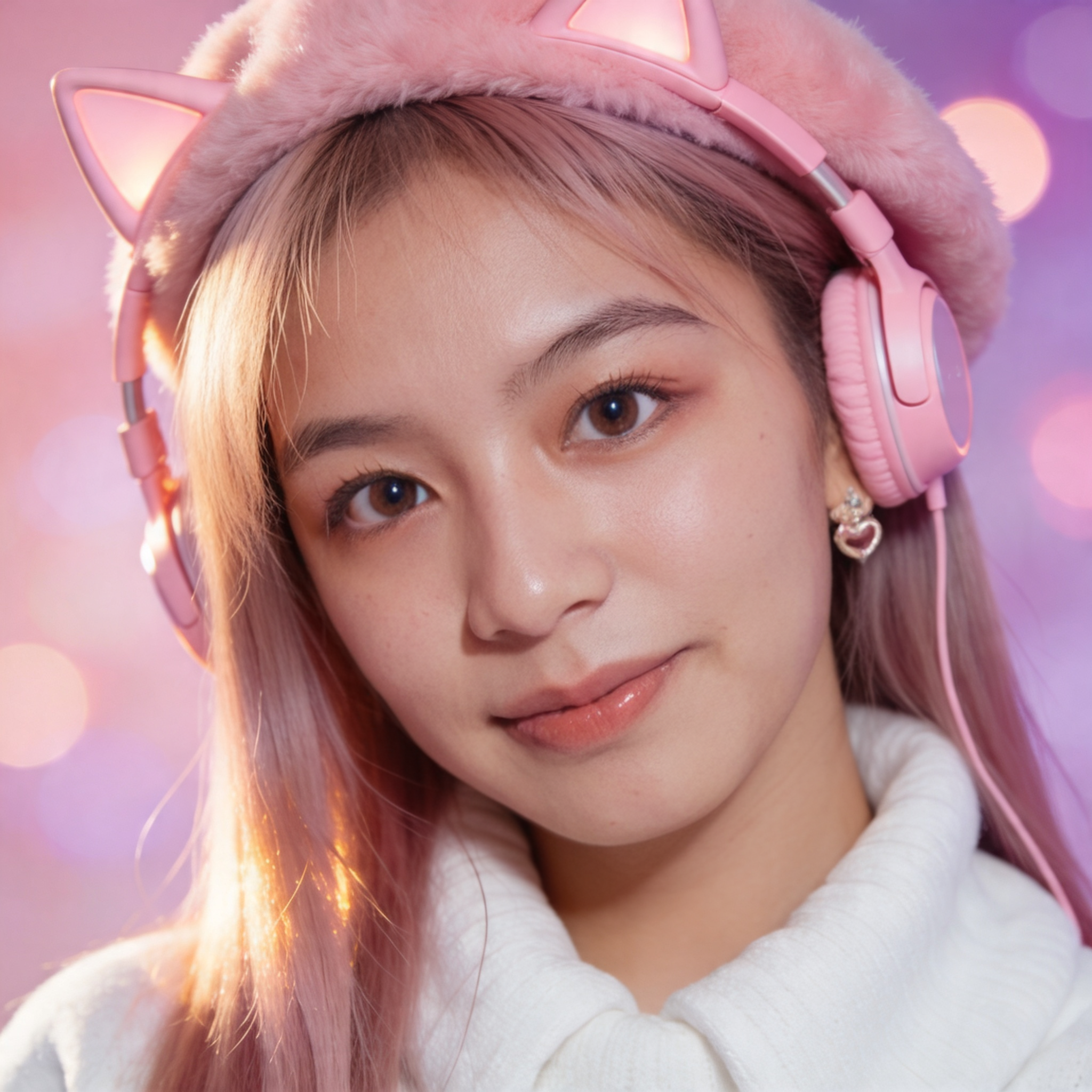
#2 — cozy streamer
Why webcam-style matters: if the photo looks too professional (studio lighting, perfect makeup, editorial crop), it breaks the illusion. Real Twitch facecams are slightly warm, slightly messy, slightly compressed. Match that aesthetic.
Generate one webcam shot per character — each girl gets her own look and vibe.
Step 3 — Make your AI streamer talk (Lipsync)
This is where the magic happens. Open Lipsync, upload one of your streamer scenes, record or upload an audio clip, and the tool animates the face with realistic lip movement.
What you need:
- 1 photo of your AI girl (streaming scene from Step 2 or a face-swapped version)
- 1 audio clip (your own voice, text-to-speech, or any audio file)
What you get: a video clip where the AI girl speaks the audio with synchronized mouth movement, natural facial micro-motion, and eye contact.
She speaks whatever audio you feed in — your voice, TTS, voice clone.
Audio ideas for streamer clips:
"Hey chat! Welcome back to the stream, today we're playing Valorant"— stream intro"Oh my god, did you see that shot?! That was insane"— reaction clip"Thanks for the sub, you're the best!"— subscriber callout"GG everyone, see you tomorrow same time"— stream outro
Record these yourself (the voice doesn't matter — viewers hear the girl's lip movement, and many creators use text-to-speech voices anyway) or generate with any TTS tool.
Step 4 — The setup: real gamer plays, AI girl is the face
Here's how it actually works in practice. A real person (you) plays the game. Your gameplay is captured normally — OBS, recording software, whatever you use. But instead of YOUR webcam in the facecam corner, you place the Lipsync clip of the AI girl. She "reacts", she "comments", she "streams" — and the viewer sees a cute girl playing Valorant.
For pre-recorded content (YouTube, TikTok, Shorts — the most common path):
- Record your gameplay as usual
- Open a video editor (CapCut is free and enough)
- Drag the gameplay as the main track
- Drag the Lipsync clip as an overlay in the facecam corner (lower-left or lower-right, ~20% of screen)
- Trim the Lipsync clip to key moments — game start, kills, deaths, reactions
- Export and post
Final result: your gameplay + her facecam. Viewers see a girl gaming — you never showed your face.
For live streaming (Twitch, YouTube Live):
- Open OBS Studio
- Add Game Capture → your game
- Add Media Source → the Lipsync video, set to loop
- Position as a facecam overlay (~20% of screen)
- Pre-record multiple reaction clips ("Let's go!", "Oh no!", "GG!") and swap them in as needed via OBS scene switching
The key insight: you don't need real-time AI generation. Pre-recorded Lipsync clips feel real because viewers expect a slight delay between game action and facecam reaction anyway — that's how every real streamer looks too.
Can you actually monetize this?
Yes. YouTube and Twitch allow faceless and AI-generated content as long as it meets Community Guidelines[3].
Monetization requirements:
- YouTube: 1,000 subscribers + 4,000 watch hours (or 10M Shorts views) → Partner Program, ads enabled
- Twitch: Affiliate at 50 followers + 500 minutes streamed + 7 unique broadcast days → subscriptions, bits, ads
- TikTok: 10,000 followers + 100,000 views in 30 days → Creator Fund
What's allowed:
- AI-generated characters as your on-screen talent — yes
- Pre-recorded "stream" clips uploaded as VODs — yes
- Lip-synced content where an AI speaks — yes
- Donations, subs, merch attached to the AI persona — yes
What's not allowed:
- Claiming the AI girl is a real person (Twitch requires disclosure of synthetic media)
- Using a real person's likeness without consent
- Content that violates platform terms (hate speech, etc. — same rules as for humans)
Why this works better than VTubers
| Traditional VTuber | ZenCreator AI Streamer | |
|---|---|---|
| Visual style | Anime/cartoon illustration | Photoreal — looks like a real webcam feed |
| Setup cost | Live2D rig ($500–$2000) + tracking software | Credit packs from $19.99 on ZenCreator |
| Face tracking | Requires webcam + real-time tracking hardware | No tracking needed — Lipsync generates the video |
| Audio | Real voice or voice changer | Any audio (own voice, TTS, voice clone) |
| Consistency | Depends on rigging quality | Same face across all content (generated from one reference) |
| Content limits | Subject to platform's content filter | Uncensored — no filter on face/voice/output |
| Scaling | 1 avatar = 1 stream | 2 characters = 4 streams, same creator |
| Audience trust | Viewers know it's animated | Viewers may not immediately realize it's AI |
The last point is the strategic advantage. In gaming communities, facecam streamers get 30–40% higher engagement than faceless streamers[4]. A photoreal AI face captures that engagement boost without requiring the creator to appear on camera.
Common mistakes
Using a face photo that doesn't match the scene lighting. If your webcam scene has warm monitor glow from one side, keep that lighting direction consistent in all future generations for that character. Mismatched lighting looks fake.
Lipsync on a wide-angle scene photo. Lipsync works best on a close-up or upper-body frame where the face is 30–50% of the image area. If the face is a tiny figure at a desk, the lip animation won't be clean.
Same scene for all 2 characters. Viewers who follow gaming streams across channels will notice identical rooms. Generate 3–4 distinct setups and rotate them.
Forgetting audio variety. If all 4 girls use the same TTS voice, audiences catch on. Use different TTS voices, different pitch settings, or record yourself with different inflections per character.
Templates to get started
These templates use the exact tools in this workflow — fork one and swap in your character's face:
FAQ
How long does the full pipeline take for one character?
~10 minutes start to finish: 15s for face generation, 2–3 min for webcam scene generation, 2–3 min for Lipsync (depends on audio length), then editing in OBS or a video editor.
Can Lipsync sync in real time for live streaming?
No — Lipsync produces a pre-rendered video clip, not a real-time feed. For live streaming, you'd play pre-made Lipsync clips as reactions during gameplay breaks, or use a looping "idle animation" clip as the facecam and swap in reaction clips on cue.
What if viewers figure out it's AI?
Many already know. Neuro-sama's audience grew BECAUSE it's AI — viewers find it novel. The trend is toward transparency. Some creators label their channels "AI Streamer" and lean into the concept. Others let the audience discover it. Both approaches work commercially.
Can I use my own voice for the AI girl?
Yes — Lipsync takes any audio. Record yourself, change pitch in Audacity, or use a TTS service. The AI girl's mouth syncs to whatever audio you provide.
What games work best for this?
Any game where the streamer's facecam isn't constantly reacting to fast action works best (reactions need to be pre-recorded). Cozy games, RPGs, strategy, story-driven titles are ideal. For FPS/battle-royale, pre-record a set of reaction clips ("clutch!", "I died!", "let's go!") and trigger them during gameplay.
Is this legal?
Yes — creating AI-generated characters and using them in content is legal in most jurisdictions. The key restrictions: don't use real people's faces without consent, disclose synthetic media when required by platform rules, and follow standard content guidelines.