Flux Klein — Uncensored Photoreal AI Body Generation on ZenCreator
Flux Klein on ZenCreator — purpose-trained for photoreal portraits and bodies with anatomical accuracy. Uncensored output for trusted users via the Klein-Unchained-V2 LoRA.
Why pick Flux Klein
What is Flux Klein?
Flux Klein is the only model on ZenCreator trained specifically for photorealistic unrestricted portraits and bodies. The model draws anatomy — including nude figures and explicit detail — from scratch with accuracy that Seedream and Qwen, both general-purpose models, cannot match. For creators working at the intersection of photoreal and unrestricted, this is the dedicated tool.
What distinguishes the deployment operationally is that the safety checker is forcibly disabled at the API level — not a header flag, not an account setting, but a structural change. Real unrestricted output, not censored output that gets through occasionally. The Klein-Unchained-V2 LoRA is baked into every request, which gives consistent output style and identity rendering across batch runs.
On ZenCreator, Flux Klein is available in both Text-to-Image and the Image Editor. Honest trade-offs: resolution is capped at 1–2 megapixels (≈1024×1024 to 1248×832) — noticeably lower than Seedream's 2K tier, which shows when you try to upscale. There's no LoRA choice — the bundled Klein-Unchained-V2 style is fixed; for picker-based LoRA stacking on the same architecture, use Flux Klein + LoRA. The model is gated to trusted users.
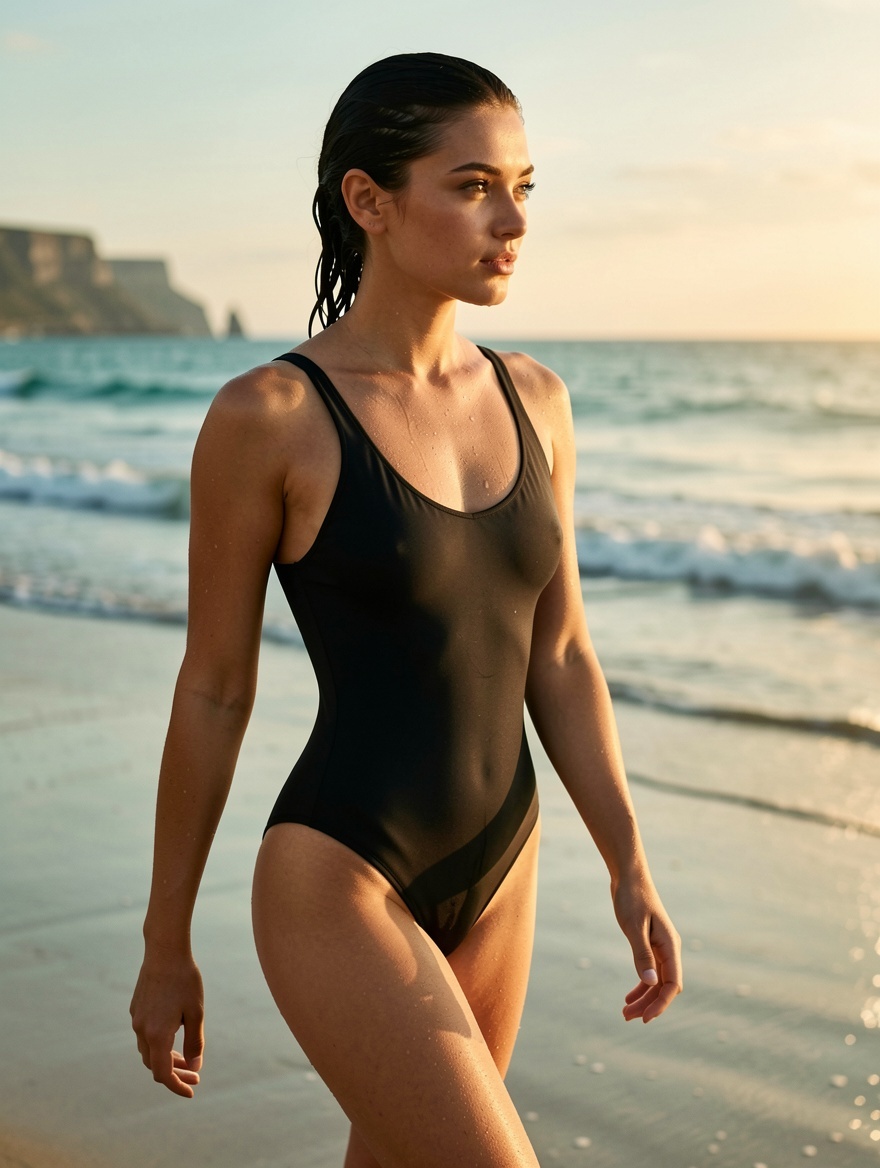
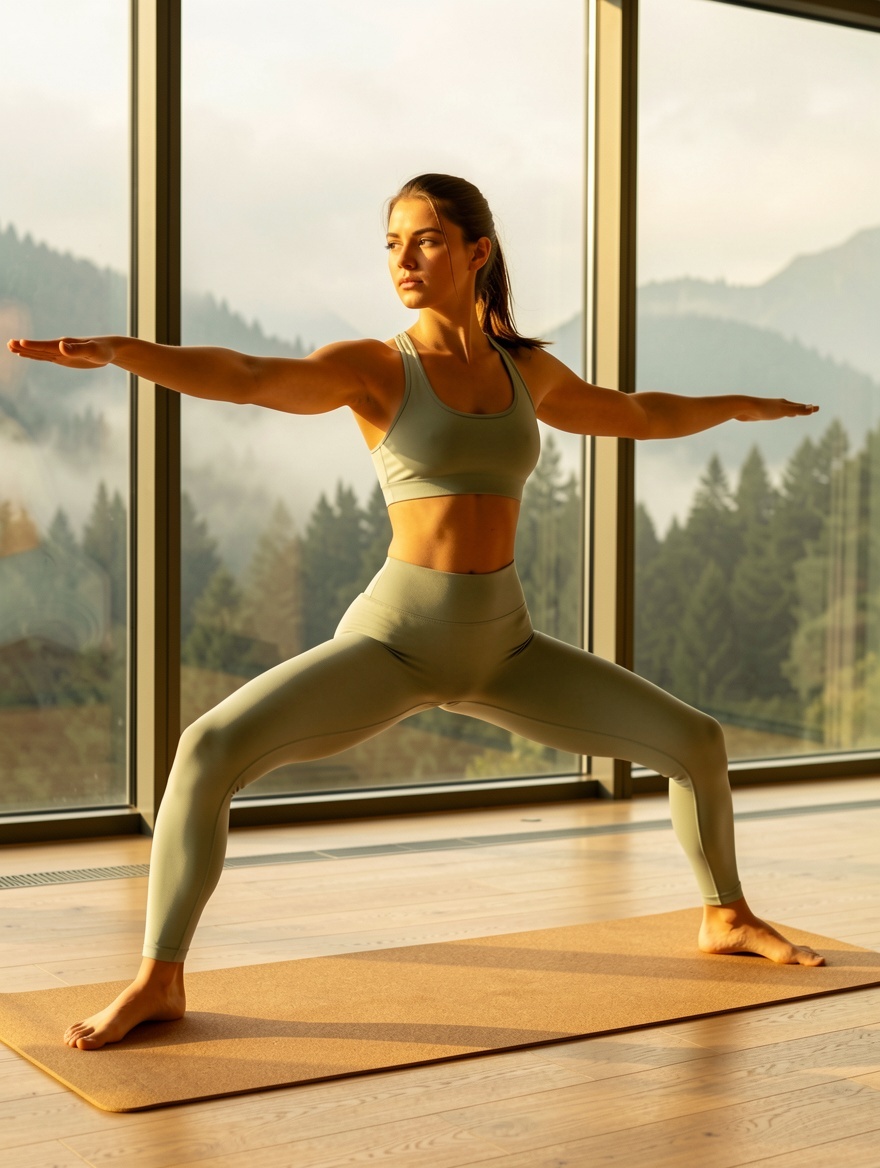
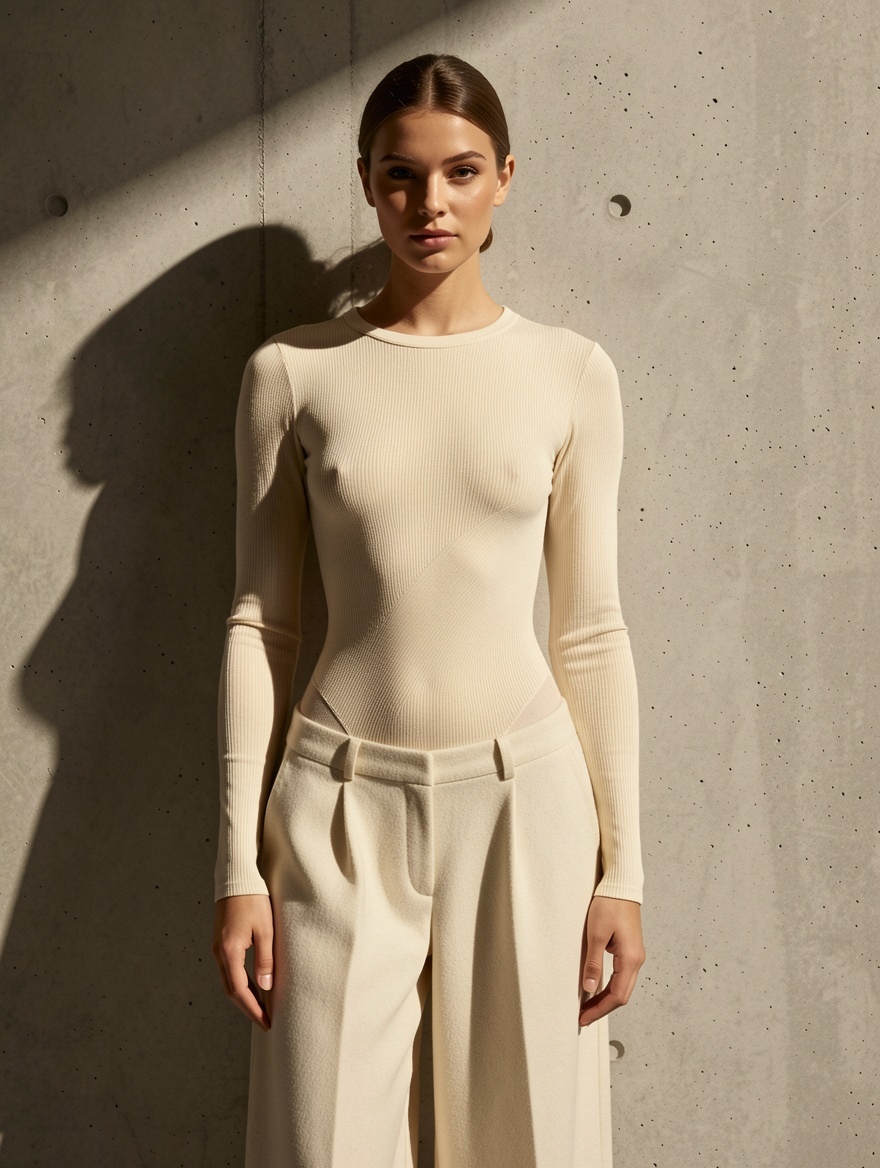
See Flux Klein in action
Six prompts, six results. Copy any prompt to start from the same place.



Flux Klein vs other ZenCreator models
| Model | Best at | Pick when |
|---|---|---|
| Flux Klein | Photoreal bodies, anatomical accuracy, fully uncensored | Unrestricted photoreal body work, consistent batch output |
| Flux Klein + LoRA | Same + user-selectable LoRA stack | You want to pick body/style LoRAs from the library |
| SDXL NSFW | Photoreal NSFW with massive LoRA library | Heavy LoRA stacking, simpler prompts, cheapest tier |
| Seedream 5 | Fast cinematic photoreal | Speed + rich color, generic photoreal (not anatomy-specialist) |
| WAN 2.7 | Cheap photoreal all-rounder | Subjects beyond body work |
| Nano Banana 2 | Instruction-following, references | Editing tasks; strictly censored |
When NOT to pick Flux Klein
Three categories where another model fits better:
- Resolution above 2 megapixels — Flux Klein caps at 1–2 MP (≈1024×1024 to 1248×832). For 2K or larger output, switch to Seedream 5 or WAN 2.7, even if their NSFW capability is weaker.
- User-selectable LoRA stacking — base Flux Klein has a fixed Klein-Unchained-V2 LoRA baked in; you can't pick alternate body or style LoRAs. For that workflow, switch to Flux Klein + LoRA (Image Editor only) or SDXL NSFW (massive LoRA library).
- Non-body subjects — Flux Klein is specialised. For products, architecture, food, generic photoreal scenes, use Seedream 5 or WAN 2.7 — you'll save credits and get cleaner non-body output.
Get started in 4 steps
- Verify your account has trusted access — Flux Klein is gated.
- Open the Text-to-Image generator (or the Image Editor for reference work).
- Pick Flux Klein in the model picker.
- Write your prompt — explicit when you need explicit, descriptive about pose/light/camera as usual. Pick ratio + batch, hit Generate.
How to write prompts that land on Flux Klein
Five tactics calibrated for the model's specialty:
1. Lead with a clear named subject. Open with a specific noun phrase — a young woman in her mid-twenties, a tall athletic figure in profile. Vague openings make Flux Klein invent the subject; specific ones anchor the rendering. Specify ethnicity, body type, age range explicitly when those matter.
2. Describe light direction by name. Soft window light from upper-left, golden hour from camera right, harsh midday overhead — Flux Klein renders body geometry differently under each named setup. Light direction is the single biggest controller of how anatomy reads in frame.
3. Add camera and lens. 85mm at f/2.0, shallow depth of field produces the expected portrait bokeh and field compression. Flux Klein was trained on annotated photography — camera spec carries real signal toward the look you want.
4. Be explicit when you need explicit. The safety checker is disabled at the API level. Use direct anatomical and clothing-state language for unrestricted work — euphemisms ("intimate", "suggestive") underperform compared to specific descriptions. The model rewards precision.
5. Treat the baked LoRA as a style ceiling. Klein-Unchained-V2 imprints a consistent visual signature on every output — useful for batch coherence, limiting for stylistic range. If you need a different look, switch to Flux Klein + LoRA and pick from the library, or move to SDXL NSFW for heavy LoRA stacking.
What to avoid: tag-soup quality boosters (8k, masterpiece, ultra-detailed) — wasted tokens; under-described subjects (the model defaults to generic when you skip detail); expecting 2K output (it tops out at 1–2 MP).
Bottom line
Flux Klein is the dedicated tool for photoreal body work on ZenCreator — purpose-trained, fully uncensored, anatomically accurate. Where the general-purpose models compromise on anatomy to cover wider subject ground, Klein commits to bodies and renders them with precision the others can't match. The trade-off is resolution (capped at 1–2 MP) and stylistic range (fixed baked LoRA). For unrestricted body work at low cost, this is the model. For everything else photoreal, pick a generalist.
Available in
Flux Klein powers two image tools on ZenCreator. Pick the entry point that fits your input.
Questions
What does "fully uncensored" mean for Flux Klein?
The safety checker is forcibly disabled at the API level — not via a header you can flip, not via an account flag, but structurally removed. Other models on the platform that allow unrestricted output still pass through inspection that can refuse borderline prompts; Flux Klein doesn't.
Why is Flux Klein limited to trusted users?
Unrestricted models are gated as a controlled rollout. Trusted-user access can be requested through your account settings or by reaching ZenCreator support.
What resolution does Flux Klein output?
1–2 megapixels — roughly 1024×1024 at 1:1 up to 1248×832 at widescreen ratios. Lower than the 2K Seedream/Qwen tier, but the photoreal body rendering is sharper here on its specialty. For higher-resolution post-processing, run a generation then push through the Upscaler.
Can I pick a different LoRA?
Not on base Flux Klein — the Klein-Unchained-V2 LoRA is baked into every request. For user-selectable LoRA stacking (body types, art styles, character templates), switch to Flux Klein + LoRA — Image Editor only — or use SDXL NSFW for the platform's largest LoRA library.
How does Flux Klein compare to SDXL?
Flux Klein wins on anatomical accuracy and modern architecture (Flux is newer than SDXL's 2023-era base). SDXL NSFW wins on LoRA library size and cost — but SDXL shows more anatomical errors at high LoRA strengths.
Are generated images commercially usable?
Yes. ZenCreator grants commercial usage on outputs from paid plans for trusted accounts working with unrestricted content.
When should I pick Flux Klein over Seedream 5?
Pick Flux Klein for unrestricted photoreal body work where anatomical accuracy is the priority. Pick Seedream 5 for fast generic photoreal where bodies aren't the focal subject — Seedream is 2K, sync, and cheap, but won't match Klein's body specialisation.
Sources
- Black Forest Labs — Flux architecture documentation
- Klein-Unchained-V2 LoRA notes
- ZenCreator AI Models Review (internal) — Flux Klein strengths and weaknesses
- Internal benchmark comparisons across Flux Klein, SDXL NSFW, Seedream 5, and WAN 2.7 — ZenCreator testing, May 2026