Media.io vs ZenCreator: AI Image & Video Generators Compared (2026)
Media.io vs ZenCreator full comparison for AI image and video generation. Models, tools, watermarks, content freedom, and pricing compared side by side.

If you're searching for a capable AI image and video generator in 2026, you've likely seen both Media.io and ZenCreator ranking for the same keywords. Both platforms offer unrestricted AI generation, but they take fundamentally different approaches — Media.io is a broad effects marketplace backed by Wondershare, while ZenCreator is a purpose-built pipeline for AI influencer content with character consistency across every output.
This comparison breaks down exactly what each platform offers so you can choose the right one for your workflow.
Quick Summary: Media.io vs ZenCreator
| Feature | ZenCreator | Media.io |
|---|---|---|
| Credits | Credits never expire | Daily login credits |
| Watermark | No watermark on any output | Watermark on free tier |
| AI Image Models | Multiple integrated per tool | ToMoviee, Nano Banana, Seedream 5.0, Imagen 4.0 |
| AI Video Models | Kling 1.6, Kling 2.0, WAN | Seedance 2.0, Kling 3.0, Wan 2.6, Veo 3.1, Hailuo 2.3 |
| Face Consistency | Identity Lock across all tools | None |
| Face Swapping | Images AND video | Basic face editing |
| Batch Generation | Up to 100+ images | Single generation |
| Social Publishing | Direct to Instagram, TikTok, YouTube | Manual download only |
| Audio Tools | Lipsync (photo + audio) | Text-to-Music, Vocal Removal, Sound Effects |
| Pre-built Effects | Templates in /ai-generators/ library | 2,000+ video effects, 2,000+ image effects |
| Total Specialized Tools | 12 | Bundled editing features |
| Best For | AI influencer workflows | Broad creative toolkit |
Media.io Review: What We Found
After testing Media.io's platform, here's our honest assessment:
Strengths:
- Massive model selection — 6 image models including Seedream 5.0 and Imagen 4.0, plus 6 video models
- 2,000+ pre-built video effects and 2,000+ image effects for quick creative work
- Audio tools (text-to-music, vocal removal, sound effects) that ZenCreator doesn't offer
- Backed by Wondershare — established company with strong infrastructure
Limitations:
- Free tier outputs carry a Media.io watermark — requires paid plan to remove
- No character consistency — every generation produces a different face
- No face swap on video — basic face editing only
- Generated files are auto-deleted from servers within 7 days
- No social media publishing integration — manual download required
- Single-generation only — no batch processing
Bottom line: Media.io is a broad creative toolkit with impressive model variety. But if you need character consistency, watermark-free output, or a production pipeline (generate → edit → animate → publish), it falls short.
What is Media.io?
Media.io is an all-in-one AI creative platform backed by Wondershare that combines video, image, and audio generation tools. It launched as a media conversion tool and expanded into AI generation.
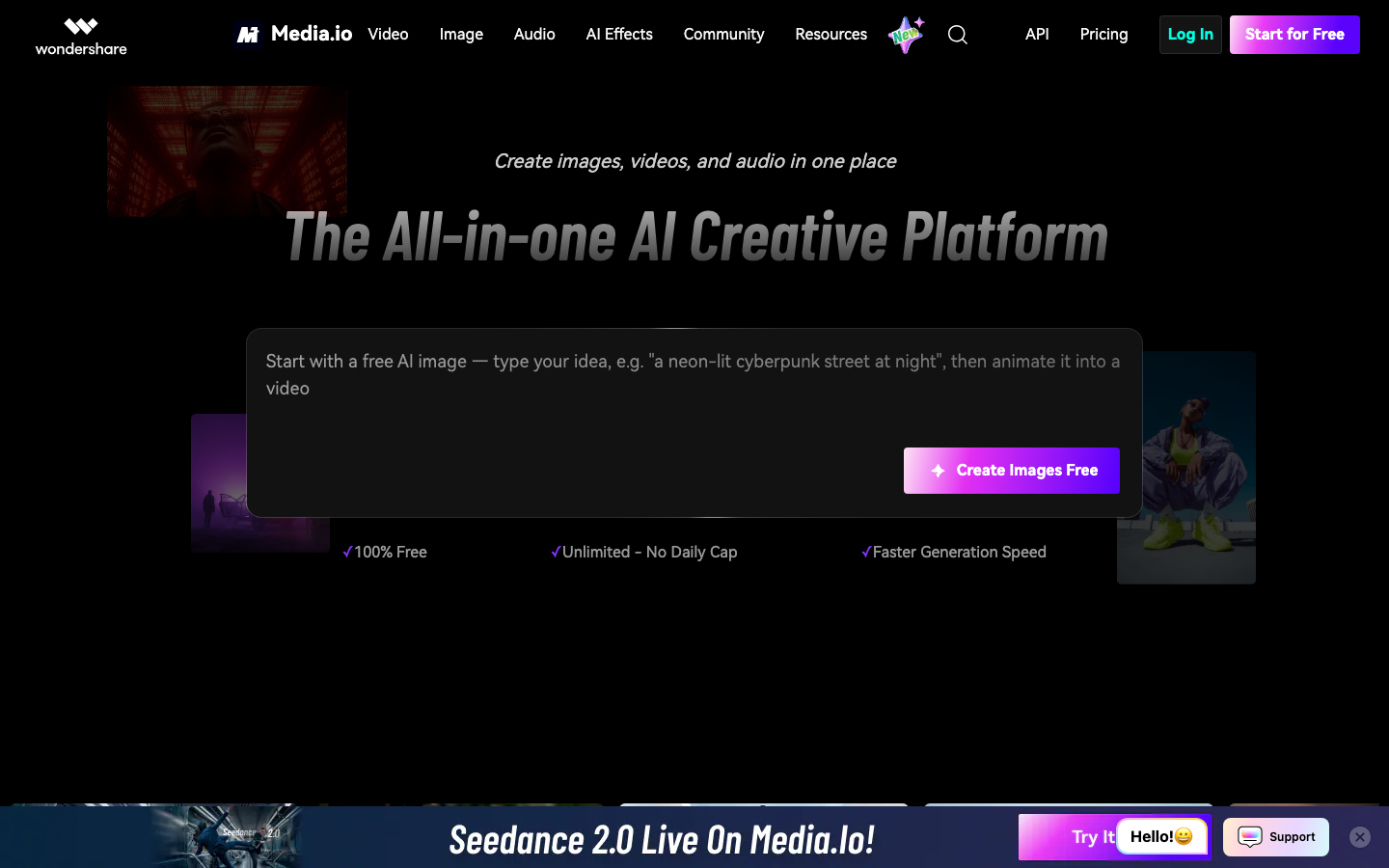
Key features of Media.io:
- 6 Image Models — ToMoviee Lite (free), ToMoviee 2.0, Nano Banana Pro, Nano Banana 2, Seedream 5.0, Imagen 4.0
- 6 Video Models — Seedance 2.0, Kling 3.0, Vidu Q3, Wan 2.6, Veo 3.1, Hailuo 2.3
- 2,000+ Video Effects — Pre-built creative transformations
- 2,000+ Image Effects — Style transfers, filters, enhancements
- Audio Suite — Text-to-music, lyrics-to-song, vocal removal, sound effects, noise reduction
- Basic Editing — Object removal, image extension, upscaling, face editing
- Watermark-Free Export — Paid plans only
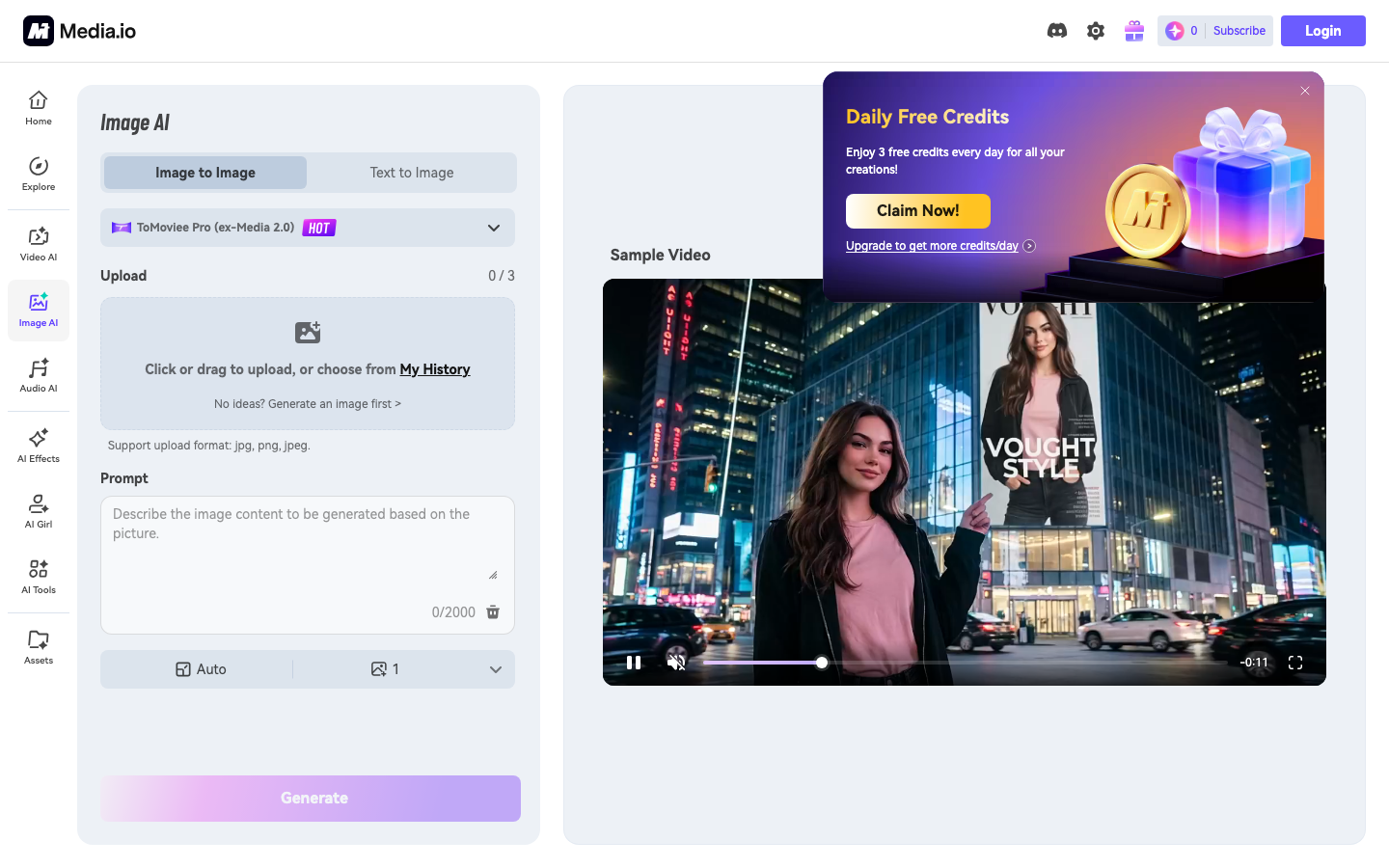
Here's what Media.io's unrestricted image generator interface looks like:
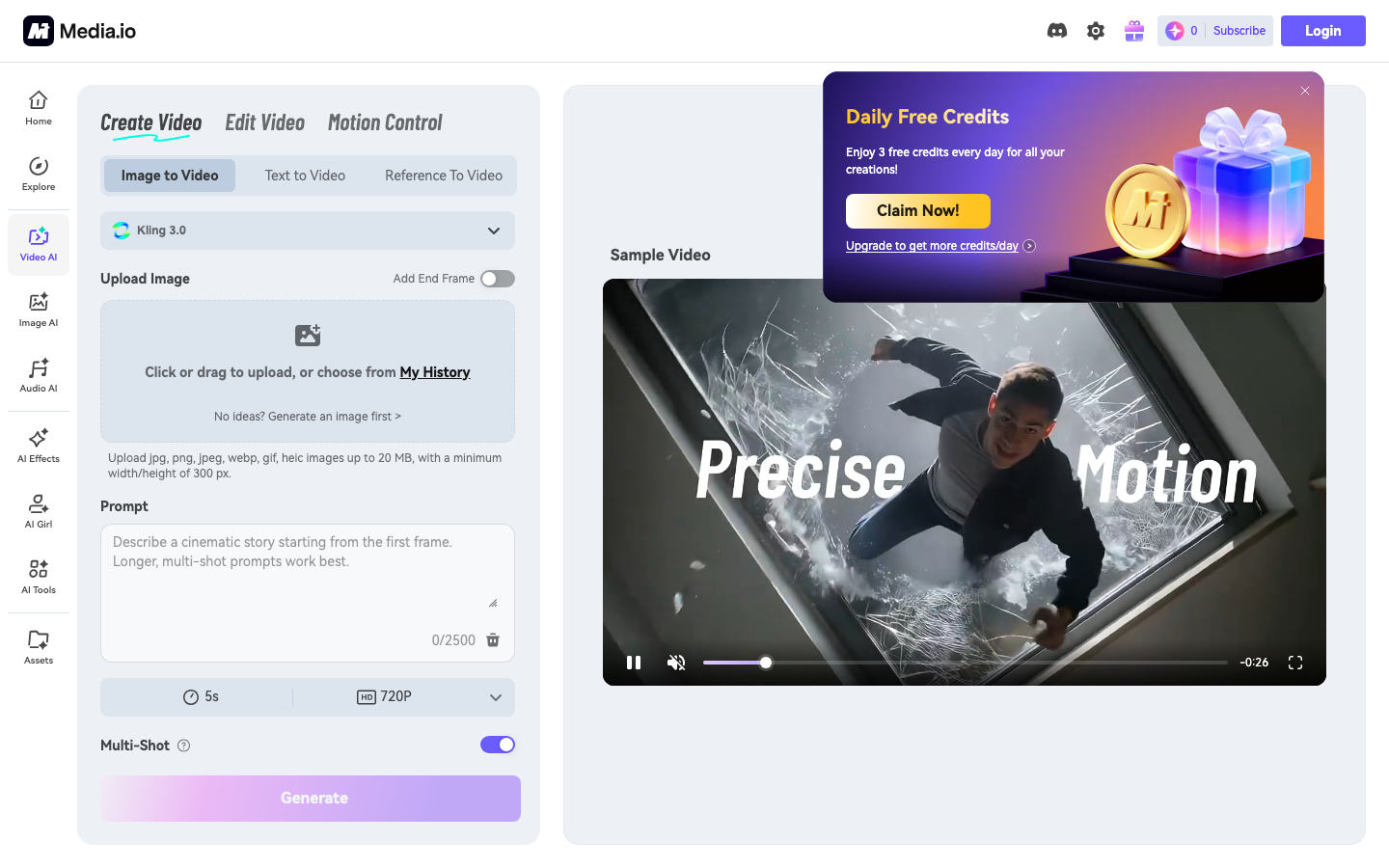
And the video generation page:
However, Media.io has notable limitations:
- Watermark on free outputs — Every free-tier generation carries a Media.io watermark
- No face consistency — Cannot maintain the same character across multiple generations
- No face swap — Basic face editing, not true face-swap technology
- No batch generation — One image or video at a time
- No social media publishing — Manual download and upload required
- 7-day file auto-deletion — Generated files are removed from servers automatically
- Unclear pricing — Daily login credits with opaque credit costs
What is ZenCreator?
ZenCreator is a creator-focused AI content platform built specifically for social media creators, influencers, and agencies. The entire platform is designed around one idea: your AI character looks the same everywhere.
Key features of ZenCreator:
- 12 Specialized Tools — Face Generator, Face Swap, PhotoShoot, Text-to-Image, Image-to-Image, Image-to-Video, Video-to-Video, Upscaler, Variations, Editor & Combiner, Collabs, Lipsync
- Character Consistency — Identity Lock preserves the exact same face across all tools and outputs
- 3 Video Engines — Kling 1.6 (fast/stylized), Kling 2.0 (photoreal), WAN (most permissive)
- Face Swap — Works on both images AND videos with natural lighting and expression matching
- Batch Generation — Create 100+ images at once
- Social Publishing — Direct post to Instagram, TikTok, YouTube, Facebook, Threads
- No Watermark — Clean output on all tiers, including free
- Collabs — Multi-character scenes with consistent identities
- Lipsync — Talking-head videos from a single photo + audio clip
Feature-by-Feature Comparison
1. AI Image Generation
Media.io:
- 6 image models to choose from (marketplace approach)
- Text-to-Image and Image-to-Image
- Style transfer with 2,000+ effects
- ToMoviee Lite available for free unlimited use
- No batch processing
ZenCreator:
- Multiple models integrated per tool (optimized per use case)
- Text-to-Image, Image-to-Image, PhotoShoot (40+ themed categories), Editor & Combiner
- Reference-based generation for consistent style
- Batch generation (100+ images at once)
- Identity Lock across all image tools
Winner: Tie — Media.io offers more model choices. ZenCreator offers deeper integration and batch production.
2. AI Video Generation
Media.io:
- 6 video models (Seedance 2.0, Kling 3.0, Vidu Q3, Wan 2.6, Veo 3.1, Hailuo 2.3)
- Image-to-video and text-to-video
- Video extension and transformation
- Reviews note quality issues at current stage
ZenCreator:
- 3 mature video engines: Kling 1.6 (fast), Kling 2.0 (photoreal), WAN (unrestricted)
- Image-to-Video, Video-to-Video
- Lipsync (talking-head animation from photo + audio)
- Social media export presets built-in
Winner: Tie — Media.io has more models. ZenCreator has Lipsync and a more integrated pipeline.
3. Face Technology & Character Consistency
Media.io:
- Basic face editing (enhancement, retouching)
- No face swap technology
- No character consistency
- Every generation produces a different person
- Cannot maintain a persona across content series
ZenCreator:
- Face Generator — create AI characters from scratch
- Face Swap — apply consistent face to any image or video
- PhotoShoot — 40+ themed categories with Identity Lock
- Collabs — multi-character scenes with consistent faces
- Same character across all 12 tools
Winner: ZenCreator — Media.io has no character consistency at all. This is the widest gap between the two platforms.
4. Audio & Music Tools
Media.io:
- Text-to-Music generation
- Lyrics-to-Song conversion
- Vocal removal and isolation
- Sound effects library
- Noise reduction
- AI translation
- Lipsync alignment
ZenCreator:
- Lipsync (sync lip movement to audio on any face photo)
- No music generation, vocal removal, or sound effects
Winner: Media.io — Comprehensive audio suite vs. single Lipsync feature. If audio production matters, Media.io is the clear choice.
5. Watermark & Output Quality
Media.io:
- Free-tier outputs include Media.io watermark
- Watermark removal requires paid plan
- 4K downloads available (paid)
- Generated files auto-deleted after 7 days
ZenCreator:
- No watermark on any output, any tier
- Up to 4K via Upscaler with Face-Safe mode
- Files stored in your account
- Commercial-ready output from day one
Winner: ZenCreator — Watermark-free output on all tiers means every generation is immediately publishable.
6. Social Media Workflow
Media.io:
- Standard downloads only
- No platform-specific export presets
- No publishing integration
- Manual resize for Instagram/TikTok/YouTube
ZenCreator:
- Instagram presets (1:1, 4:5, 9:16)
- TikTok optimization (9:16)
- YouTube formats (16:9)
- Direct publishing to Instagram, TikTok, YouTube, Facebook, Threads
- Batch export capabilities
Winner: ZenCreator — Built for social media creators. Media.io requires manual formatting.
7. Content Freedom
Media.io:
- Advertises "absolute control" over prompts
- Claims no prompt rewriting or filtering
- "Superior anatomical accuracy" from unfiltered models
- Users responsible for compliance
ZenCreator:
- Unrestricted generation across all 12 tools
- Content freedom extends through the entire pipeline: generate → edit → animate → face-swap → publish
- Published content policy and GDPR compliance documentation
Winner: Tie — Both offer unrestricted generation. ZenCreator's advantage is that content freedom extends across the full pipeline, not just the image generator.
8. Pricing & Plans
Media.io:
- Daily login credits (free)
- Watermark on free outputs
- Paid plans for watermark removal and faster generation
- Pricing structure not fully transparent
ZenCreator:
- Starter plan credits from $19.99 (never expire)
- No watermark on any output at any tier
- Transparent subscription plans
- All features available on every tier
Winner: ZenCreator — Genuine watermark-free output on every tier vs. watermarked free tier.
When to Choose Media.io
Media.io is the better choice if you:
- Need audio production tools (text-to-music, vocal removal, sound effects)
- Want the widest model variety (6 image models + 6 video models)
- Use pre-built effects extensively (2,000+ video effects, 2,000+ image effects)
- Do one-off creative projects without character consistency needs
- Need video effects and filters more than generation from scratch
- Are comfortable with watermarked free outputs and plan to upgrade
When to Choose ZenCreator
ZenCreator is the better choice if you:
- Build AI influencer accounts or brand personas (character consistency essential)
- Need watermark-free output from day one (no paid upgrade required)
- Create content in batches for social media (100+ images at once)
- Want a complete pipeline: generate → edit → animate → face-swap → publish
- Need face swap on video (not just basic face editing)
- Publish directly to Instagram, TikTok, YouTube without manual downloading
- Create multi-character content (Collabs tool)
- Need talking-head videos from photos (Lipsync)
Use Case Scenarios
Scenario 1: Daily AI Influencer Content
Need: Post 2-3 pieces of content daily with the same AI character across all posts.
Winner: ZenCreator — Identity Lock, batch generation, face swap, and direct publishing. Media.io can't maintain character consistency.
Scenario 2: Music Video with AI Visuals
Need: Generate AI images, combine with original music, add sound effects.
Winner: Media.io — Audio suite handles music, sound effects, and vocals. ZenCreator has no music tools.
Scenario 3: Product Promotion Videos
Need: Create short promotional videos with AI characters for TikTok and Instagram.
Winner: ZenCreator — Social media presets, batch export, lipsync for speaking characters, direct publishing.
Scenario 4: Experimental AI Art
Need: Try different models, apply various effects, explore artistic styles.
Winner: Media.io — 6 image models + 2,000+ effects library for experimentation.
Scenario 5: AI Couple / Group Content
Need: Create content with multiple AI characters interacting in the same scene.
Winner: ZenCreator — Collabs tool is designed specifically for multi-character content. Media.io has no equivalent.
Migration Guide: Switching from Media.io to ZenCreator
Step 1: Sign Up for ZenCreator
Visit app.zencreator.pro, create an account, and pick a plan from $19.99 for 200 credits — credits never expire, with no watermark on outputs.
Step 2: Create Your AI Character
Use Face Generator to create your character, or upload a reference photo. Your character's face will stay consistent across all 12 tools.
Step 3: Generate Content with Face Consistency
Use PhotoShoot for themed photo sets, Text-to-Image for custom scenes, and Face Swap to apply your character's face to any generation — all with Identity Lock.
Step 4: Animate Your Content
Convert your best images to video using Image-to-Video (choose Kling 1.6 for speed, Kling 2.0 for realism, or WAN for full creative freedom). Add Lipsync if you need talking-head content.
Step 5: Publish Directly
Use built-in export presets for Instagram (1:1, 4:5, 9:16), TikTok (9:16), or YouTube (16:9) and publish directly from the platform.
Frequently Asked Questions
Is Media.io better than ZenCreator for AI images?
Media.io offers more model choices (6 image models vs. ZenCreator's integrated selection). ZenCreator offers deeper integration — character consistency, batch generation, and a 12-tool pipeline. For single images, either works. For production workflows, ZenCreator is the stronger pick.
Does Media.io have face swap?
Media.io has basic face editing but no true face-swap tool that works on both images and videos. ZenCreator's Face Swap preserves lighting, angle, and expression naturally across images and videos.
Can I use Media.io without a watermark?
Not on the free tier. Media.io adds a watermark to free outputs that requires a paid plan to remove. ZenCreator provides watermark-free output on every tier — even the $19.99 starter plan.
Which is better for AI video generation?
Media.io offers 6 video models (Seedance 2.0, Kling 3.0, Veo 3.1, and others). ZenCreator offers 3 video engines plus Lipsync for talking-head videos. If you want model variety, Media.io. If you want a complete video workflow with character consistency, ZenCreator.
Is Media.io safe to use?
Media.io states that generated files are "automatically deleted from servers within 7 days" and uses encryption. ZenCreator publishes a full content policy and GDPR compliance documentation with transparent data handling.
Does ZenCreator have audio tools?
ZenCreator has Lipsync (sync lip movement to audio on any photo) but no music generation, vocal removal, or sound effects. If audio production is your primary need, Media.io is the better choice.
Which platform has more AI models?
Media.io offers more individual model choices (6 image + 6 video models as a marketplace). ZenCreator integrates models directly into specialized tools optimized per use case — you don't need to pick the right model because the tool handles it.
Can I maintain the same AI character across videos on Media.io?
No. Media.io has no character consistency features. Each generation produces a different face. ZenCreator's Identity Lock maintains the same character across all 12 tools.
Conclusion: Different Platforms for Different Creators
Choose Media.io if you want a broad creative toolkit with audio production, maximum model variety, and 2,000+ pre-built effects — especially for one-off projects where character consistency doesn't matter.
Choose ZenCreator if you need a production pipeline for AI influencer content — character consistency, face swap on video, batch generation, lipsync, and direct social publishing without watermarks.
Ready to try ZenCreator? Start today — , no watermark on any output.
More Comparisons
- A2E vs ZenCreator — Developer-focused AI video platform comparison
- Mage.Space vs ZenCreator — 160+ AI models vs creator-focused pipeline
- Eromify vs ZenCreator — AI influencer generator comparison
- Perchance AI vs ZenCreator — Free AI image generator comparison
Related Reading
- Unrestricted AI Generator — Create AI content without limitations
- AI Influencer Generator — Build AI influencers for Instagram and TikTok
- Uncensored AI Video Generator — Generate unrestricted AI videos
- AI Image Generator No Restrictions — Create unrestricted AI images