How to Restore Old or Damaged Photos in Seconds
A simple step-by-step guide to repairing cracked, faded, torn, or low-quality images — with clean faces and preserved details using AI

Want to bring an old family photo back to life? Or fix scratches, folds, missing fragments, faded colors, or blurred faces?
With ZenCreator you can restore damaged photos in just a few seconds — without distortion, without losing facial features, and without complicated editing tools.
Step 1 — Open the Editor and Upload Your Photo
Go to the Image Editor tool.
Upload the damaged or old photo you want to restore.
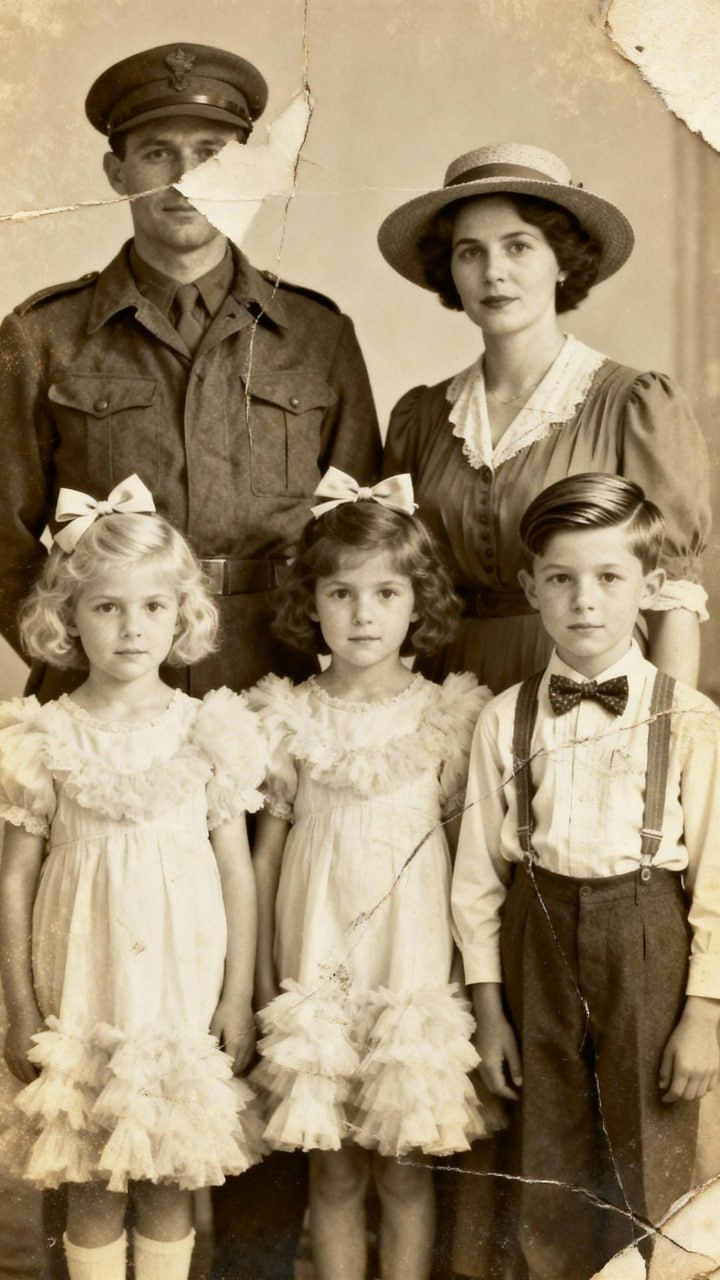
Step 2 — Select Your Image and Enter the Restoration Prompt
Choose the image you uploaded and paste one of the ready-to-use restoration prompts.
You can choose between two variants depending on whether you want color correction:
Option 1 — Clean Restoration (no color changes)
Restored photo with no breaks or scuffs, and all elements and
faces restored. Increased sharpness and resolution of the photo.
4K photo.
Option 2 — Full Restoration + Modern Natural Colors
Restored photo with no breaks or scuffs, and all elements and faces
restored. Increased sharpness and resolution of the photo. 4K photo.
Colors restored. Natural, modern colors. Clear photo. Bright and colorful
modern photography.
Next:
- select how many image variations you want
- choose the aspect ratio (usually keep the original)
- click Generate
The AI will rebuild damaged areas, restore missing fragments, and clean the entire image.
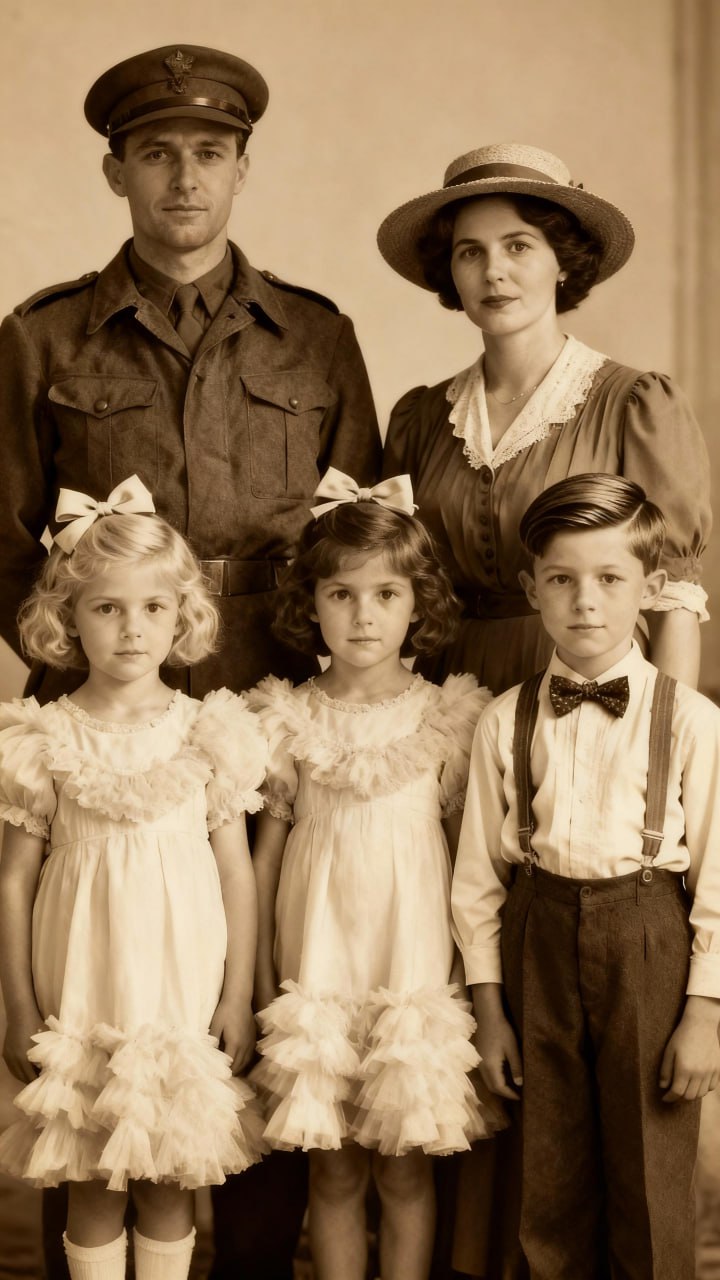

Step 3 — Upscale the Best Result for Maximum Quality
Take the best restored image and open the Upscaler tool.
Choose the mode:
Premium Safe Face — High-Detail Face Preserve
This setting ensures:
- clean and accurate facial features
- no distortions
- no "AI face smoothing"
- maximum photo realism
Click Generate to upscale the restored image.
Done! Your Photo Is Fully Restored
Whether your image had:
- cracks
- creases
- torn fragments
- faded colors
- scratches
- missing facial details
- low resolution
- washed-out lighting
ZenCreator can restore it cleanly, naturally, and professionally — ready to save, print, or share with your family.