AI Hairstyle Changer: How to Try New Hair with AI Prompts (2026)
Try new hairstyles with AI before visiting the salon. 10 copy-paste prompts for bob, pixie, waves, color changes and more. Step-by-step guide.

You found a haircut you love on Pinterest, but your stylist wants $200 before they'll take the scissors out. AI hairstyle changers let you skip that gamble entirely — upload a single photo, describe the cut, and see the result in seconds without leaving your couch.
This guide shows you exactly how to do it using ZenCreator's Image Editor, and gives you 10 copy-paste prompts for the most popular hairstyle transformations in 2026.
How does AI hairstyle changing work?
The process is straightforward. You upload a front-facing photo, give the AI a text description of the hairstyle you want, and the model generates a new version of your photo with the requested hair while keeping your face, skin tone, and features untouched.
ZenCreator's Image Editor handles this through its "Change haircut" template, which is specifically tuned for hair transformations. The template is pre-configured so the AI knows to preserve your face and only modify the hair. You can also write a custom prompt from scratch if you want more granular control over the result.
Three things make this approach work better than generic AI generators:
- Face preservation is baked in. The model is instructed to keep your facial features identical — no warped features or identity drift.
- No filters blocking realistic results. Many mainstream tools reject "before and after" photo edits; ZenCreator processes them without restrictions.
- One photo is all you need. No multiple angles, no training run — a single front-facing selfie is enough.
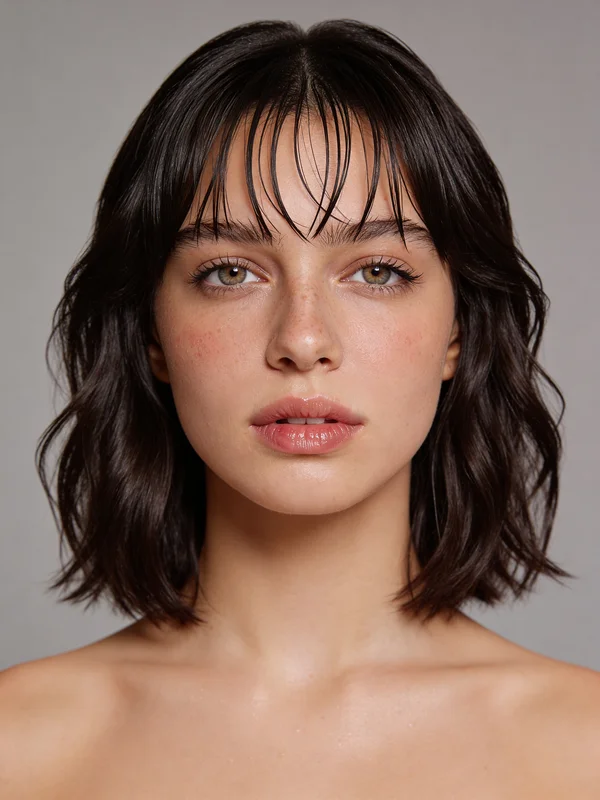
10 copy-paste prompts for popular hairstyles
Open ZenCreator Image Editor, select the "Change haircut" template, upload your photo, and paste any of the prompts below into the prompt field.
Classic Bob Cut
Change hairstyle to a sleek chin-length bob cut with subtle side-swept bangs, smooth and polished finish, natural hair texture, keep all facial features exactly the same
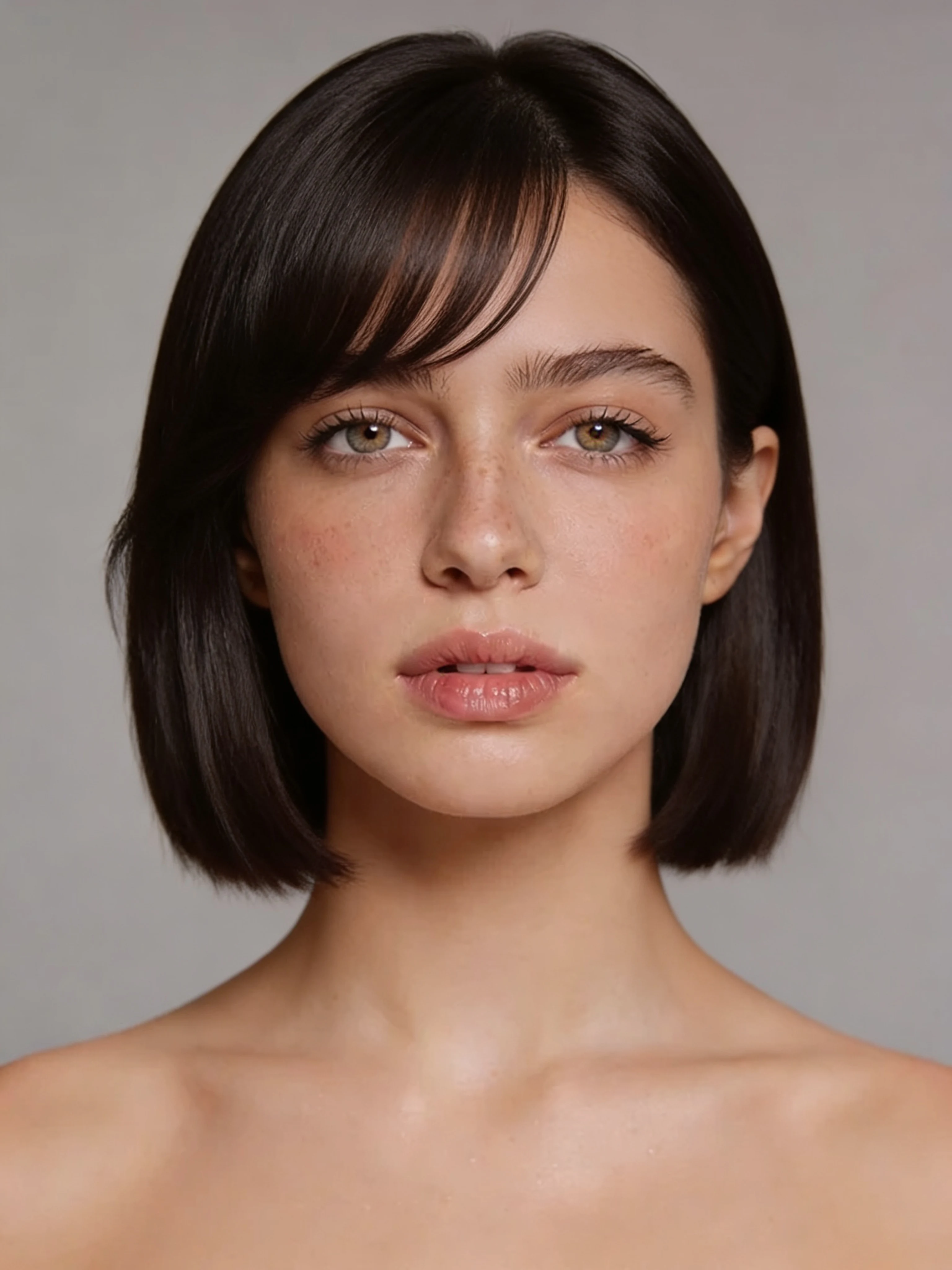
Long Beach Waves
Change hairstyle to long flowing beach waves falling past the shoulders, loose tousled texture with natural movement, sun-kissed highlights throughout, keep all facial features exactly the same
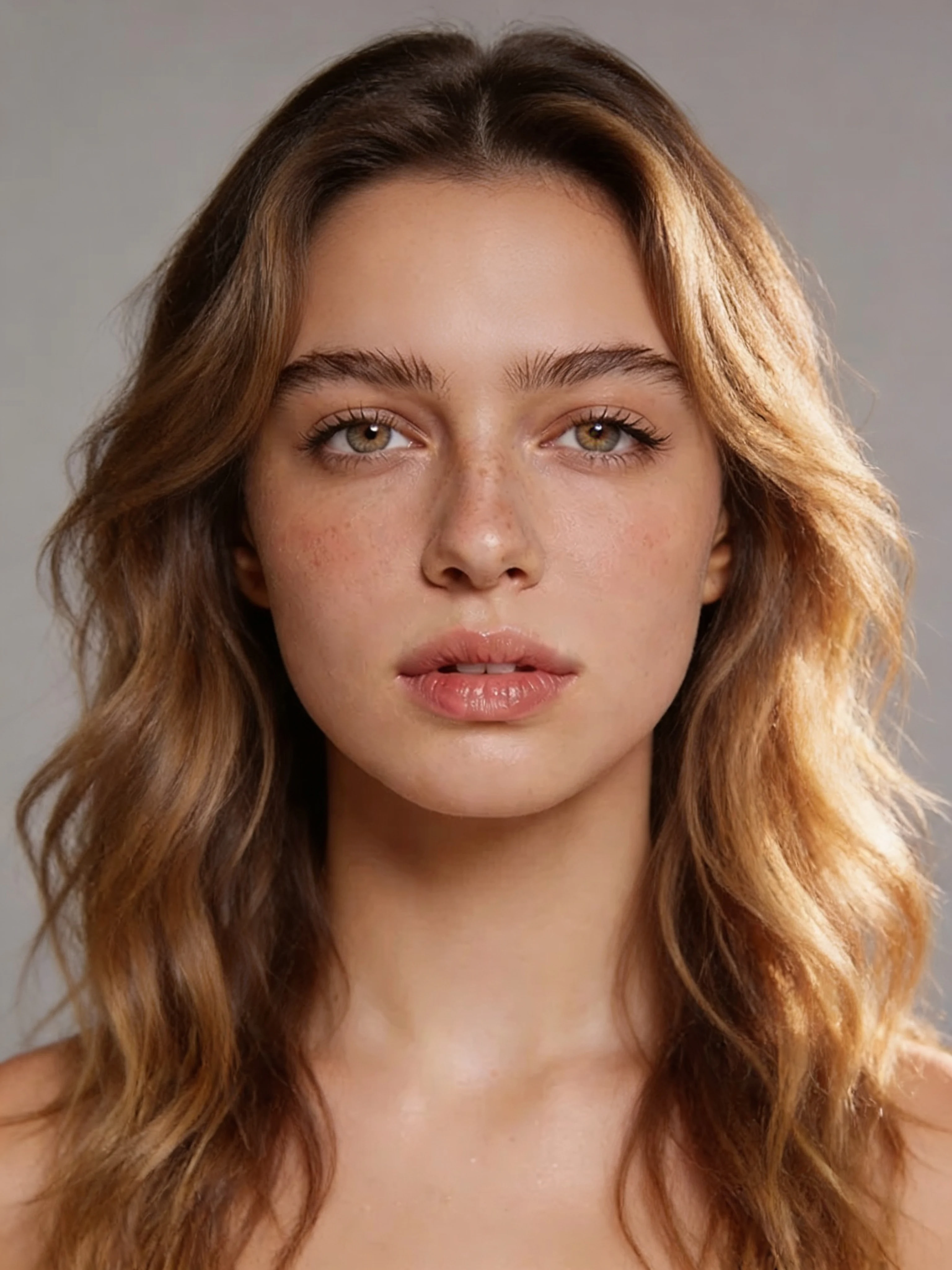
Pixie Cut
Change hairstyle to a short pixie cut with textured layers on top and tapered sides, modern and edgy finish, natural hair color, keep all facial features exactly the same
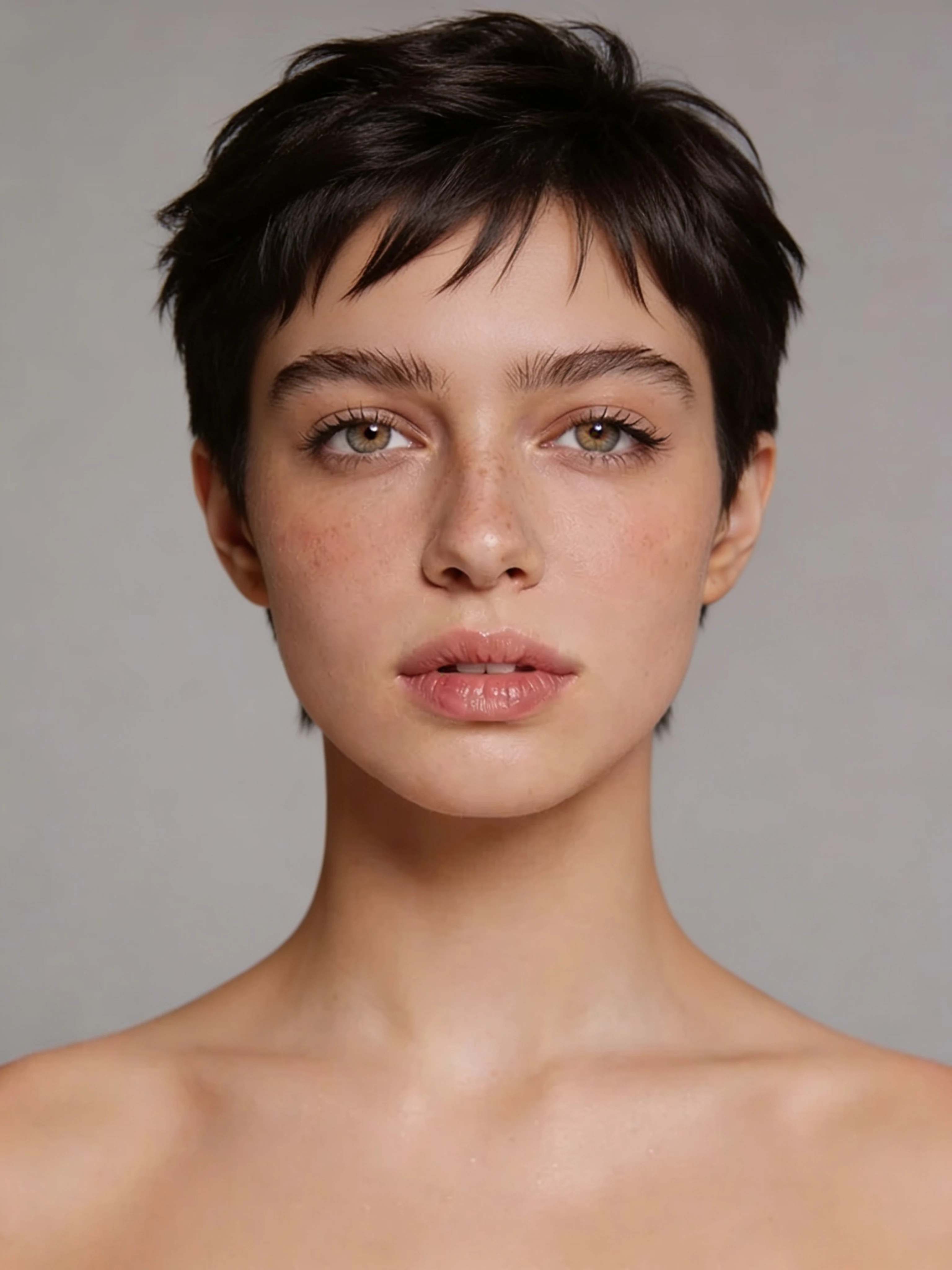
Curtain Bangs
Add curtain bangs parted softly in the middle, framing the face with a feathered wispy texture, blend naturally with existing hair length and color, keep all facial features exactly the same
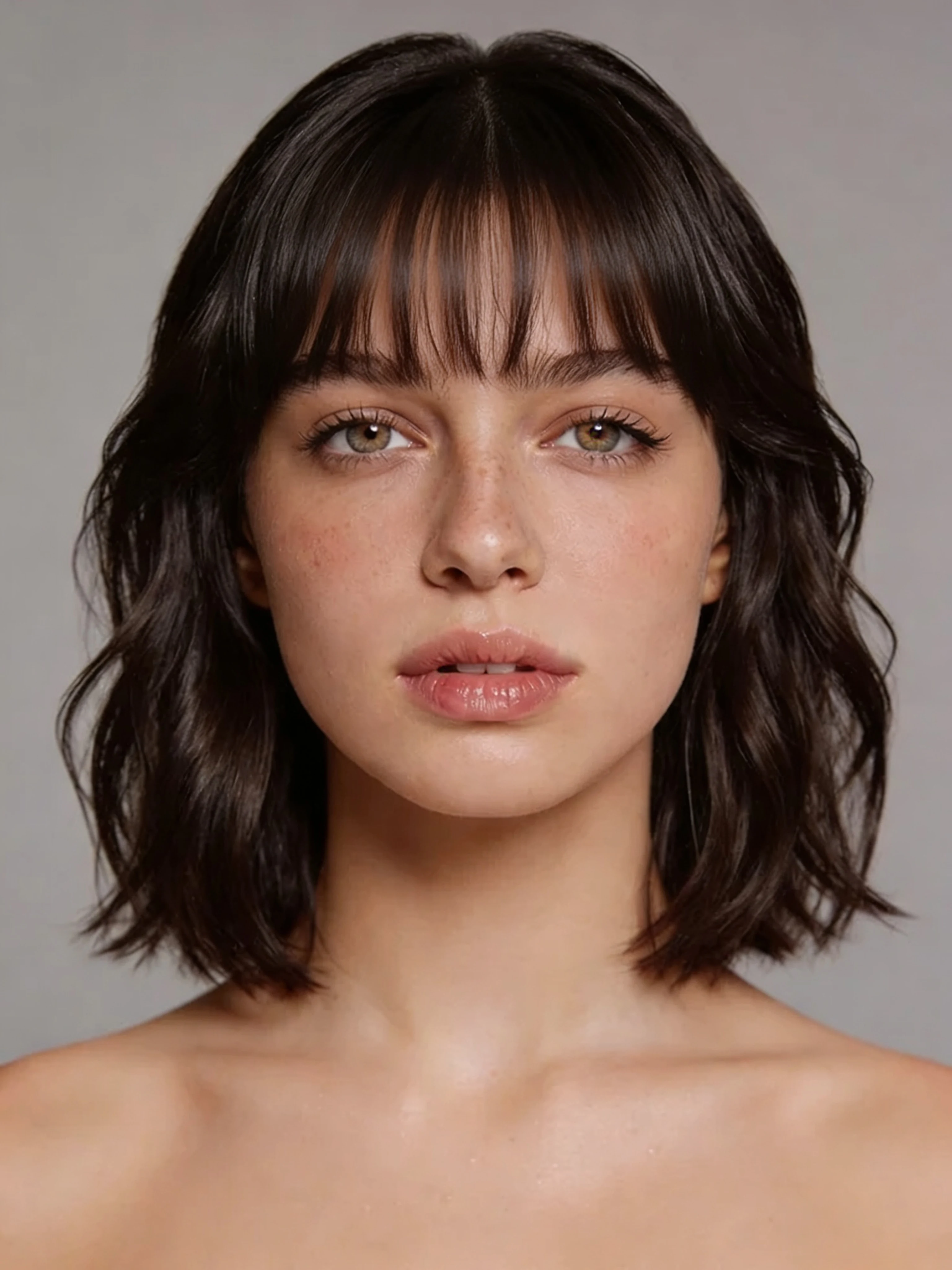
Platinum Blonde Transformation
Change hair color to platinum blonde, cool icy tone with subtle silver highlights, same hairstyle and length, glossy salon finish, keep all facial features exactly the same
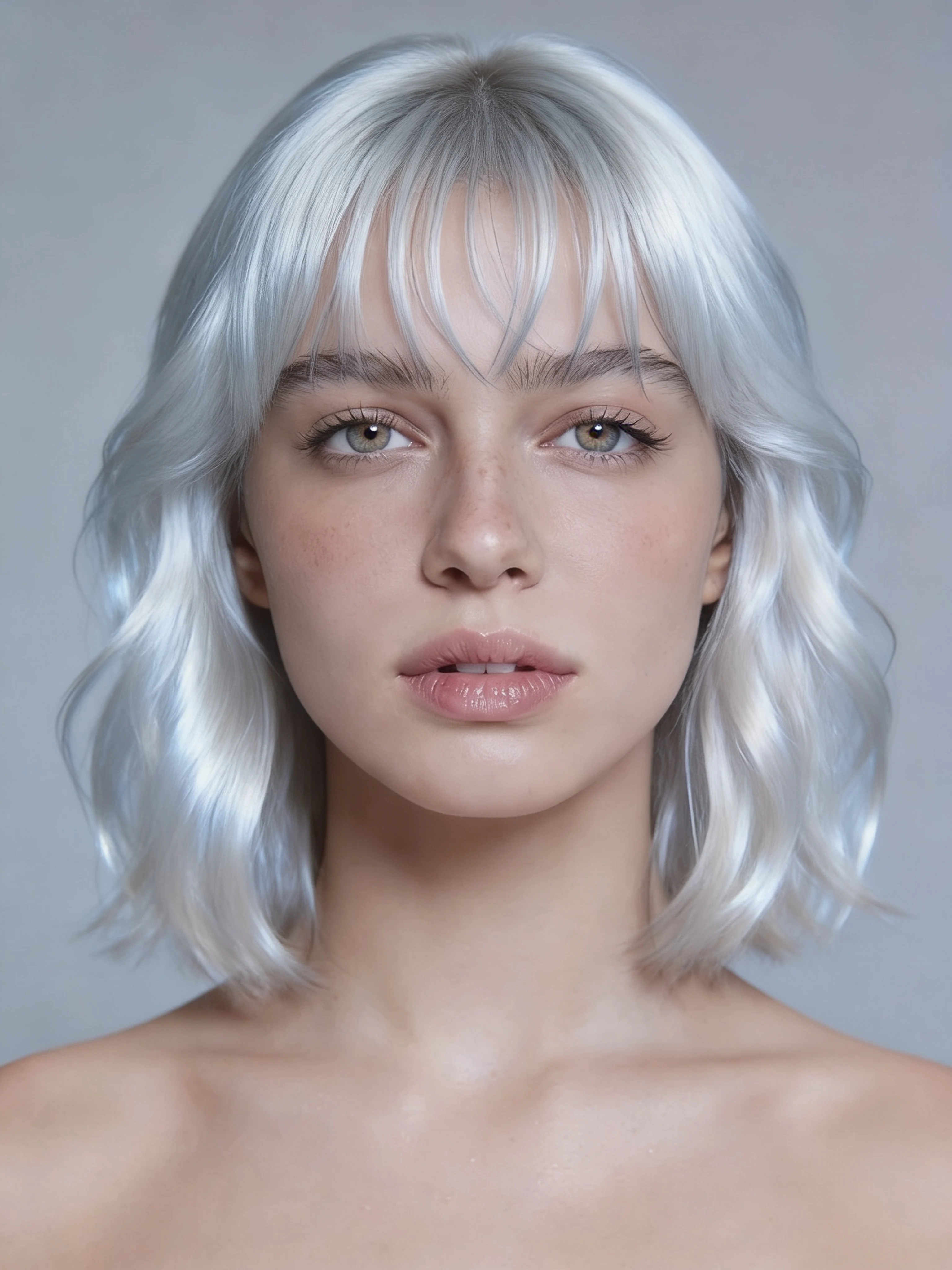
Red Copper Hair
Change hair color to rich copper red with warm auburn undertones and natural shine, same hairstyle and length, vibrant and saturated tone, keep all facial features exactly the same
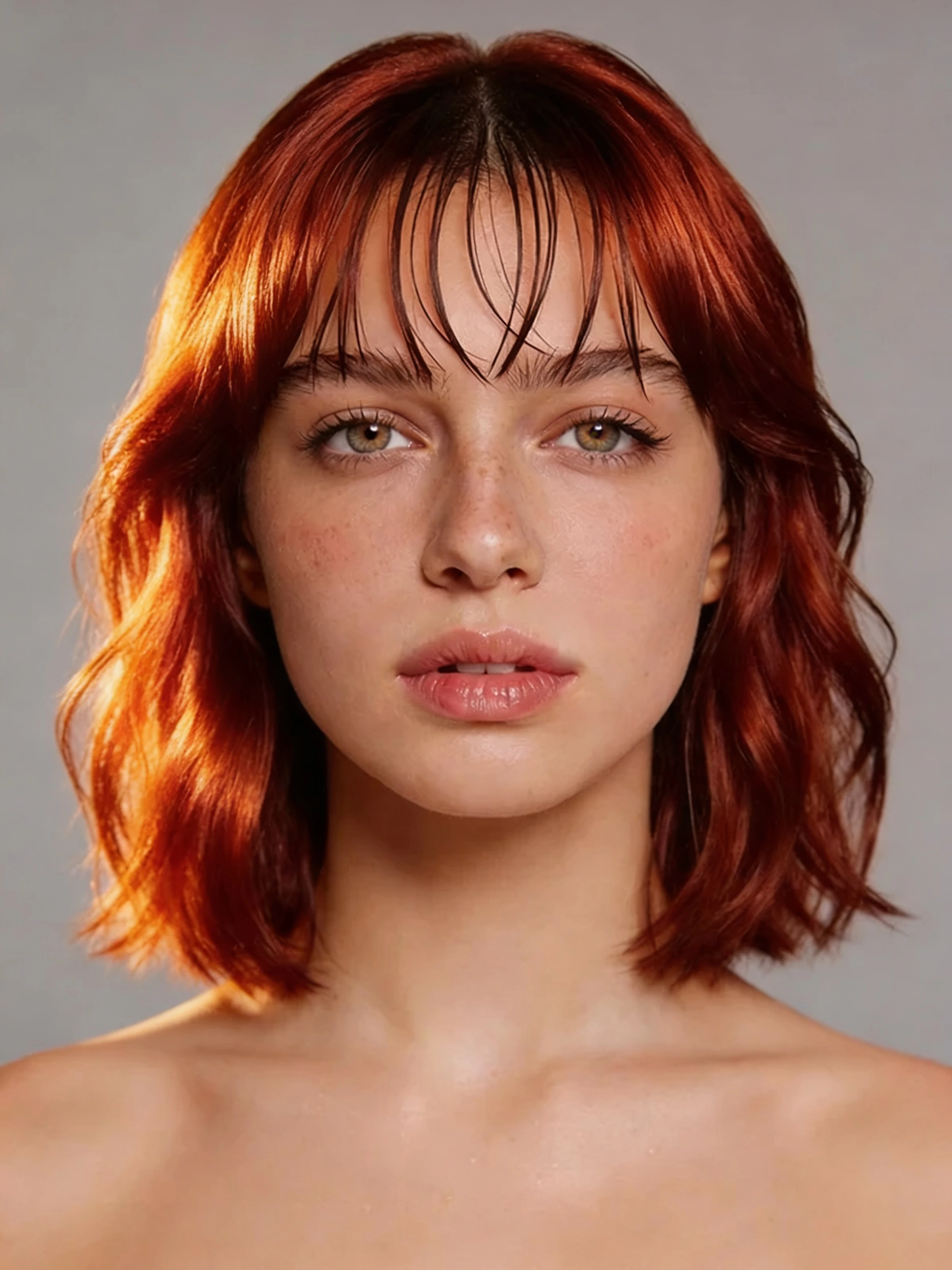
Curly Natural Afro
Change hairstyle to a voluminous natural afro with defined coils, full rounded shape, natural dark color, soft and textured finish, keep all facial features exactly the same
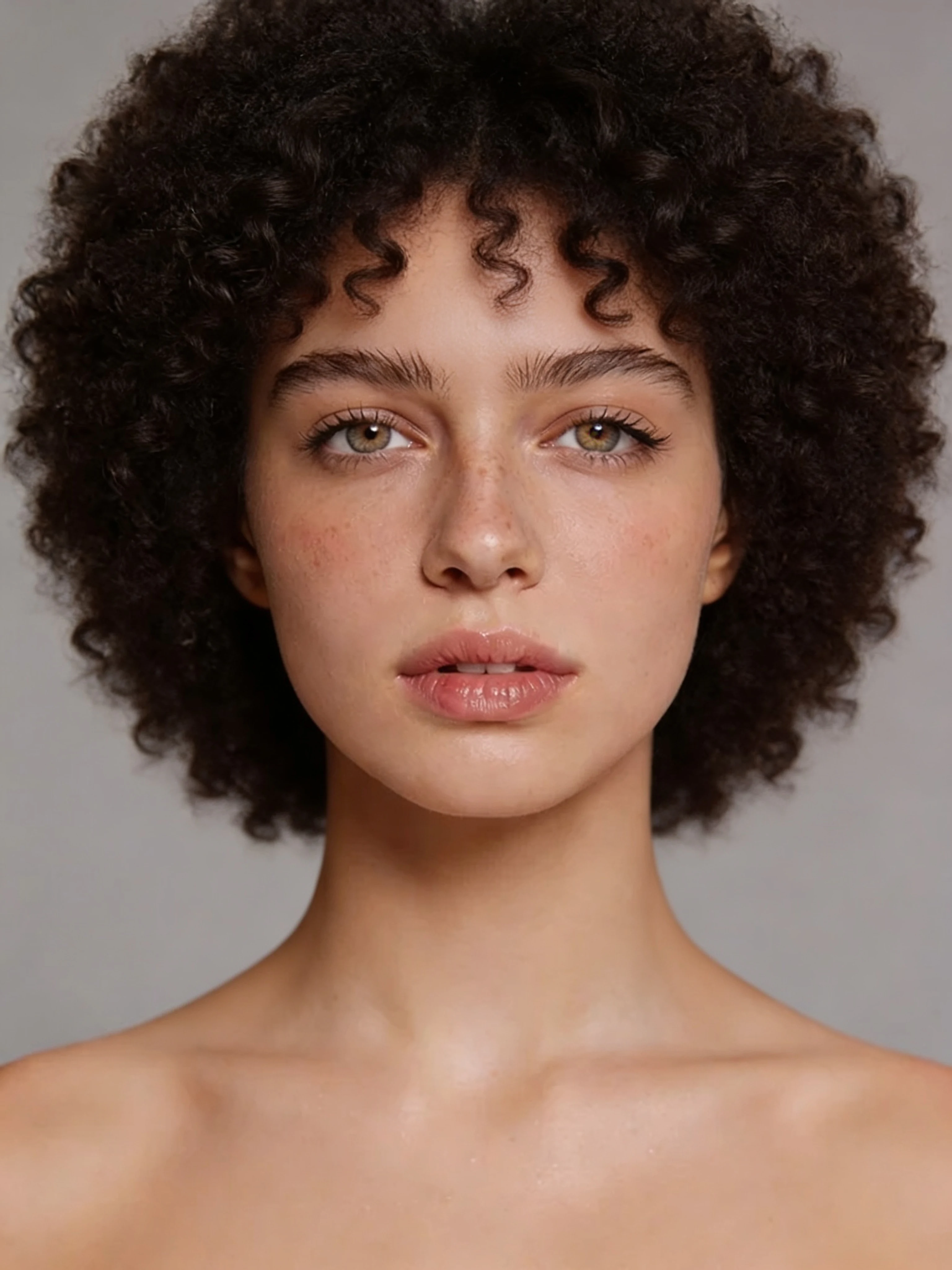
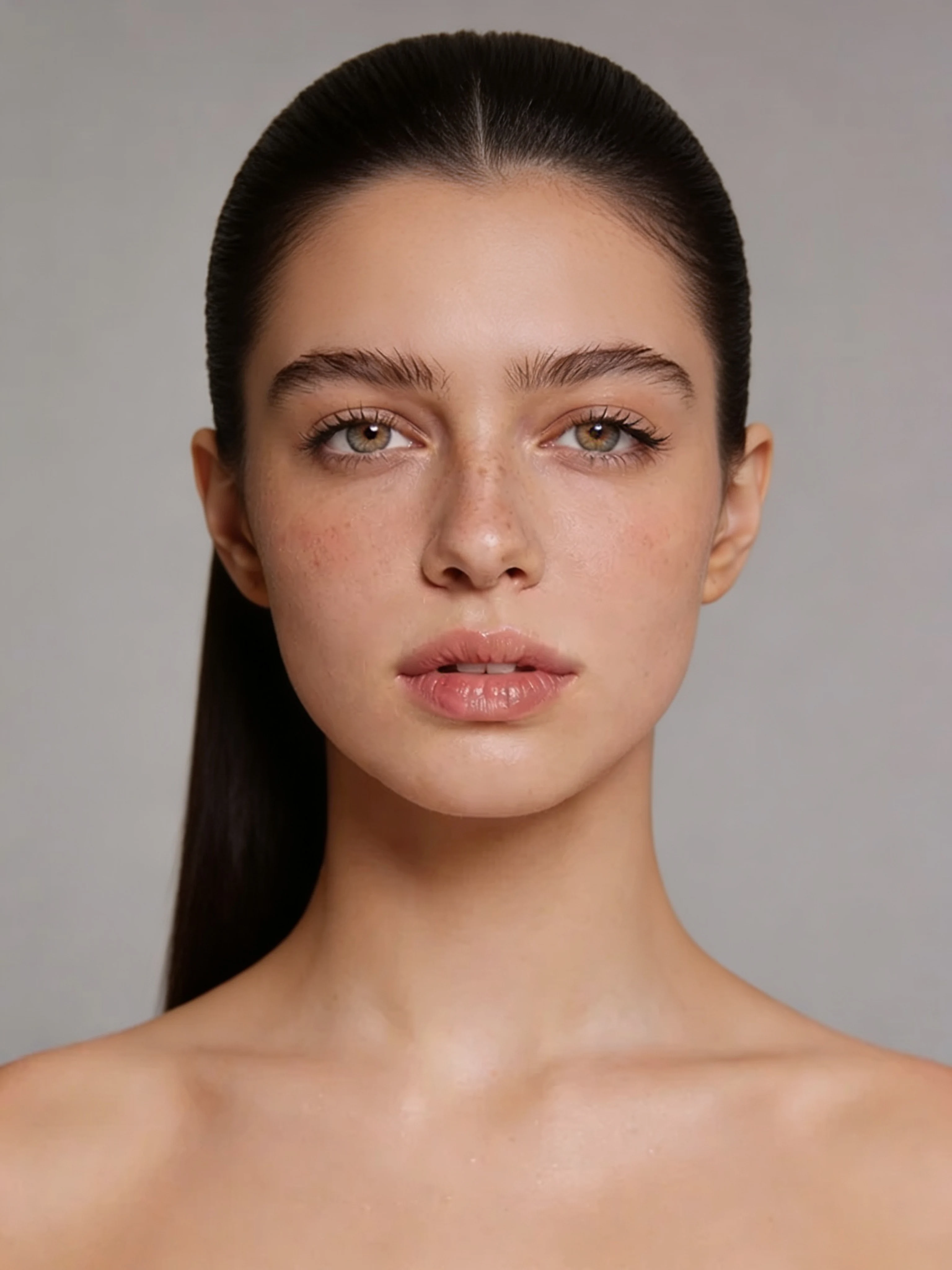
Straight Sleek Ponytail
Change hairstyle to a sleek high ponytail with perfectly straight hair, pulled back tightly and smoothed flat, natural dark color, polished and elegant finish, keep all facial features exactly the same
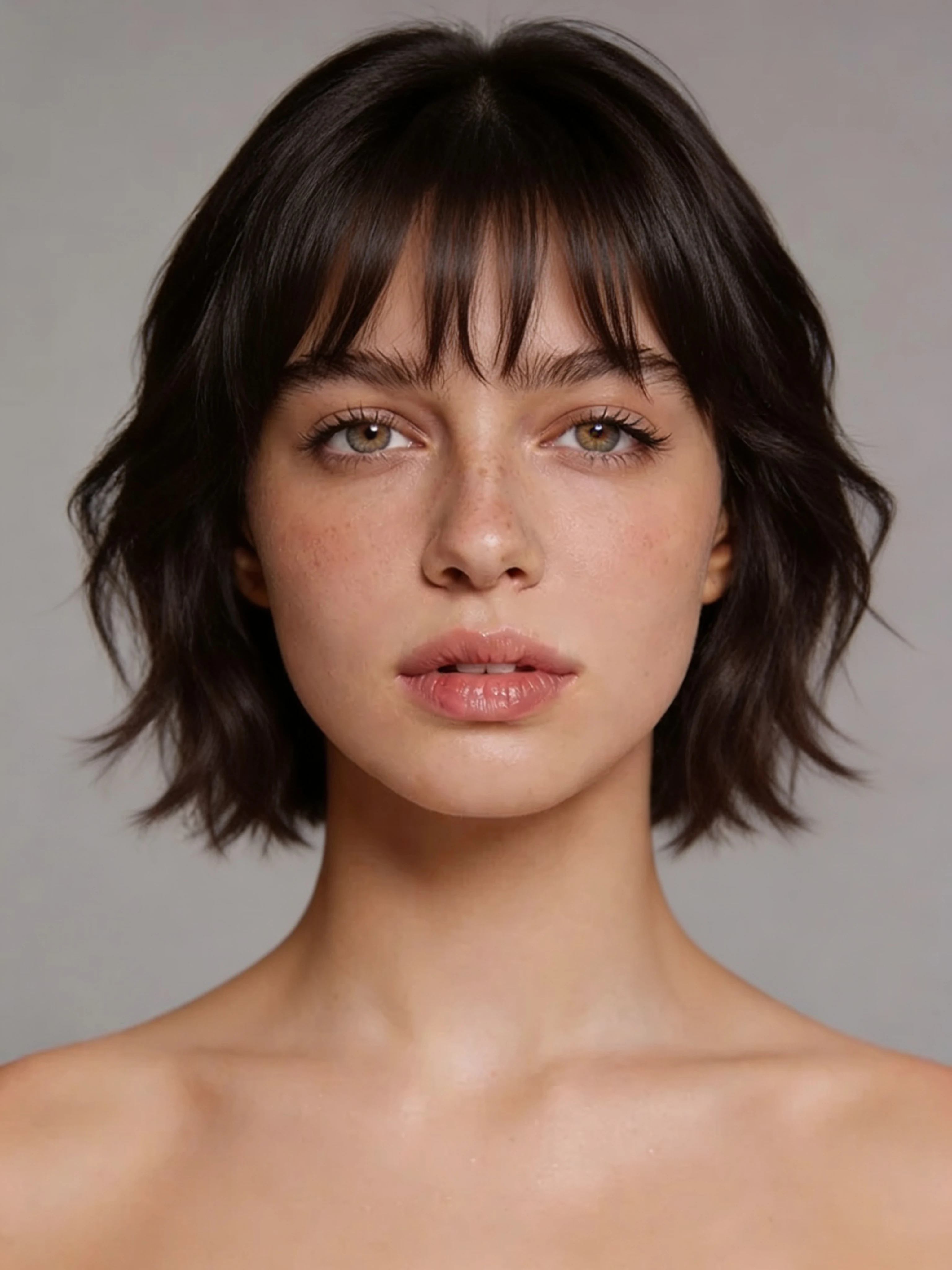
Layered Wolf Cut
Change hairstyle to a layered wolf cut with choppy curtain bangs, shaggy layers around the face, lived-in texture with slight waves, natural color, keep all facial features exactly the same
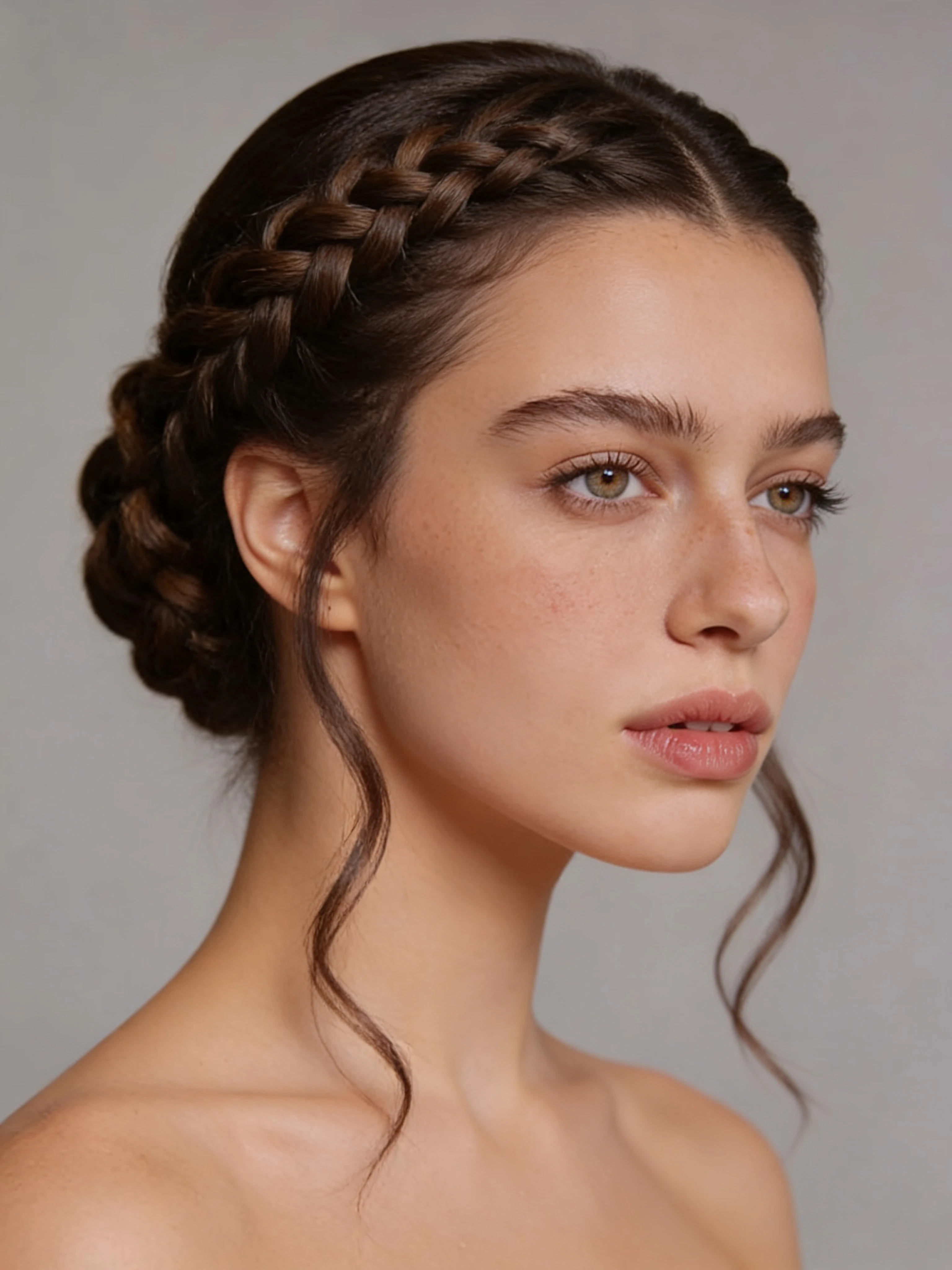
Braided Updo
Change hairstyle to an elegant braided updo with intricate French braids swept back and pinned, loose face-framing tendrils, polished and formal finish, natural hair color, keep all facial features exactly the same
Tips for better results
Getting a clean transformation depends more on your input photo than the prompt. Follow these four guidelines and you will notice a significant improvement in how well the AI preserves your face while changing the hair.
Use a front-facing photo with even lighting. Side profiles and dramatic shadows confuse the model. A flat, well-lit selfie or a photo taken near a window gives the clearest result. Harsh shadows across the forehead or jaw can cause the AI to misread your facial structure.
Describe texture, not just shape. "Bob cut" is less effective than "sleek chin-length bob with smooth polished texture." The more specific you are about whether the hair is wavy, straight, coily, or textured, the more accurate the output.
Try multiple prompt variations. Two attempts with slightly different descriptions will often produce meaningfully different results. If the first output looks slightly off, try swapping a single word — "silky" instead of "smooth," or "choppy" instead of "textured" — before re-running.
Remove accessories from the photo if possible. Hats, hoods, and head coverings can anchor the AI's understanding of what is "hair" in your photo, causing it to blend the accessory into the new style. A clean, unobscured head shot gives the model the clearest starting point.
Beyond hairstyles: what else the Image Editor can do
The same tool handles more than haircuts. If you want to go further with the same photo, the "Add makeup" template applies lipstick, eyeshadow, and contouring in a single step — useful for visualizing a full beauty look before committing to products.
For a more dramatic lifestyle transformation, the "Boss babe confidence" template re-styles your entire look — hair, outfit, and setting — into a polished professional aesthetic. These three templates together cover the core of a personal image refresh without needing a photographer or makeup artist.
All three are available directly in the Image Editor at EditorOpen tool in ZenCreator.
FAQ
Can AI change my hairstyle from a photo?
Yes. AI image editors that support instruction-based editing — where you describe what to change in text — can apply a new hairstyle to an existing photo while keeping your face intact. ZenCreator's Image Editor has a dedicated "Change haircut" template built for this. The results work best with front-facing, evenly lit photos.
What is the best AI hairstyle changer in 2026?
For photorealistic results with no filter restrictions, ZenCreator's Image Editor is the strongest option. It handles both hair color and cut changes from a single photo without rejecting prompts or watermarking outputs. Tools like Adobe Firefly and Canva AI offer hairstyle editing but apply content filters that can block realistic transformations, and their results are less consistent on real-person photos.
Can I change hair color with AI?
Yes — and it is one of the fastest edits to run. Color changes like platinum blonde, copper red, or dark brunette take a single prompt and about ten seconds to generate. You can also describe highlights, balayage, ombré, or other multi-tone effects in the same prompt. See the "Platinum Blonde Transformation" and "Red Copper Hair" prompts above for examples you can paste directly.
Do I need to upload multiple photos?
No. One front-facing photo is sufficient for hairstyle changes. Multiple photos are only needed if you want to build a fully consistent AI character across many different scenes — that workflow uses ZenCreator's Face Generator rather than the Image Editor. For a one-off hairstyle preview, a single selfie is all you need.
Sources
- DataForSEO — Keyword data for "ai hairstyle changer" (April 2026): dataforseo.com
- Grand View Research — AI Image Generation Market Report (2025): grandviewresearch.com
- ZenCreator Image Editor documentation: EditorOpen tool in ZenCreator
- Cosmopolitan — Hair Transformation Trends (2026): cosmopolitan.com
Related guides: