AI Anime Generator: 4 Styles + Photo-to-Anime Prompts That Actually Work (2026)
Generate Ghibli, Shounen, Seinen & Slice-of-life anime with AI. Copy-paste prompts, photo-to-anime conversion, and the best unrestricted anime AI generators in 2026.

Anime is one of the few visual styles where AI generation has already overtaken what most artists can produce by hand on a deadline. The catch is that the prompt does most of the work — and the difference between a generic "anime girl" and a real, usable piece of art is just a few well-placed words.
This guide is the practical version. Real prompts you can copy. Real style examples you can compare side-by-side. The technique for converting a photo of a real person into anime. And honest answers about which models actually let you make adult or unrestricted anime in 2026.
For more on the unrestricted angle, see our best uncensored AI image generators and unrestricted AI swimwear templates guides.
What Makes a Good Anime Prompt?
Short answer: Concrete physical details, one art style anchor, lighting, composition, and a quality marker. Anything vaguer than that gives you generic stock anime.
A good anime prompt has six layers:
- Character description. Hair color, length, eye color, age (always specify "young woman" or "young man" — never leave ambiguous). Outfit. Pose.
- Setting. Where the character is. Time of day. One distinctive prop.
- Art style anchor. Pick ONE:
cel shading,watercolor anime,90s anime film style,modern shounen,pastel slice-of-life,dark seinen,chibi,Studio Ghibli. Mixing two ruins the result. - Lighting.
golden hour,soft window light,neon backlight,moody shadows. Anime models care about light direction more than photoreal models. - Quality markers.
masterpiece,best quality,high detail,clean line art— these are tag-keywords most anime models were trained on. - Negatives. What you don't want.
no text, no watermark, no extra fingers, no blurry.
A working template:
{art style anchor} of {character — hair, eyes, age, outfit}, {pose}, {setting}, {time of day}, {lighting}, {quality markers}. No text, no watermarks.
How Do I Generate a Basic Anime Character?
Short answer: Start with a clean character reference prompt — one subject, neutral background, balanced lighting — then iterate from there. Don't overload the first generation.
Here's the prompt that produces the example below:
Anime illustration of a young woman with long silver hair and emerald green eyes, wearing a red school uniform, standing on a Tokyo rooftop at golden hour, soft warm sunlight from the right, expressive face, clean cel shading, modern anime art style, masterpiece, best quality, high detail. No text, no watermarks.
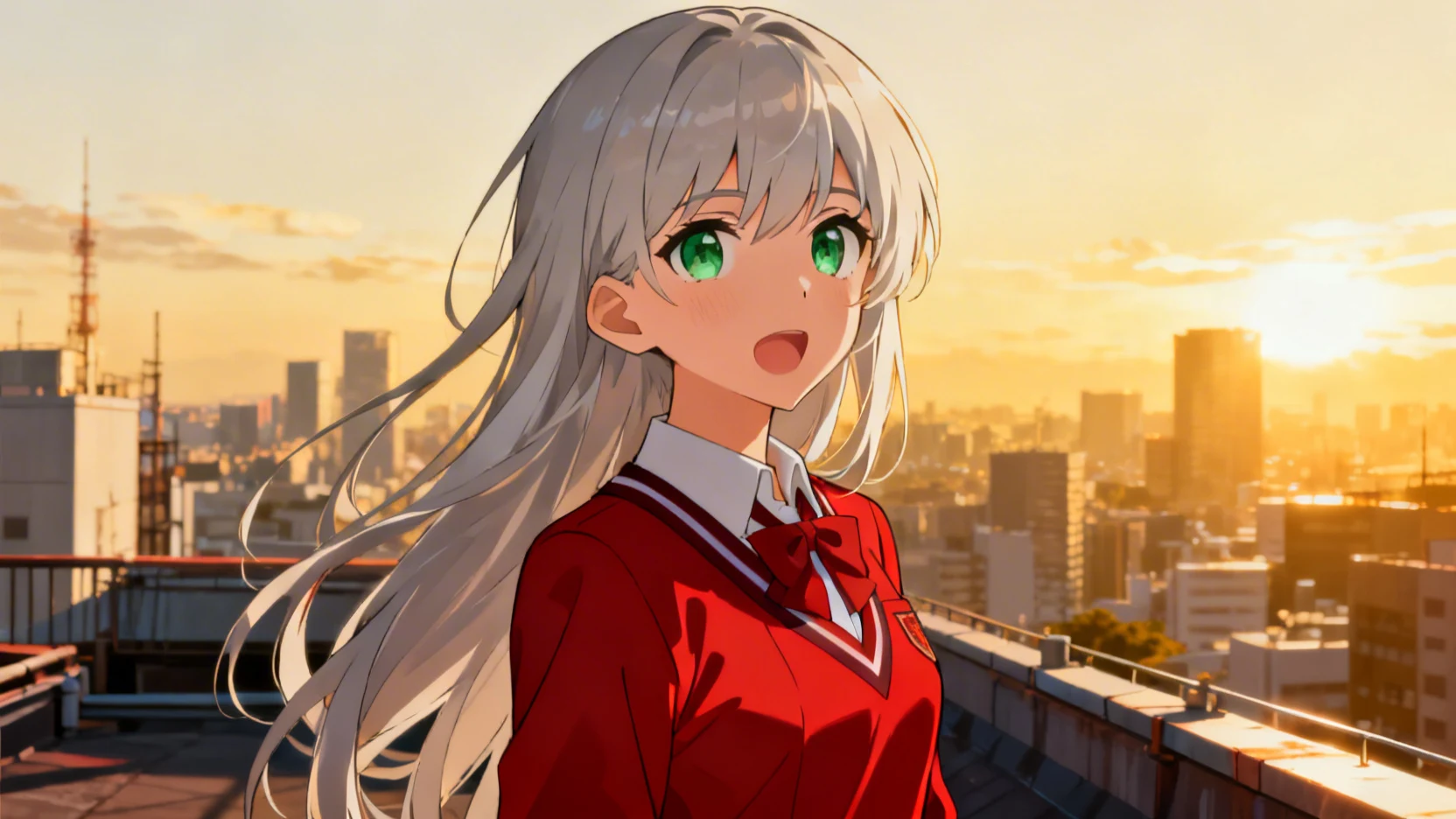
The result keeps the elements you specified — hair, eye color, outfit, location, lighting — without inventing chaotic background props. Once a base character works, you reuse the description across new scenes to keep the same character looking consistent.
How Do I Choose an Anime Art Style?
Short answer: Pick the style anchor that matches the mood of your project. Each style produces dramatically different art from the same base character description.
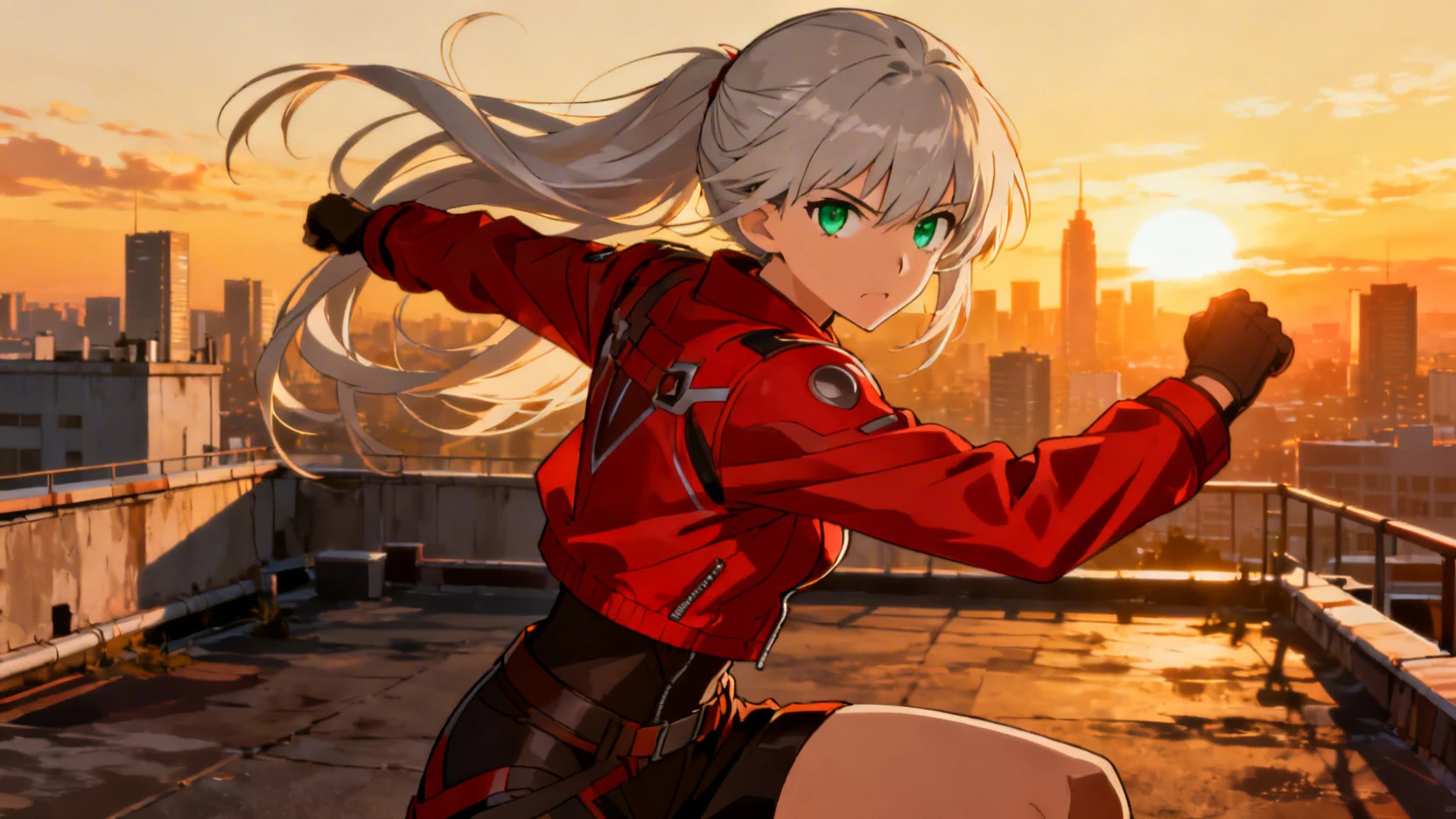
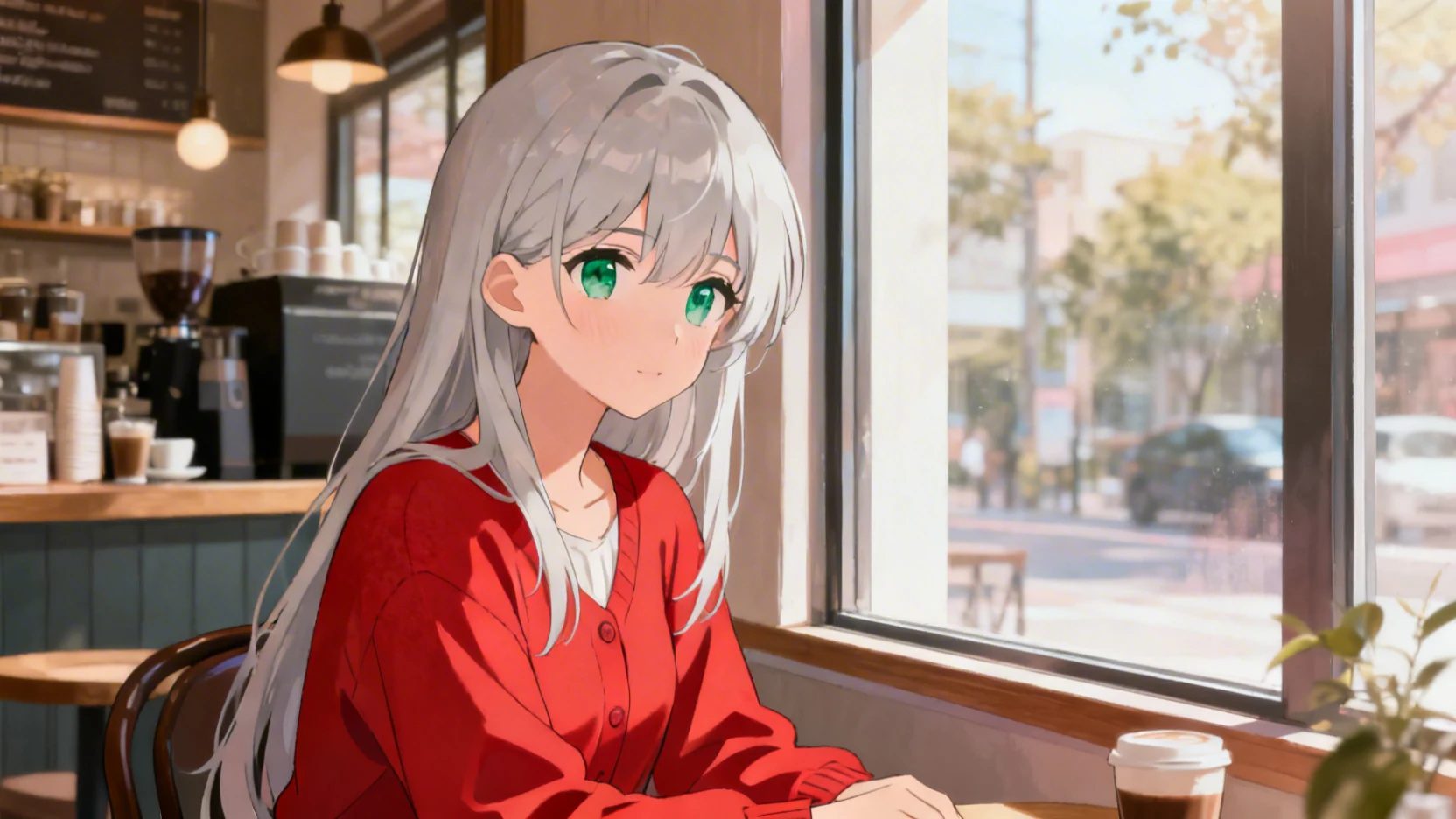
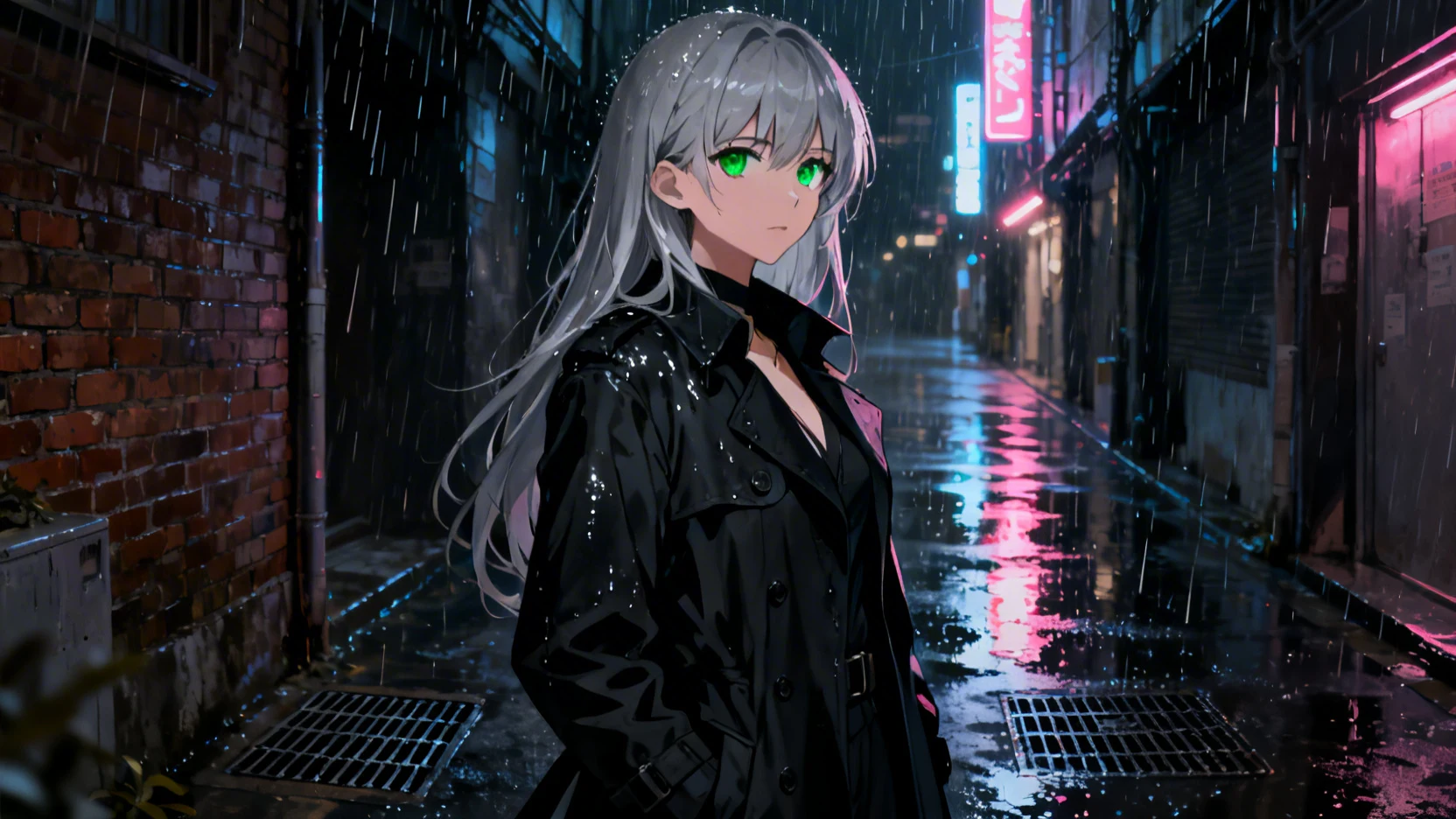
The style anchor is the single most important word in an anime prompt. Below are four styles you can copy. Each uses the same character description as the basic example above so you can see exactly how the style anchor changes the result.
Modern shounen — bright, action-ready
Modern shounen anime illustration of a young woman with long silver hair and emerald green eyes, wearing a red battle jacket, dynamic action pose, urban rooftop, dramatic sunset backlight, sharp clean line art, vibrant saturated colors, masterpiece, high detail. No text, no watermarks.
Pastel slice-of-life — soft, calm, melancholic
Pastel slice-of-life anime illustration of a young woman with long silver hair and emerald green eyes, wearing a red cardigan, sitting quietly by a coffee shop window, soft afternoon light, muted pastel color palette, gentle expression, soft cel shading, peaceful mood, masterpiece. No text, no watermarks.
Dark seinen — moody, mature, cinematic
Dark seinen anime illustration of a young woman with long silver hair and piercing green eyes, wearing a black trench coat, standing in a rain-soaked Tokyo alley at night, neon reflections on wet pavement, dramatic side lighting, deep shadows, mature realistic anime style, high detail, masterpiece. No text, no watermarks.
Studio Ghibli — painterly, warm, nostalgic
Studio Ghibli style anime illustration of a young woman with long silver hair and big green eyes, wearing a red summer dress, standing in a wildflower meadow at golden hour, warm sunset light, hand-painted watercolor look, soft brushwork, gentle expression, nostalgic mood, masterpiece. No text, no watermarks.
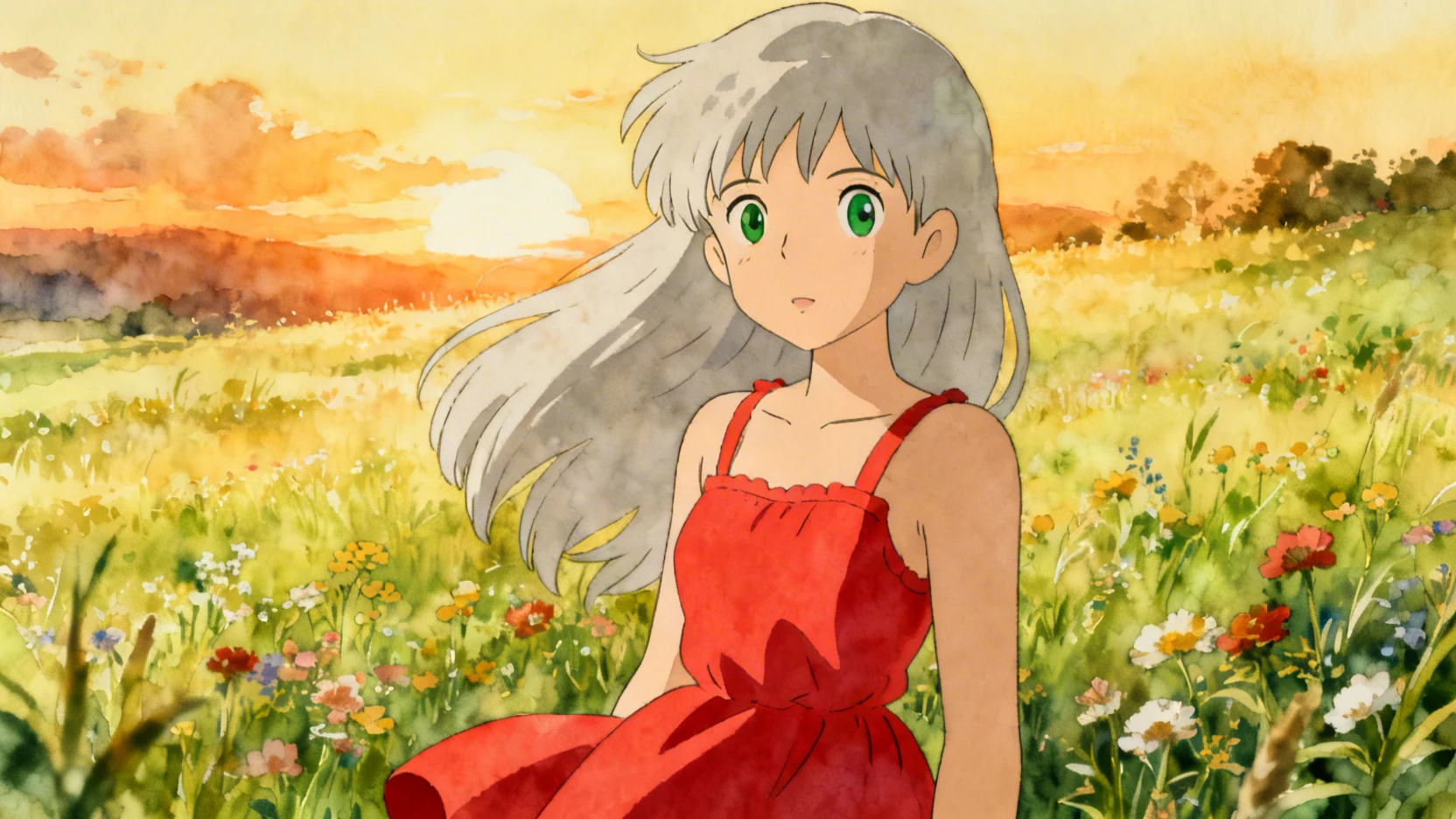
Same character description. Four wildly different results. The style anchor does 80% of the work — keep your character description reusable, and swap the anchor when you need a different mood.
How Do I Convert a Real Photo to Anime?
Short answer: Generate a "before" photoreal portrait and an "after" anime version using almost identical character descriptions. The trick is keeping the same hair, eye color, clothing, and pose words across both prompts.
Photo-to-anime is one of the most common anime AI use cases — turning a selfie or portrait into your own anime version. The technique:
- Describe the source person in plain terms. Hair color and length, eye color, skin tone, age range, clothing.
- Generate a photoreal version first. This becomes your "before".
- Reuse the EXACT same character description with an anime style anchor. Don't change the words about appearance — only swap the style.
Here's both prompts side by side:
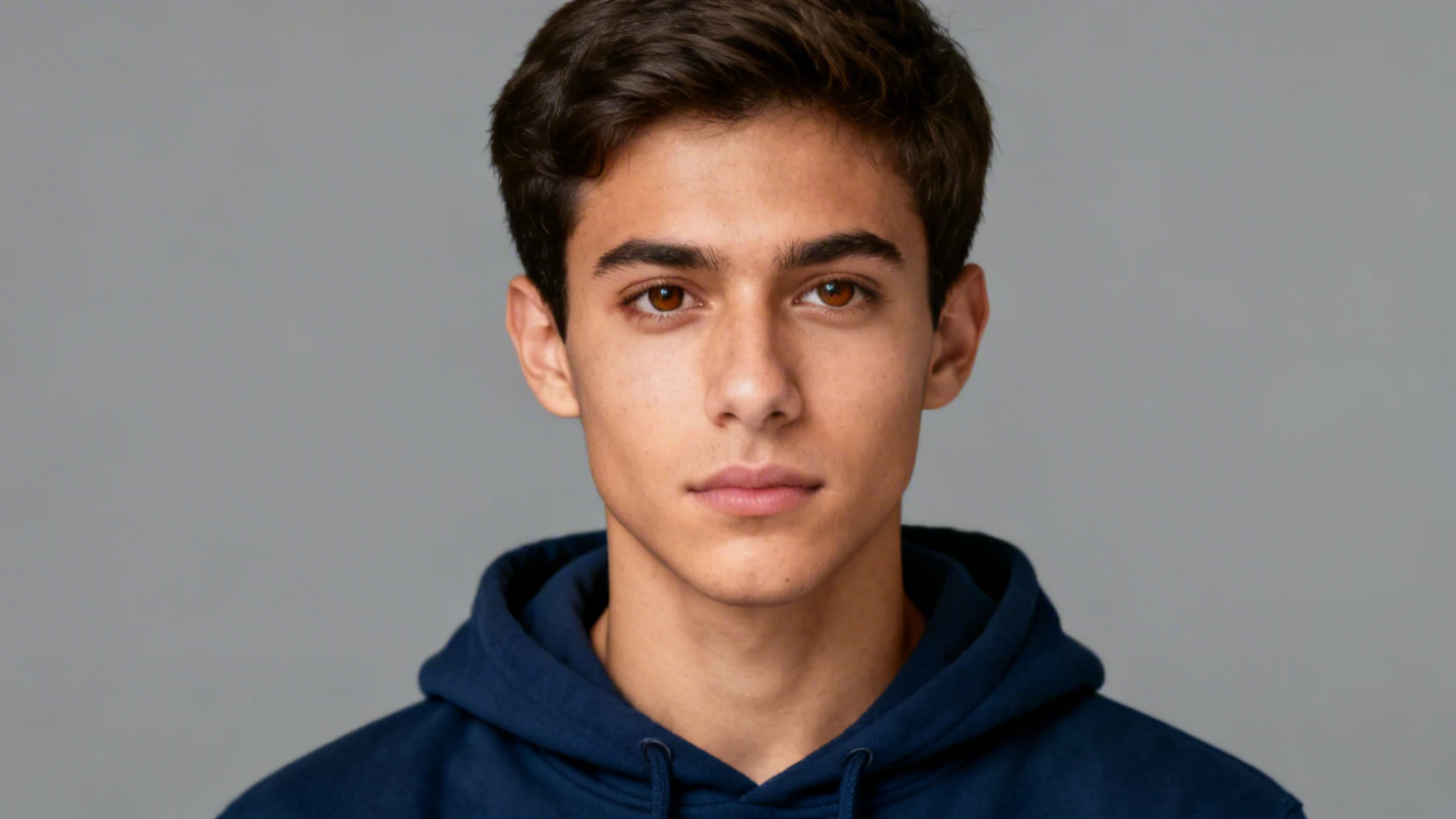
Before — photoreal:
Photorealistic portrait of a young man with short dark brown hair and warm brown eyes, light olive skin, wearing a navy blue hoodie, neutral expression, soft studio lighting from the front, plain grey background, sharp focus, high detail, professional photography. No text, no watermarks.
After — anime:
Modern anime illustration of a young man with short dark brown hair and warm brown eyes, light olive skin, wearing a navy blue hoodie, neutral expression, soft front lighting, plain background, clean cel shading, expressive features, masterpiece, high detail. No text, no watermarks.
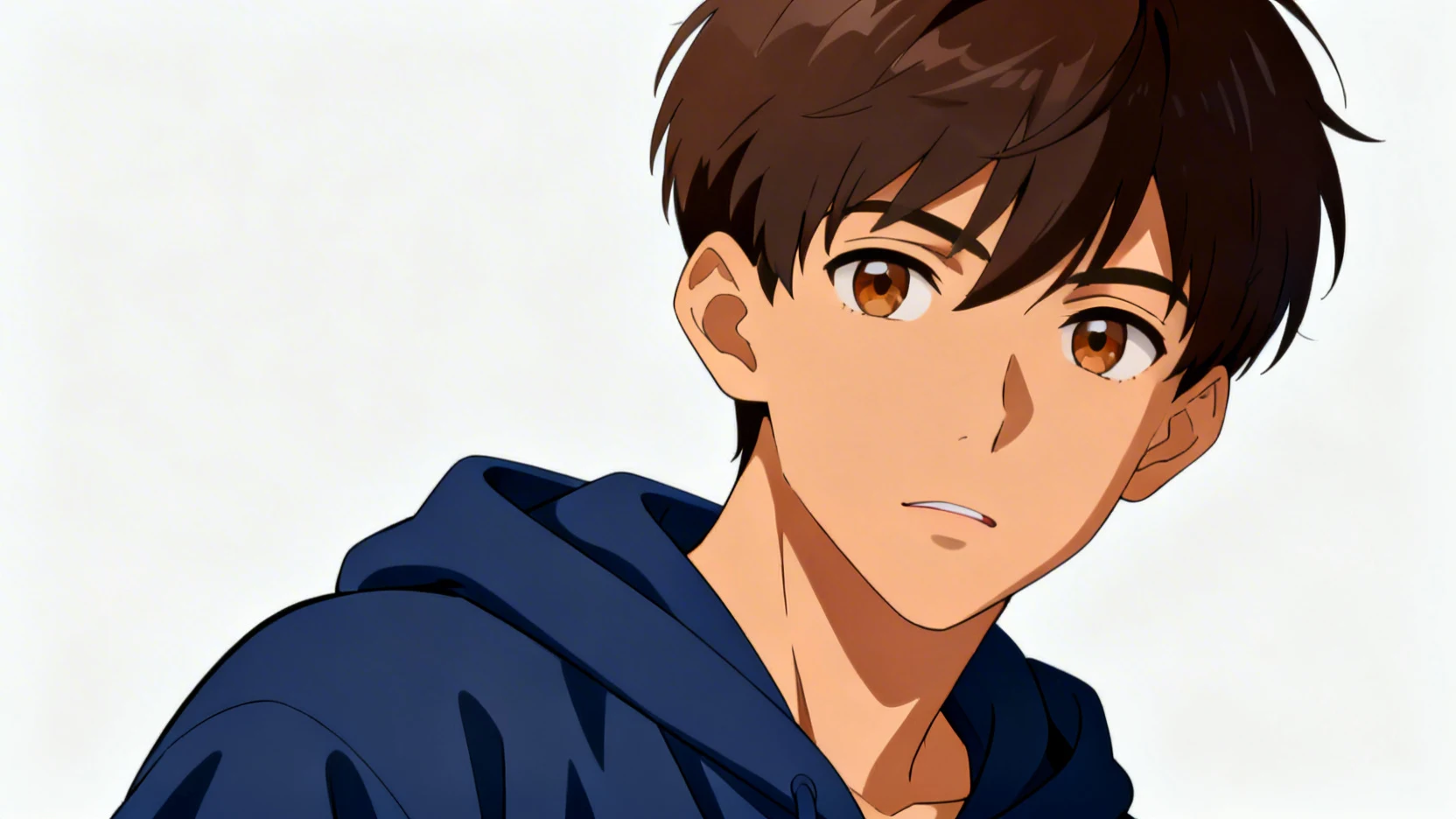
The key is word identity: same hair, same eyes, same skin, same clothing, same pose. Only the style anchor and the quality keywords change. This gives you a recognizable anime version of the source person without needing image-to-image input.
For best results: keep the character description short and specific (5–7 distinctive features). Long lists of adjectives confuse the model and you lose the resemblance.
Can I Generate Unrestricted Anime in 2026?
Short answer: Most major AI platforms block adult or even mildly suggestive anime. ZenCreator runs unrestricted anime models so you can generate what you actually want, including artistic nudity, mature themes, and edgy character designs.
The honest situation in 2026:
- Midjourney, DALL-E, Adobe Firefly: strict NSFW filters. Anything beyond mild fanservice is blocked.
- Stable Diffusion online services: mixed — some are filtered, some aren't, most have moderation queues that flag your account if you push edges.
- Self-hosted Stable Diffusion / Flux with anime LoRAs: fully unrestricted, but you need a 12 GB+ GPU and a few hours to set up.
- ZenCreator: runs the open anime models (Animagine XL 4.0, NoobAI XL, Pony Diffusion V6, Illustrious XL) with no built-in filter, no GPU requirement, and affordable credit plans starting at $19.99.
If your work crosses the lines that mainstream platforms refuse — artistic nudity, mature character themes, specific kinks, controversial subject matter — you have two options: self-host the open models on your own hardware, or use a hosted platform that doesn't add a filter on top.
For more on this approach, see our guide to NSFW image variations and realistic AI girl video tutorial.
Try ZenCreator anime generation free →
What Are the Best Anime Models in 2026?
Short answer: Animagine XL 4.0 for clean modern anime, NoobAI XL for premium quality with V-Prediction, Pony Diffusion V6 XL for character versatility, and Illustrious XL for the cleanest hands and anatomy.
Quick rundown of what each model is best at:
- Animagine XL 4.0 — the cleanest line art and the best tag comprehension. Trained from scratch on SDXL with 8.4 million anime images. Best first pick if you don't know what to use.
- NoobAI XL — uses V-Prediction technology for the highest quality output of any anime model in 2026. Slightly trickier to use (needs lower CFG around 3.5) but the results are worth it.
- Pony Diffusion V6 XL — the most versatile model. Handles anime, cartoon, anthropomorphic characters, and stylized art equally well. 21 million downloads — the community has a LoRA for everything imaginable.
- Illustrious XL — the best hands and anatomy of any anime model. If your character poses involve hand details, weapons, or precise anatomy, start here.
All four are open-source SDXL fine-tunes. ZenCreator runs them all so you can switch models inside one workflow without setting up GPUs yourself.
Frequently Asked Questions
What is the best AI for creating anime characters in 2026?
Animagine XL 4.0 is the best general-purpose anime model in 2026. It produces the cleanest line art and has excellent tag comprehension. For more stylistic range, try NoobAI XL or Pony Diffusion V6 XL.
Can AI convert a photo to anime?
Yes. The simplest method is to describe the person in your photo (hair, eye color, clothing, pose) and run that description through an anime model with a style anchor. Keep the description identical across the photoreal and anime prompts to get a recognizable result.
Are there free unrestricted anime AI generators?
Yes. Self-hosted Stable Diffusion with open anime models (Animagine, NoobAI, Pony, Illustrious) is free and unrestricted, but requires a 12 GB+ GPU. For a hosted free option, ZenCreator runs the same open models without filters.
What is the difference between Animagine XL and Pony Diffusion?
Animagine XL is optimized purely for anime art with the cleanest line work. Pony Diffusion V6 XL is more versatile — it handles anime, cartoon, anthropomorphic, and stylized art equally well. Pick Animagine for pure anime, Pony for variety.
Why does my anime AI keep giving generic results?
Your prompt is missing one of the six layers: character details, setting, art style anchor, lighting, quality markers, or negatives. Generic results almost always come from prompts that say "anime girl with sword" with no specifics. Add concrete physical details and one strong style anchor.
Can I use AI to create consistent anime characters across multiple images?
Yes. Reuse the exact same character description (hair color, eye color, age, distinctive features) across every prompt. For best consistency, generate a base character reference first, then use the same description with different scenes and poses. Some models also support character LoRAs for stronger consistency.
The Bottom Line
Anime generation is the easiest way to learn AI prompting because the style is so distinctive that small prompt changes produce dramatic visual results. Master the six-layer prompt template above, pick one strong style anchor per image, and reuse character descriptions to keep characters consistent across a series.
When you hit the wall of mainstream platform filters — and you will, eventually — switch to either self-hosted Stable Diffusion or a hosted platform that runs the open anime models without filters.